What is Discovery?
OpenDataDSL does a lot: master data and curves, monitoring, data loaders and integrations, scripts and workflows, Fusion AI, policies and more. Each part is simple on its own, but new users often ask how they fit together. Discovery answers that with a picture of each area of the platform, as the first item of its menu.
| Menu | Discover screen | What it shows |
|---|---|---|
| Data | Discover Data | Master data, events, every kind of data, reports and automations |
| Monitor | Discover Monitor | Processes, dataset deliveries, curve builds, validation, alerts and logs |
| Deliver | Discover Deliver | Getting data in, bundling and shaping it, and sending it out |
| Build | Discover Build | Types, scripts, notebooks, workflows, processes, extensions and promotion |
| AI | Discover AI | The Fusion AI Studio, assistants, tools, playbooks, agents and token usage |
| Manage | Discover Manage | Users, groups, policies, bulk changes, licences, documents and projects |
Reading a screen
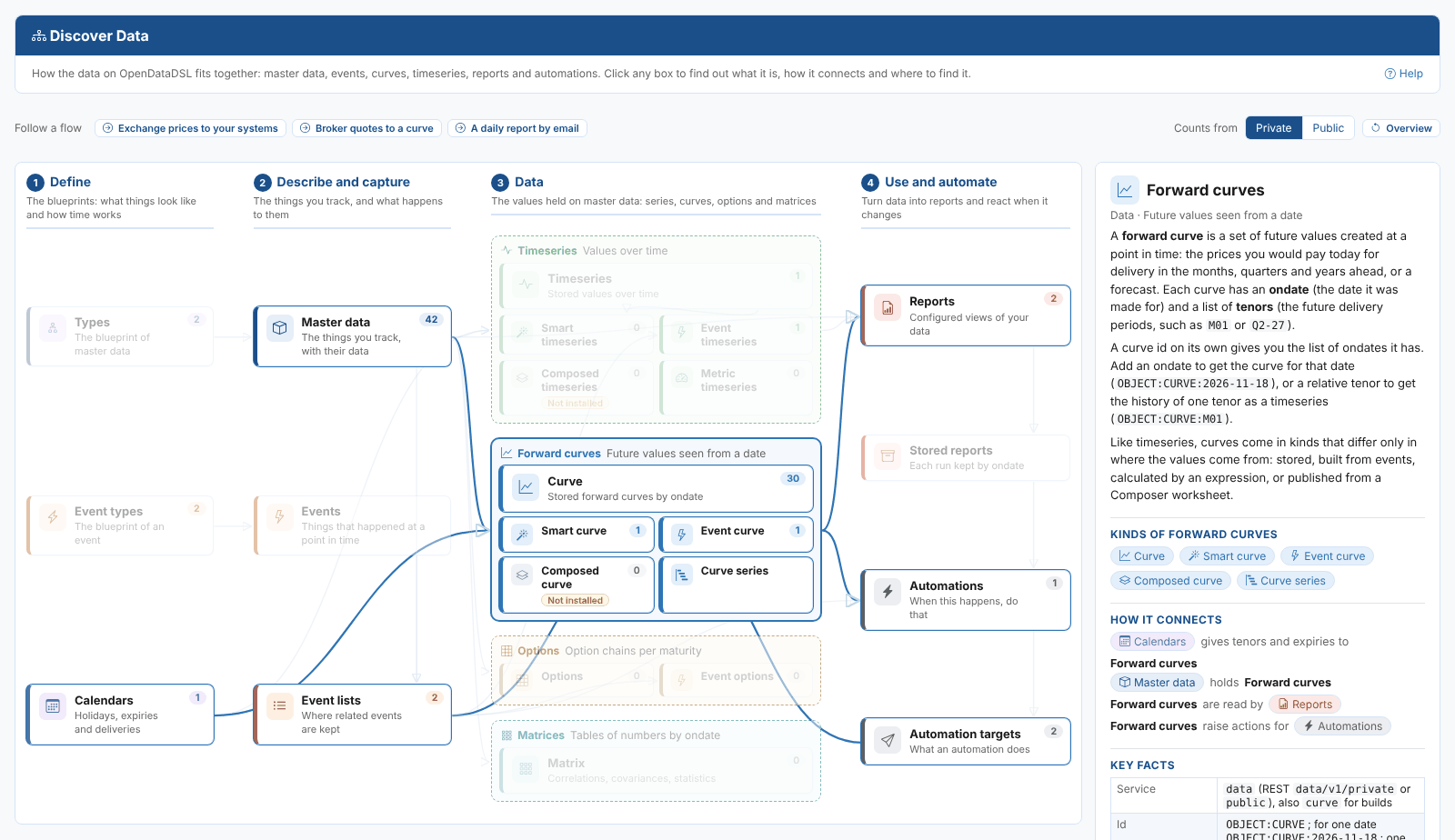
Each screen reads left to right in lanes, from where things start to where they end up. The lines between the boxes show how they connect: hover over a line to see what it means, for example Master data holds Forward curves.
Click a box, or the heading of a family such as Forward curves, to open its panel on the right (below the picture on smaller screens). Its connections are highlighted and the rest of the picture fades.
| Section | What it shows |
|---|---|
| What it is | A plain description, with examples |
| How it connects | Every connection, in words. Click a name to jump to it |
| Key facts | The service, ids, where it is stored, and similar details |
| Example | A short example, where one helps |
| Discover more | A link to the Discover screen that explains it in full, when that is another screen |
| In your company | How many your company has, and the first 25 by id, where it can be counted |
| Where to find it | The menu item to use. Open takes you there when the portal supports it |
| Read more | The guides to read next |
Press Escape or Overview to clear the selection. The overview panel also links to the other Discover screens.
On screens that count data held in both sources, use Counts from to switch between Private (your company's own data) and Public (the data OpenDataDSL shares with everyone).
Not installed
Many parts come with an extension. When your company does not have that extension in this environment, its box says Not installed and its panel tells you which extension it is, so you can ask your administrator, or OpenDataDSL, to install it.
Follow a flow
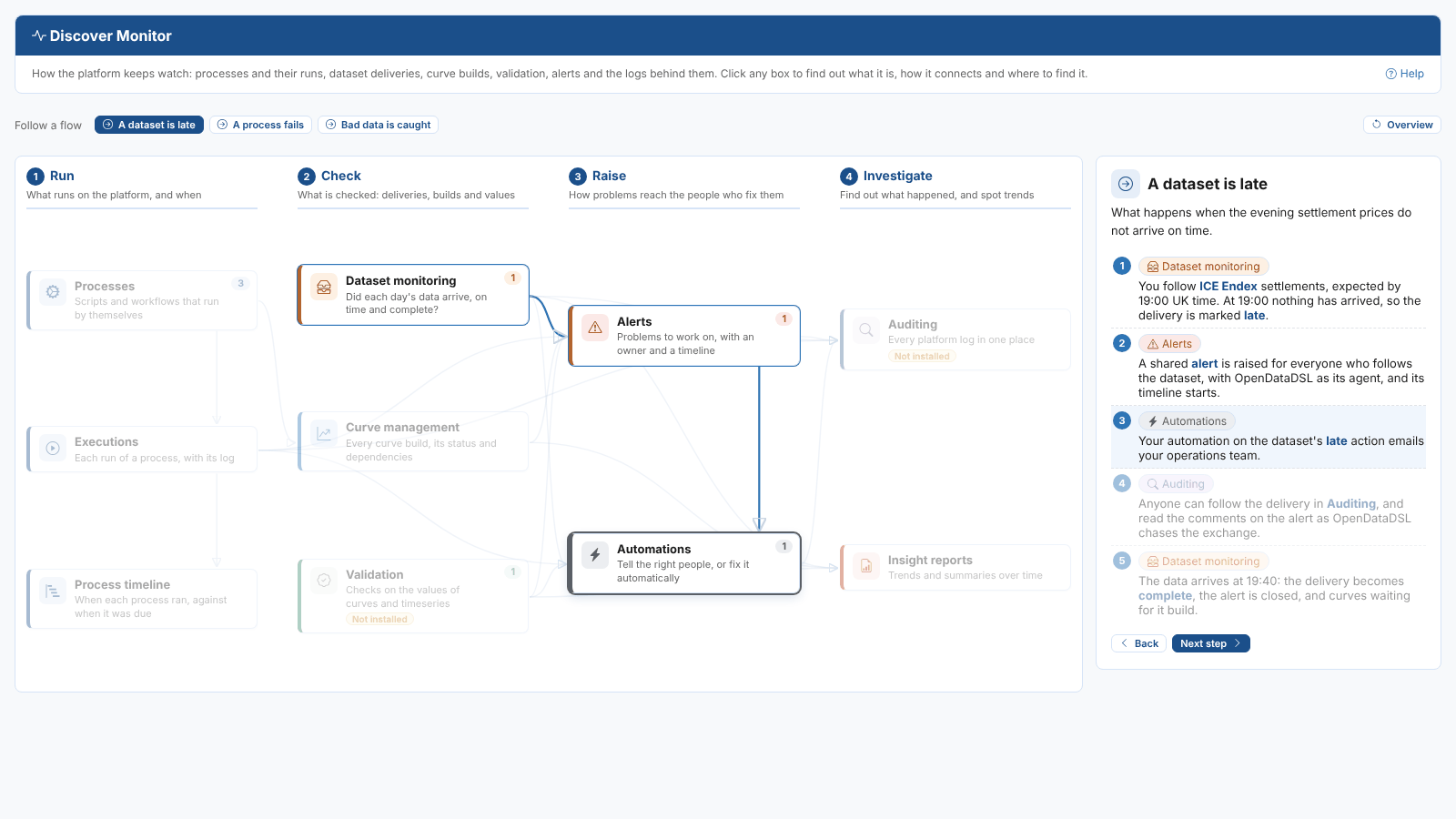
Each screen has three flows, shown as buttons under the title. A flow walks through the screen step by step with a real example, such as A dataset is late on Discover Monitor, highlighting each part in turn. Use Next step and Back, or click a step.
Good to know
- Discovery only reads: it never changes anything.
- A count shows many when the platform does not give an exact number for a very large set, and a dash when it could not be read (for example when you have no access to that service).
- The Home page has a task, Understand how the platform fits together, that opens Discover Data.