Discover Monitor
Discover Monitor is the first item of the Monitor menu. How the platform keeps watch: processes and their runs, dataset deliveries, curve builds, validation, alerts and the logs behind them.
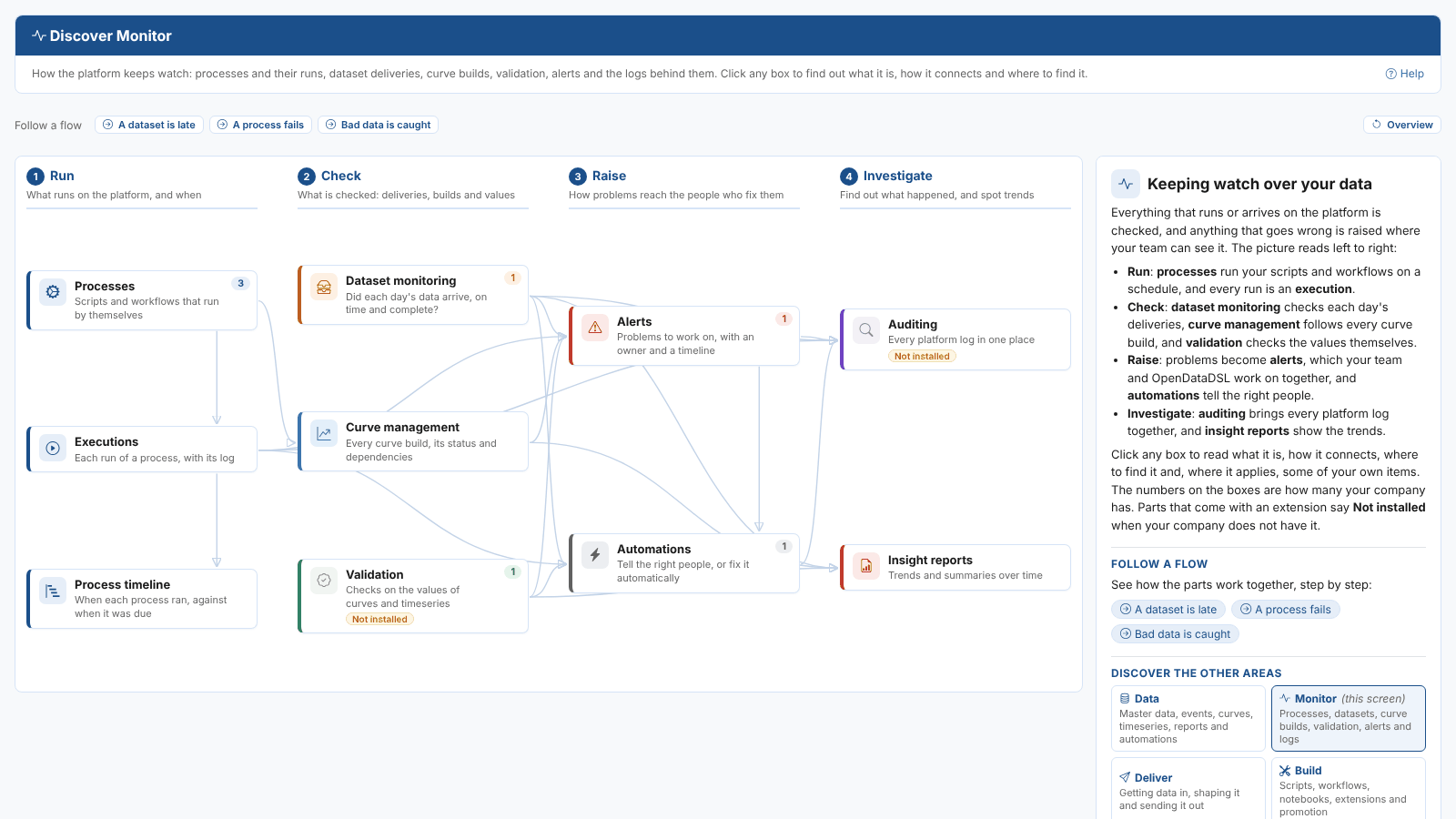
What is on the screen
1. Run
What runs on the platform, and when.
| Part | What it is | Comes with |
|---|---|---|
| Processes | Scripts and workflows that run by themselves | The platform |
| Executions | Each run of a process, with its log | The platform |
| Process timeline | When each process ran, against when it was due | The platform |
2. Check
What is checked: deliveries, builds and values.
| Part | What it is | Comes with |
|---|---|---|
| Dataset monitoring | Did each day's data arrive, on time and complete? | The platform |
| Curve management | Every curve build, its status and dependencies | The platform |
| Validation | Checks on the values of curves and timeseries | Validation |
3. Raise
How problems reach the people who fix them.
| Part | What it is | Comes with |
|---|---|---|
| Alerts | Problems to work on, with an owner and a timeline | The platform |
| Automations | Tell the right people, or fix it automatically | The platform |
4. Investigate
Find out what happened, and spot trends.
| Part | What it is | Comes with |
|---|---|---|
| Auditing | Every platform log in one place | Auditing |
| Insight reports | Trends and summaries over time | The platform |
Click any part to read about it: what it is, how it connects, key facts, where to find it and the guides to read. Parts that come with an extension your company does not have say Not installed.
Flows
| Flow | What it shows |
|---|---|
| A dataset is late | What happens when the evening settlement prices do not arrive on time. |
| A process fails | How a failed overnight job is spotted and investigated. |
| Bad data is caught | How a wrong price is stopped before it reaches a report. |
Read more
- Data monitoring
- Curve management
- The other Discover screens: Discover Data, Discover Deliver, Discover Build, Discover AI, Discover Manage