Dashboard and analysis
Dashboard
The Dashboard view shows a results chart for every model on the selected Dashboard, plus any model that has no dashboard name. Each bar is one source; All combines them.
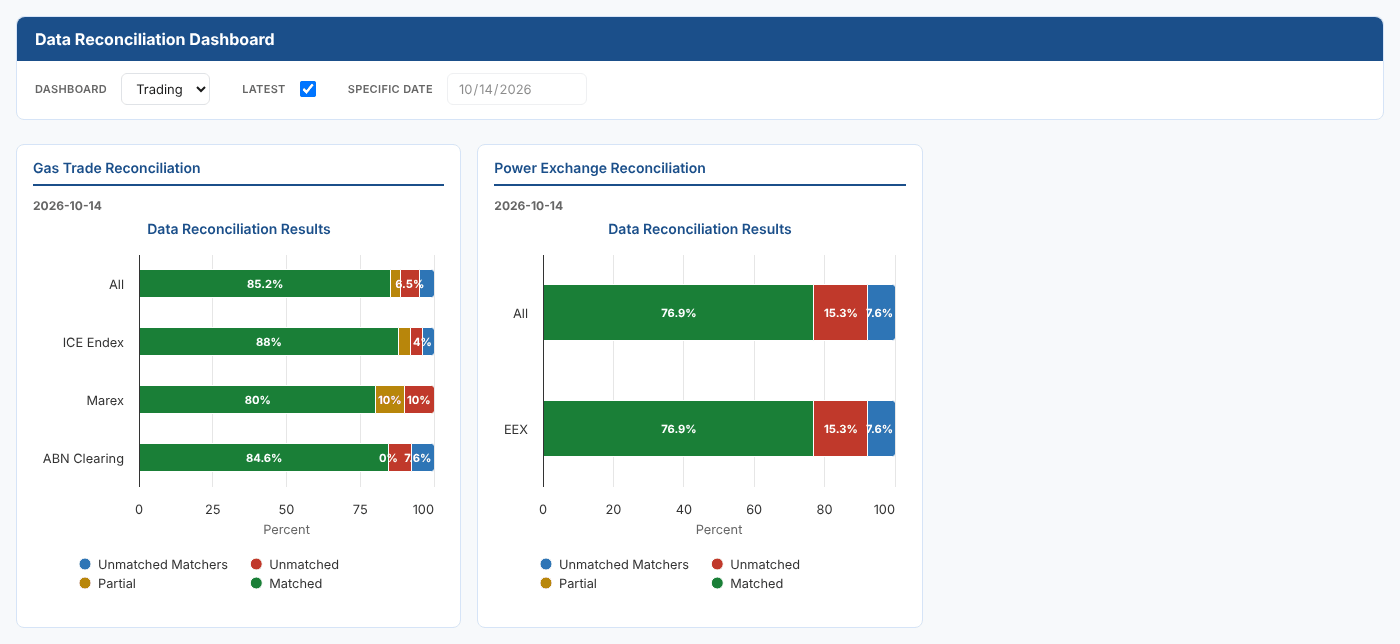
| Control | What it does |
|---|---|
| Dashboard | The dashboard name set on the models, such as Trading |
| Latest | Show each model's latest saved result. The date of the result is shown under the model's name |
| Specific date | Untick Latest and choose a date to see the results saved for that date |
A model with no saved result for the date shows No report.
See the trades behind a result
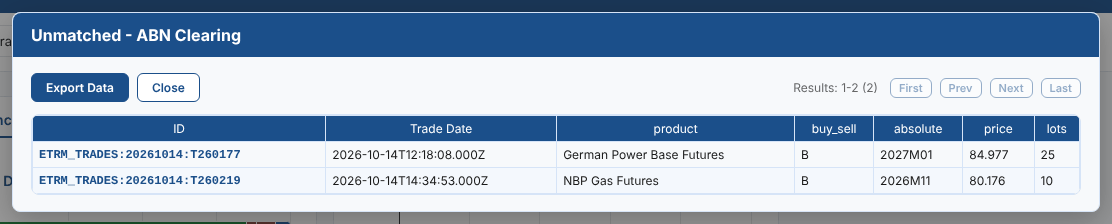
Select any part of a bar to list the trades behind it.
Unmatched lists the ETRM trades with no match at that source, with the fields the rules compare:
Partial lists each partly matched ETRM trade with the ETRM and source values for every rule, side by side. Here the exchange reports a different side for the trade:

Matched lists the confirmed ETRM trades, and Unmatched Matchers lists the source's records with no ETRM trade.
Trades are read a page at a time. Select a column heading to sort by it, and Export Data to download the list as a CSV file. Close the list with Close or by selecting outside it.
Data Analysis insight
The Data Analysis insight plots a day's trades for one source against trade time. Matched trades, unmatched ETRM trades and unmatched source records each have their own marker. It is a quick way to see a pattern: all the breaks falling in one part of the day, a late file that is missing the afternoon's trades, or a price out of line with the trades around it.
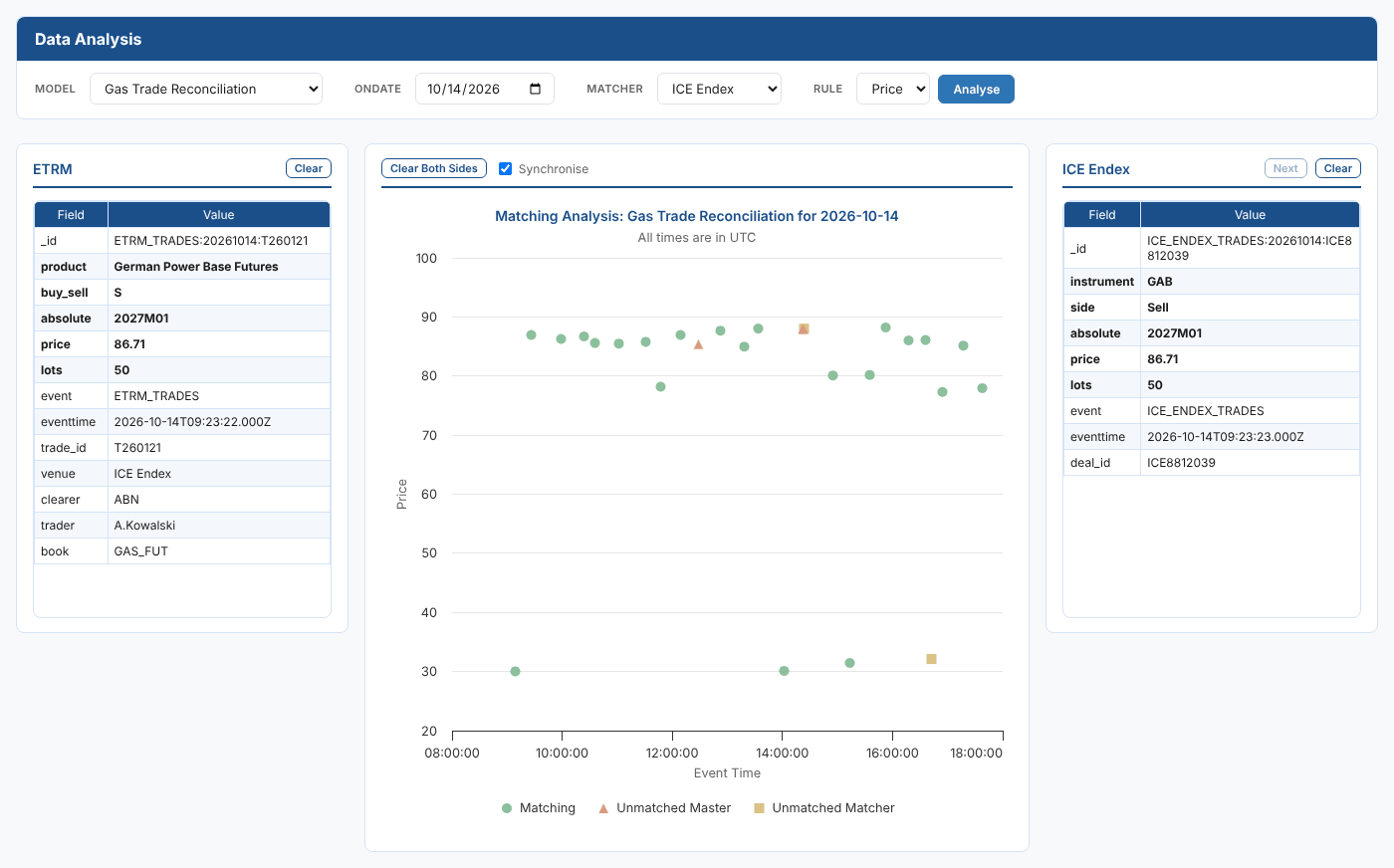
- Choose the Model, the trade date (Ondate), the source (Matcher) and the Rule to plot. The rules offered are the source's
abs_numberrules, such as price or lots. - Select Analyse. The model's result for that date must have been saved.
- Select a point. The ETRM trade is shown on the left and the source's record on the right, with the fields the rules compare in bold.
| Control | What it does |
|---|---|
| Synchronise | When ticked, both sides are cleared when you select a new point |
| Clear, Clear Both Sides | Clear one side or both |
| Next | Step through the source's records when a trade matched more than one |
Drag across the chart to zoom in on part of the day. All times are in UTC.