Setting up a trade reconciliation
This walk-through builds a model, Gas Trade Reconciliation, that compares a gas desk's ETRM trades with three sources:
| Matcher | Event list | ETRM trades it covers |
|---|---|---|
| ICE Endex | ICE_ENDEX_TRADES | Exchange traded futures (venue=ICE Endex) |
| Marex | MAREX_CONFIRMS | OTC forwards arranged through Marex (broker=Marex) |
| ABN Clearing | ABN_CLEARING | Futures cleared through ABN AMRO (clearer=ABN) |
Open the Data Reconciliation extension and its Manage view.
1. Create the model
Select Add Model and fill in:
| Field | Example | Notes |
|---|---|---|
| ID | TRADE.RECON | A unique id for the model |
| Name | Gas Trade Reconciliation | Shown on the dashboard |
| Master Name | ETRM | What to call the master trades on screen |
| Master Event | ETRM_TRADES | The event list holding your ETRM trades |
| Dashboard | Trading | Models with the same dashboard name are shown together |
Under Matchers, select + Add for each source and give it a name: ICE Endex, Marex and ABN Clearing. If you have your own rule functions, add their script under Custom Scripts.
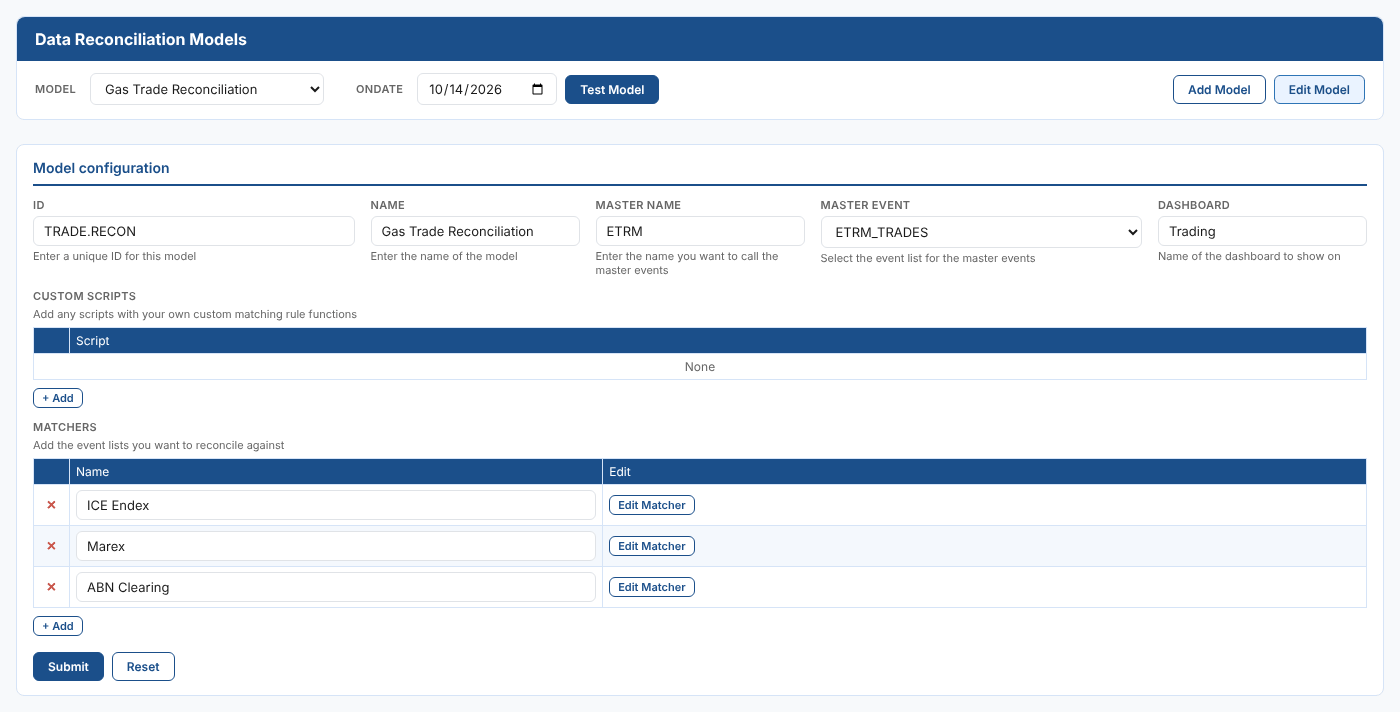
Select Submit to save the model. You can save at any point and carry on later with Edit Model.
2. Configure each matcher
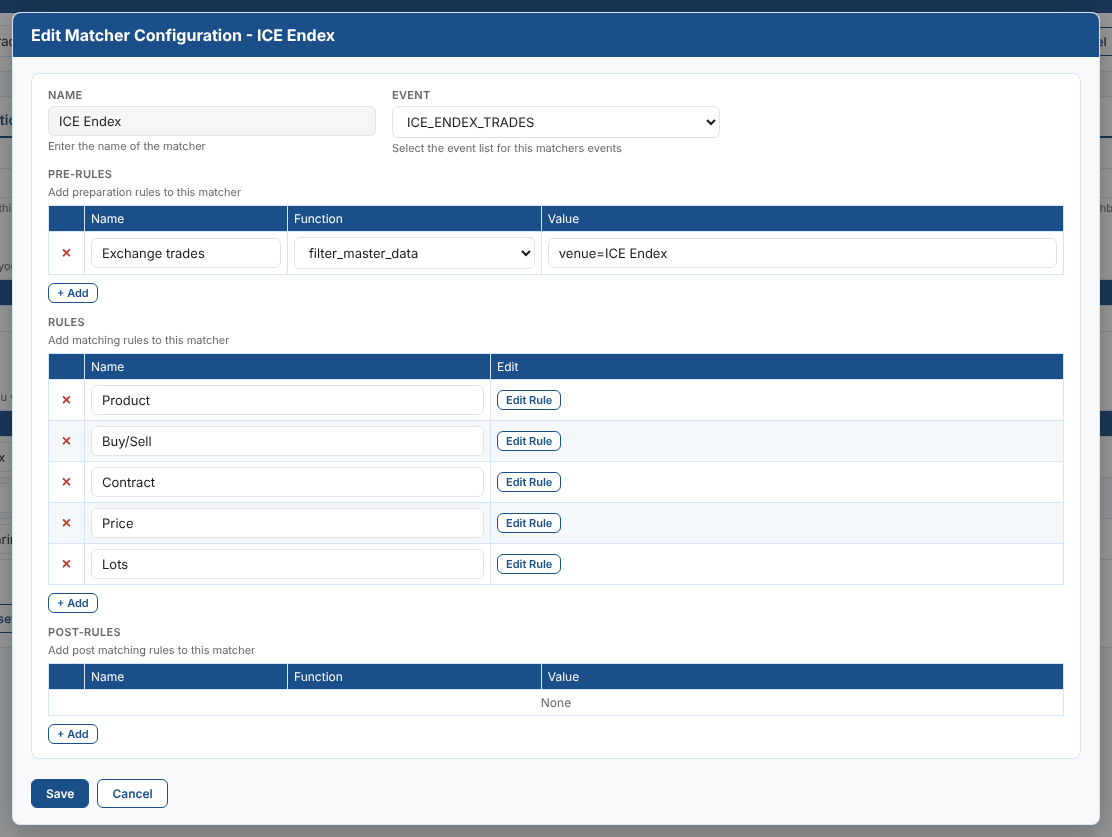
Select Edit Matcher on a matcher row. Choose the Event list for the source, then add its pre-rules, rules and post-rules with + Add.
For ICE Endex, the pre-rule filter_master_data with the value venue=ICE Endex limits the comparison to the ETRM's exchange trades, and five rules compare the product, buy/sell, contract, price and lots.
A good set of rules for the three sources:
| Rule | ICE Endex | Marex | ABN Clearing |
|---|---|---|---|
| Product | string_map: product to instrument | string_map: product to commodity | string_map: product to exchange_code |
| Buy/Sell | string_map: buy_sell to side (B and Buy) | exact_match: buy_sell to direction | exact_match: buy_sell to bs |
| Contract | exact_match: absolute to absolute | exact_match: absolute to absolute | exact_match: absolute to absolute |
| Price | abs_number: price to price | abs_number: price to price | abs_number: price to price |
| Lots | abs_number: lots to lots | abs_number: lots to volume | abs_number: lots to quantity |
And the pre-rules:
| Matcher | Pre-rule | Value |
|---|---|---|
| ICE Endex | filter_master_data | venue=ICE Endex |
| Marex | filter_master_data | broker=Marex |
| ABN Clearing | filter_master_data | clearer=ABN |
3. Configure each rule
Select Edit Rule on a rule row. Give the rule a name, choose the Function, and select the ETRM fields under Master Fields and the source's fields under Matcher Fields. The field lists come from the latest event in each event list. When a rule compares more than one field, select them in the same order on both sides.
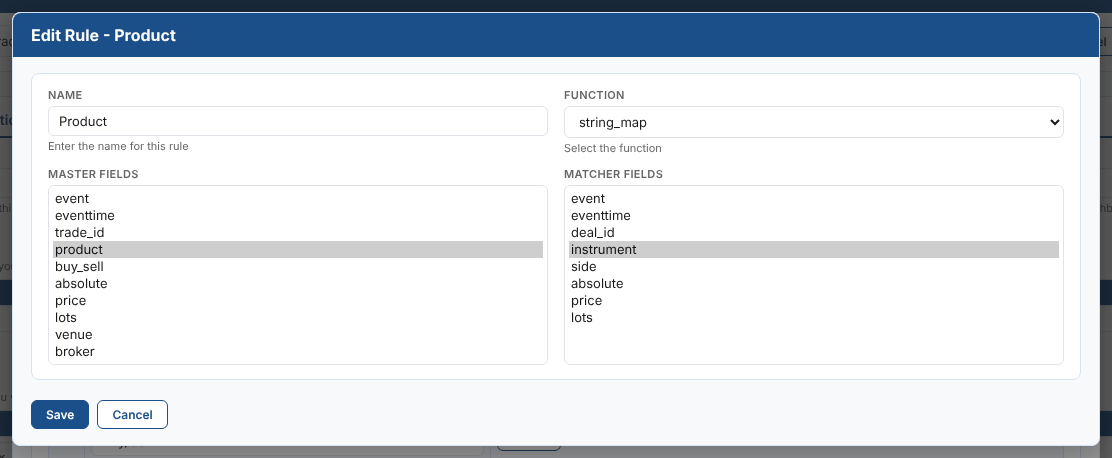
Select Save on the rule, Save on the matcher, and Submit on the model.
Changes to a matcher or a rule are kept in the model on screen as soon as you save them, but they are only stored when you Submit the model.
4. Add the mappings
string_map rules only match values that have a mapping. For this model:
| Matcher | Rule | ETRM value | Source value |
|---|---|---|---|
| ICE Endex | Product | TTF Gas Futures | TFM |
| ICE Endex | Product | NBP Gas Futures | M |
| ICE Endex | Buy/Sell | B | Buy |
| ICE Endex | Buy/Sell | S | Sell |
| Marex | Product | TTF Gas Forward | TTF |
| ABN Clearing | Product | TTF Gas Futures | TFM |
You create mappings from the Manual Mapping screen the first time a value appears, and review them in the Mappings view.
Next
Reconcile a day with the new model.