What is Validation?
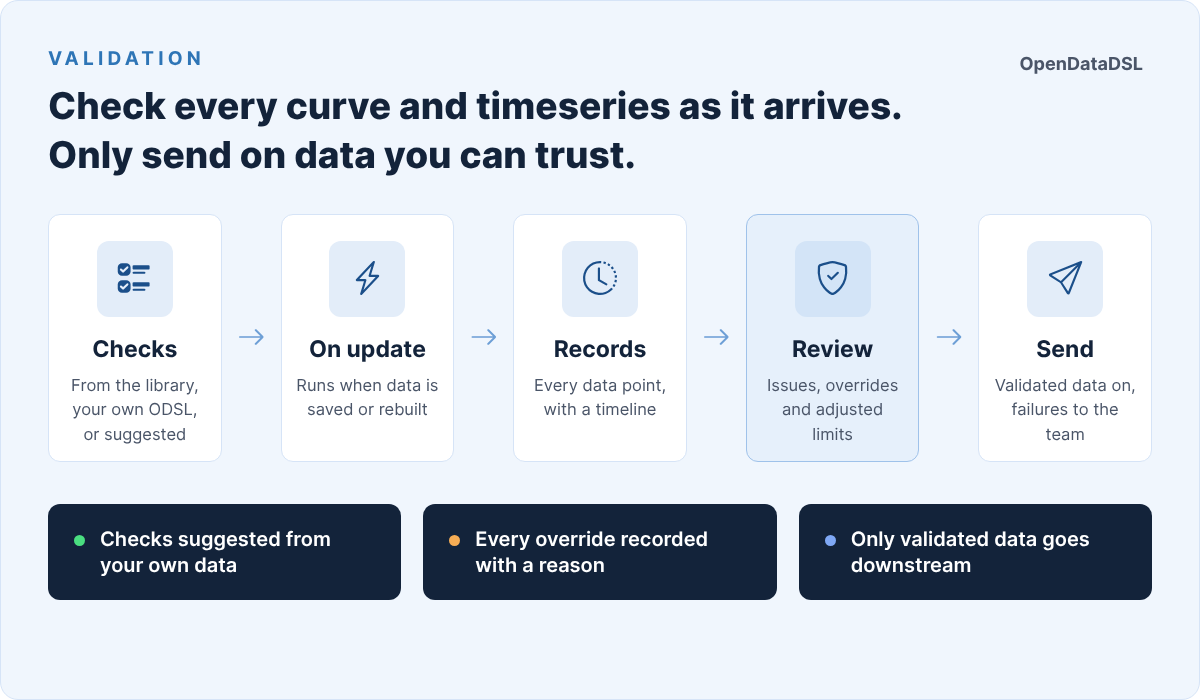
Validation checks your curves and timeseries with checks written in ODSL, and keeps a record of every result. For example:
- Is today's settlement price missing, zero or negative?
- Did any tenor of the forward curve move by more than 20% overnight?
- Is a value an outlier compared with the last 30 observations?
- Has the curve got gaps between its delivery periods, or has it lost tenors since yesterday?
- Has a price not changed for five days in a row?
Each curve or timeseries you validate has a validation configuration holding its checks. Every data point that is checked gets a validation record: the result of each check, the status that applies, and a timeline of everything that happened to it. When a check fails, you can fix the data and run it again, comment on it, or override it so the data can be used.
What gets checked
| Data | A record for each | Record id |
|---|---|---|
| Timeseries | observation | DATA_ID:TIME, for example AHDB.HAY:PRICE:2026-10-01 |
| Curve | ondate | DATA_ID:ONDATE, for example ICE.IFEU.B:SETTLE:2026-10-12 |
A curve has two kinds of checks: tenor checks run on every contract (is the M03 value missing? did Q1 move by more than 20%?) and curve checks run once on the whole curve (are there gaps? are the expected tenors there?). The record of a curve shows the result of every tenor, which tenors failed or warned, and the result of each check. Any failing tenor fails the whole curve.
When checks run
| When | What is checked |
|---|---|
| A curve or timeseries is saved, private or public | The ondate saved, or the observations in the update |
| A smart curve, event curve or event timeseries is rebuilt because its inputs or events changed | The ondate built, or the observations built |
| A composition is built, for its composed curves and composed timeseries | The ondate built, or the observations of that build |
| You run the checks in the extension, or through the REST API | The latest data point, a date or a range |
Automatic runs are automations: each validation that runs on update has an automation on its curve or timeseries, created and removed for you when you save or delete the validation. When public data, or a curve built from public or common events, is updated, the checks run in your own tenant as a background task, so every tenant that validates the same public data checks it in its own pool. The automation log shows each run and how many data points it checked.
Checks never run when data is only read, and not during history loads. You can switch automatic runs off for a configuration and only run it by hand.
Statuses
The status of a record is the worst result of its checks.
| Status | Meaning |
|---|---|
| Valid | Every check passed |
| Warning | A check found something worth a look; the data can be used |
| Failed | A check failed |
| Severe | A check failed badly |
| Error | A check could not run, for example because of an unknown function. It counts as failing, because the data was not checked |
| Skipped | There was nothing to check, for example no previous value to compare with |
| Overridden | The checks failed and someone let the data pass, with a reason |
Valid, warning, skipped and overridden records pass. Failed, severe and error records are open issues.
When a record is checked, the quality status of the data is updated too (for a curve, the worst status of all the records of its ondate), so other screens and reports can see whether the data passed.
Where to find it
- Information > Validation: the dashboard, issues, records, configurations, check functions and bulk changes.
- The insights Validation by Data Item, Validation by Check, Validation by Day, Validation Configurations and Validation Automations: reports with CSV export.
- The Validation tab on the Data screen: the checks and records of the selected curve or timeseries.
In this section
| Page | What it covers |
|---|---|
| Getting started | Set up, test and run the checks of a timeseries, and look at the results |
| Example: a gas forward curve | A worked example: checks set from the data, a failing day, adjusting limits, and sending on only validated curves |
| Checks and settings | Validation configurations: checks, scopes, severity, settings |
| Check functions | The functions in the validation library |
| Writing your own checks | Private check functions in ODSL |
| Dashboard, issues and overrides | The dashboard, issues, records, the timeline, overrides and reports |
| Bulk changes | Add, replace or remove checks on many curves or timeseries at once |
| Reference | The records, automations and the REST API |
Dataset quality checks and curve quality groups work as before. Validation is a separate registry for curves and timeseries, and the functions of a curve quality group script can be used as validation checks.