What is the Export extension?
Prices and curves rarely stay in one place. A trading system, a risk engine, a spreadsheet or a partner needs them in its own format, usually every day, and usually before someone notices they are missing. The Export extension gets your data out of the platform in the shape the other side expects, and keeps doing it on a schedule. It answers questions like:
- Can I get the settlement prices for these ten timeseries as a CSV for last week?
- Can I send this evening's forward curves to our ETRM as JSON, every weekday, with only the first three months?
- Can I send today's TTF and German power trades of 15 MW or more to the risk system, with just the fields it reads?
- What happens to the export when one curve is late, and does the receiving system know?
- Can the market data team get the same export as an Excel file, with real dates and numbers?
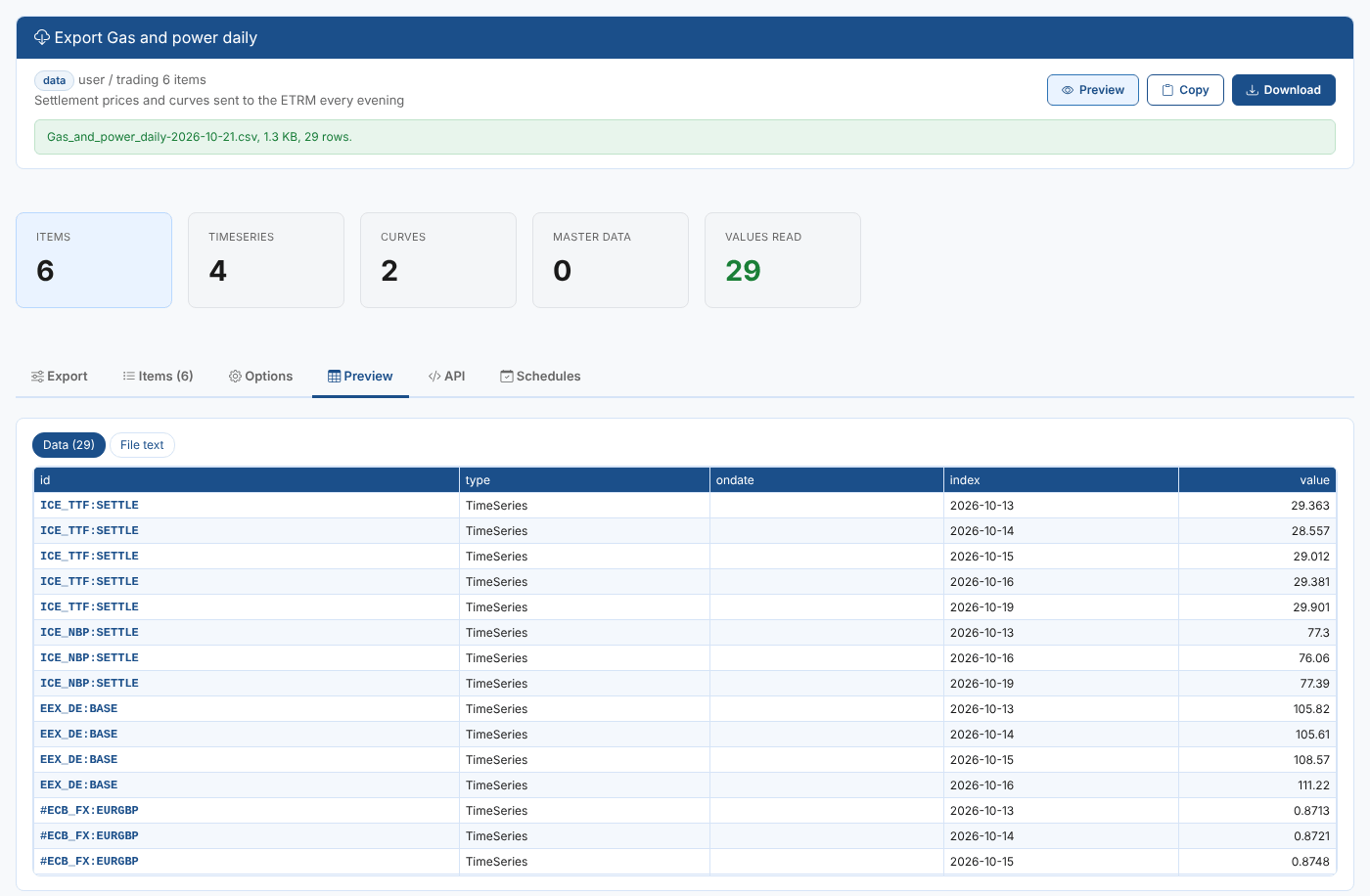
Throughout these pages we follow Northgate Energy, a fictional gas and power trader. Every weekday evening its market data team sends six items from its group Gas and power daily to the ETRM: front month settlement prices for TTF and NBP, the German power base day-ahead price, the EUR/GBP reference rate, the TTF futures curve and the NBP mid curve. Its risk team also exports the day's trades from the event list NGE_TRADES:ETRM, where the ETRM's trades are loaded.
Key ideas
| Idea | What it means |
|---|---|
| Items | What you export: timeseries, curves (including smart, event and composed curves), curves saved for one ondate, event lists and master data objects. They come from a group, a search or a list of ids. |
| Tenor filter | Keeps only some contracts of every curve, such as M01-M03, Q01. |
| Event filter | The events of an event list whose event time is in the date range, with conditions on any other field, such as product is TTF and volume is at least 15, and the fields to export. |
| Format | CSV, TSV, Excel, JSON, JSON Lines, XML or HTML, or a server export template for a whole group. |
| Layout | One row per value, a column per item, or a column per ondate for curves. |
| Schedule | A process on the platform that runs the export at set times and stores the result as a report for each export date. |
| Missing data rules | What a scheduled export does when an item has no data: leave it out, write a blank row, use the latest earlier data, or stop. It can also wait and try again. |
| Delivery | An automation on the scheduled export's report: the platform turns each stored report into a file format and sends it to a target, such as an email address, a queue or a webhook. |
What you get
| Screen | Where | What it does |
|---|---|---|
| Export app | Groups, then a group, then Apps | Exports the selected group |
| Export data | Operations menu | Exports anything you add: groups, data and event lists found by id, master data and pasted ids |
| Schedules tab | Both screens | Lists the scheduled exports and creates, runs and changes them, with their deliveries |
| Export reports | Reports | One report per scheduled export, stored for each export date |
Where next
- Exporting data: choose items, a format and a layout, filter curve tenors and events, preview and download.
- Scheduling an export: run the export on the platform every day.
- Handling missing data: what a scheduled export does when data is late or missing.
- Delivering exports: send each export by email or to any automation target, in the format you need.
- Export reference: where everything is kept, the report data, the output formats and troubleshooting.