What is Group Manager?
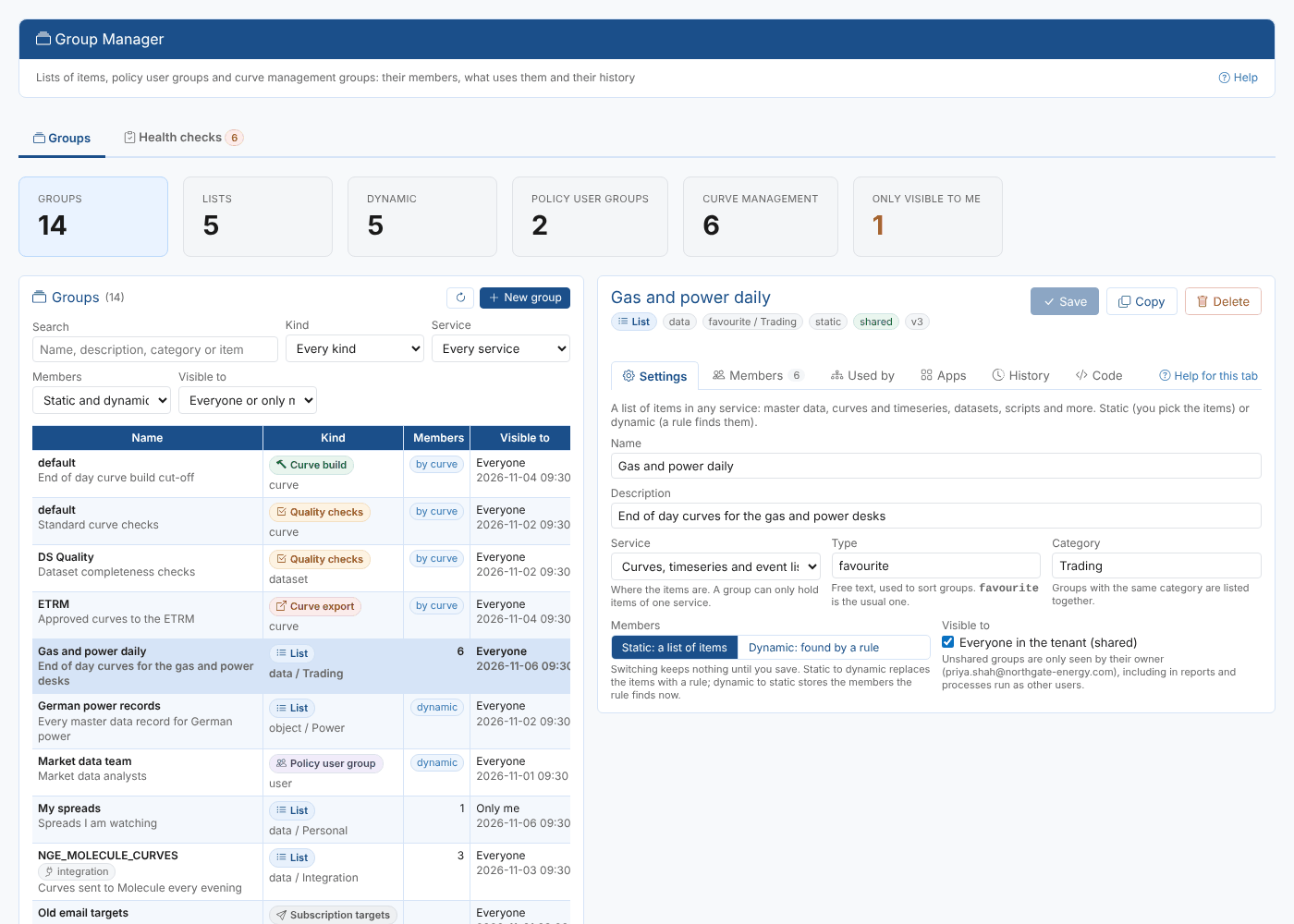
A group is a named set of things that the platform treats as one. A list of curves that is exported every evening, the master data records for German power, the people who may see position sizes, the curves that must be built by 23:45 and the people who approve them: all of these are groups. Over time a company collects dozens of them, of different kinds, created by different people. Group Manager is the one screen for all of them, and answers questions like:
- Which groups do we have, who owns them and which of them can everyone see?
- Which curves are in the export to the ETRM, and can I add three more without writing code?
- Who is in the Risk desk group, and does every email in it really match a user?
- If I rename this group, which policies, processes and automations stop working?
- What did this group look like last week, and can I put it back?
- Is anything wrong with our groups: a policy group that gives nobody access, a build group with no cut-off?
Throughout these pages we follow Northgate Energy, a fictional gas and power trader. Priya Shah looks after its market data and its groups: the Gas and power daily list of end of day curves, the Risk desk policy user group, and the curve build, quality, approval and export groups that run the curve day.
Key ideas
| Idea | What it means |
|---|---|
| Group | A named set of items of one service, saved on the platform and identified by its id or by service:type:category:name |
| Kind | What the group is for: a list, a policy user group, a curve build, quality, approval or export group, or a legacy subscription target group. See Kinds of group |
| Static | The group stores its items, and you add and remove them |
| Dynamic | The group stores a rule, and the platform finds the items each time the group is used |
| Shared | Everyone in the tenant sees the group. An unshared group is only seen by its owner |
| Version | Every save keeps the previous version, so changes can be compared and undone |
What you get
| Screen | Where | What it is for |
|---|---|---|
| Group Manager | Manage menu | Every group: create, change, copy, convert and delete them, manage their members, see what uses them, open their apps and their history |
| Health checks | Tab of Group Manager | Problems that stop a group doing its job |
| Groups tab | Data and Master Data screens | The groups the selected item is in, and adding it to more |
| Groups insight | Insights | Every group by kind, service and owner, with the health checks, to read or share |
| Home page tasks | Home | Make a list, change who is in a policy user group, check groups for problems |
Group Manager replaces the portal's own Groups screen. The apps other extensions add for groups, such as Export and Integration, open from its Apps tab.
Where next
- Kinds of group: what each kind is for and how its members are found
- Creating and changing groups: settings, renaming, copying and deleting
- Members: adding items, pasting lists, dynamic rules and curve groups
- Used by, apps and history
- Health checks
- Reference