What are Notebooks?
Some questions are best answered a step at a time: load the prices, look at them, work something out, look again, try another idea. A script runs from top to bottom in one go, so every change means running everything again and reading the answer from a log. Notebooks let you work with ODSL the way analysts work with Python notebooks, and answer questions like:
- Can I load three price series once and then try different calculations on them without loading them again?
- Can I see a timeseries or a curve as a chart straight after I make it?
- Can I keep my notes, my code and my results together, so a colleague can follow what I did?
- Can I start from a worked example instead of a blank page?
- Can the analysis I worked out in a notebook later run on a schedule like any other script?
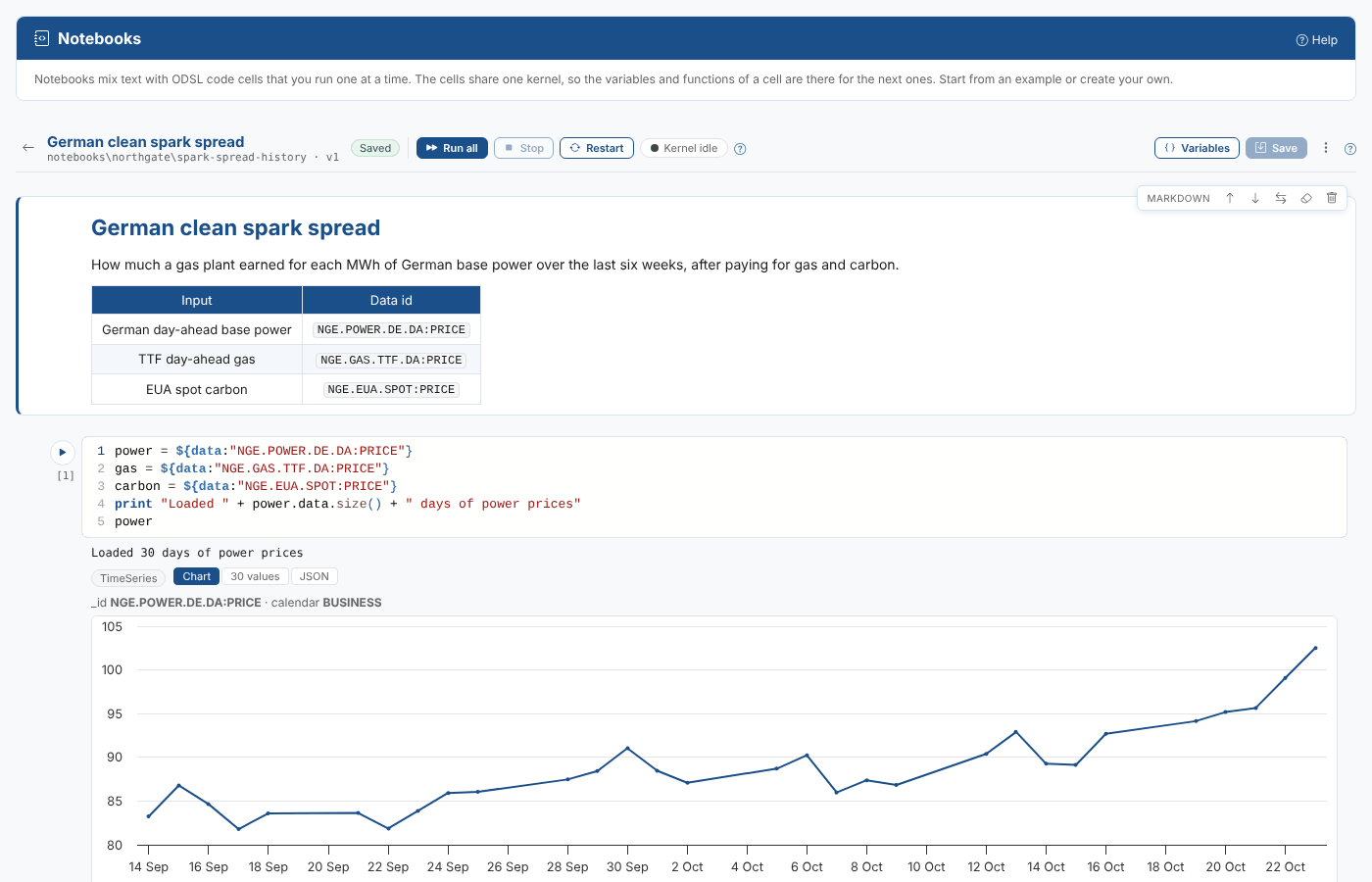
Throughout these pages we follow Northgate Energy, a fictional gas and power trader. Priya Shah, a market data analyst, keeps a notebook that works out the clean spark spread for German base power from the day-ahead power, TTF gas and EUA carbon prices, so the desk can see how much a gas plant earned over the last six weeks.
Key ideas
| Idea | What it means |
|---|---|
| Notebook | A list of cells, saved as one ODSL script in your company's private scripts. Every save keeps the earlier version. |
| Code cell | A few lines of ODSL that you run on their own. What they print, and the value of their last line, show under the cell. |
| Markdown cell | Text: headings, lists, tables, links and code, to explain what the notebook does and what you found. |
| Kernel | The engine that runs your cells. It keeps the variables and functions of every cell you run, so the next cell can use them. |
| Value line | The last line of a code cell, when it is a value such as spread or mean(spread): its value is shown under the cell as a table or a chart. |
| Example notebook | A notebook published by OpenDataDSL (or your administrator) that you copy to your own notebooks to change and run. |
What you get
| Screen | What it is for |
|---|---|
| My notebooks | Your company's notebooks as cards, with a filter. Open one, or create a new one. |
| Examples | The example notebooks. Preview one, or copy it to your notebooks with Use this notebook. |
| The notebook | The cells, with the toolbar to run them, stop, restart the kernel, see its variables and save. |
Notebooks and scripts
A notebook is saved as an ODSL script, with each cell as a region of the script. So you can open a notebook in the Script Manager to compare versions or see its audit trail, and the saved notebook can run from top to bottom as a script, for example on a schedule. The difference is how you work with it: a script runs in one go, a notebook a cell at a time, keeping what each cell made.
Work an idea out in a notebook, then schedule the same notebook (or copy its code into a script) when it should run every day.
Where next
- Working with notebooks: the notebooks list, creating a notebook, cells, editing, keyboard shortcuts and saving.
- Running cells: the kernel, values, tables and charts, stopping and restarting, the variables panel and replay mode.
- Example notebooks: the examples, using one and publishing your own.
- Reference: how a notebook is saved, permissions, what is kept in your browser, the kernel service and troubleshooting.