Deployments and the audit trail
The Deployments tab lists every deployment made from this environment, newest first. Filter by id, name, reason, user or the id of an item, or by status.
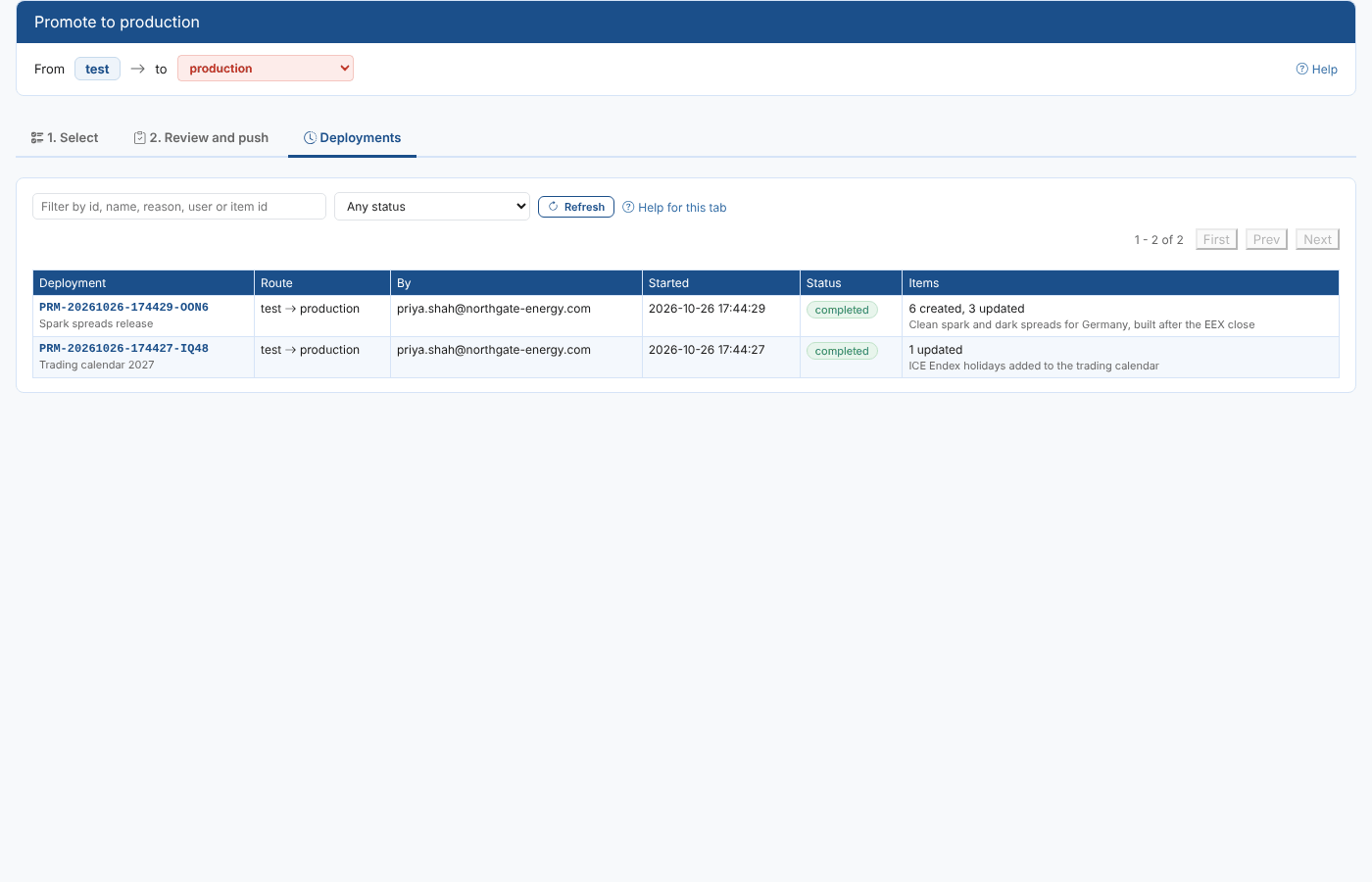
Statuses
| Status | Meaning |
|---|---|
| completed | Every item was pushed (or was already the same). |
| completed with errors | Some items failed; the others were pushed. |
| stopped | An item failed and Stop at the first error was ticked: the items after it were not run. |
| running | The deployment is being pushed now. |
| interrupted | The deployment did not finish, usually because the browser was closed while it ran. Undo still works: it checks every item in the target. |
| undone | Everything the deployment changed has been put back. |
| partly undone | Some items were put back; others were left, for example because they were changed in the target after the deployment. |
A deployment
Select a deployment to open it. The header shows the route, who pushed it, when, the counts and the reason.
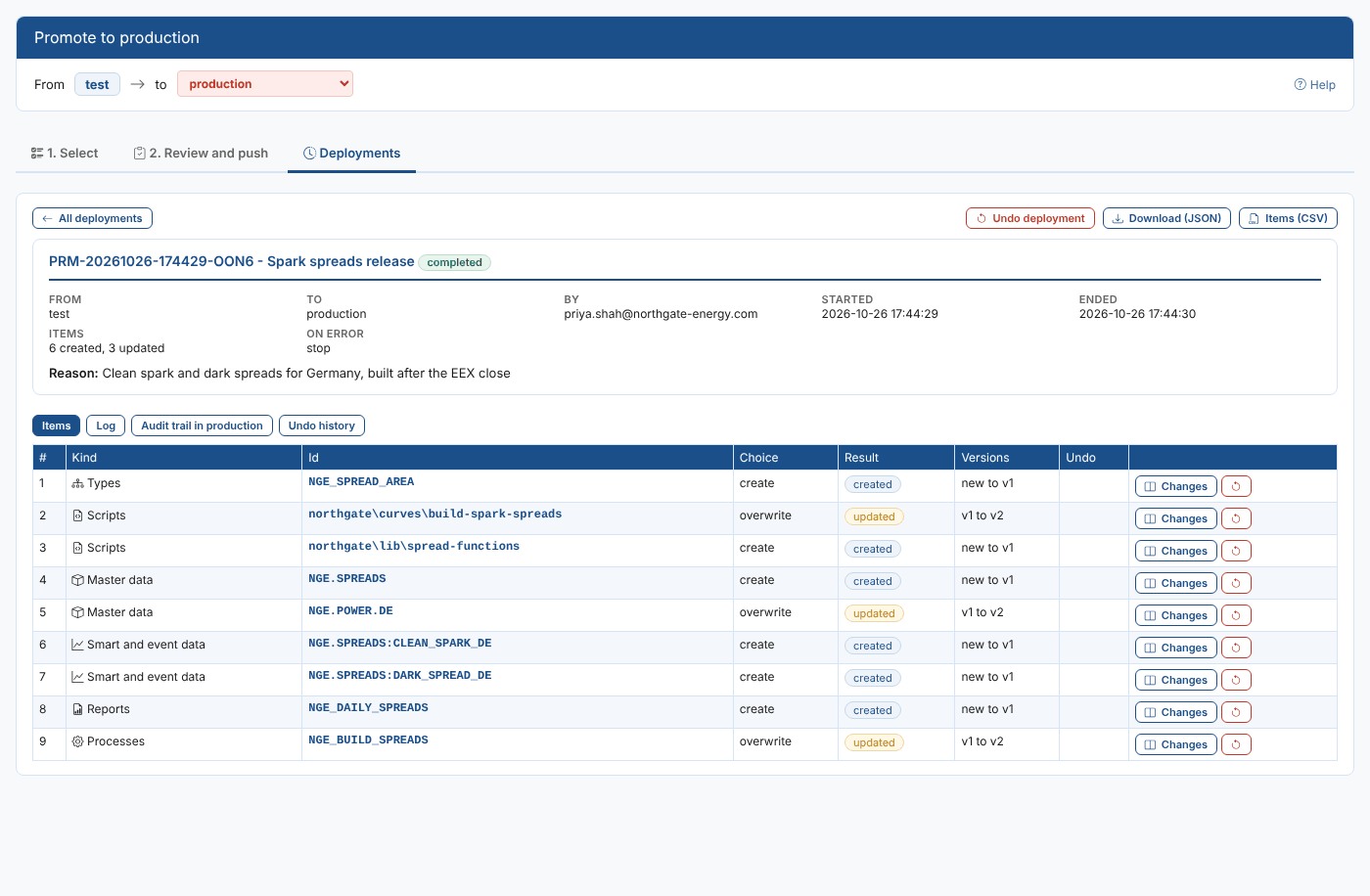
Items
One row per item, in the order they were pushed:
| Column | What it shows |
|---|---|
| Choice | What was asked: create, overwrite, merge, copy or skip. |
| Result | created, updated, unchanged (already the same), skipped, failed (with the reason) or not run. |
| Versions | The target's version before and the version the push made, for example v1 to v2 or new to v1. |
| Undo | Whether the item has been undone, and when. |
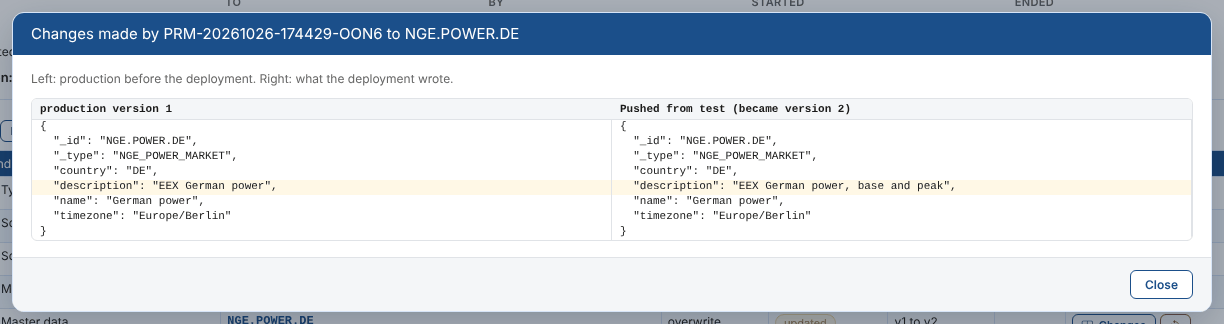
Select Changes to see what the deployment changed in the target: the item before the deployment on the left and what was written on the right.
Log
Everything that happened, with times: the start, each item with its result and versions, errors, the end, and any undo.
Audit trail in production
The platform audits every change it makes. Promotion writes the deployment id and your reason into each change, so this tab reads the target's own audit records for the deployment: the service, the item and its version, the action and the user. Undo writes Undo of and the deployment id, so its changes appear here too.
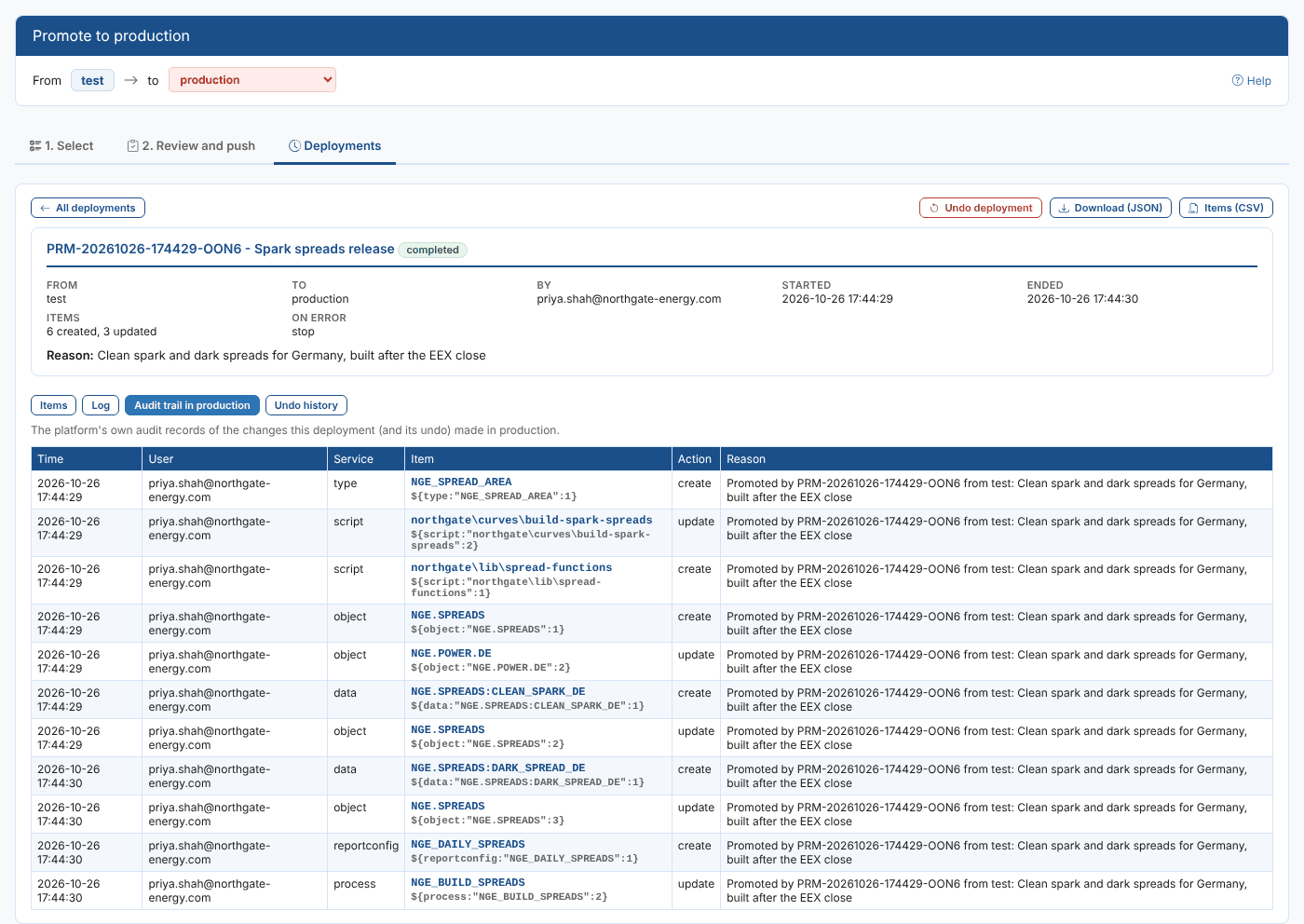
Undo history
Every undo of the deployment: when, by whom, why, and what it did.
Downloads
| Button | What you get |
|---|---|
| Download (JSON) | The whole deployment record: route, user, times, reason, counts, items, log and undos. |
| Items (CSV) | One line per item with its choice, result, versions, error and undo, for a change log or an audit. |
Where the records are kept
The deployment records are kept in the environment the deployment was made from, so each environment has the history of what it promoted: production keeps the deployments it copied to test environments, and a test environment keeps what it pushed to production. The security policies installed with the extension let people read, create and update them, but not delete them. The changes in production are also in production's own audit trail, as above. More in the Reference.