What is Promotion?
Most companies build and test new curves, scripts and reports in a separate data environment before they go live. Moving that work into production by hand is slow and easy to get wrong: an item is forgotten, a script that another one imports is left behind, or a change overwrites something a colleague fixed in production last week. And when a release goes wrong, nobody is quite sure what production looked like before it.
Promotion is installed in the environments you promote from, usually your test environment, and answers questions like:
- Which of the items I changed here are new in production, which are different, and which are already the same?
- What exactly will change in production if I push this script or this master data record?
- Does anything I am pushing depend on an item production does not have yet?
- What should happen to an item that production already has: overwrite it, merge it, push a copy, or leave it?
- Who pushed what to production, when, and why?
- Can I put production back exactly as it was before a deployment?
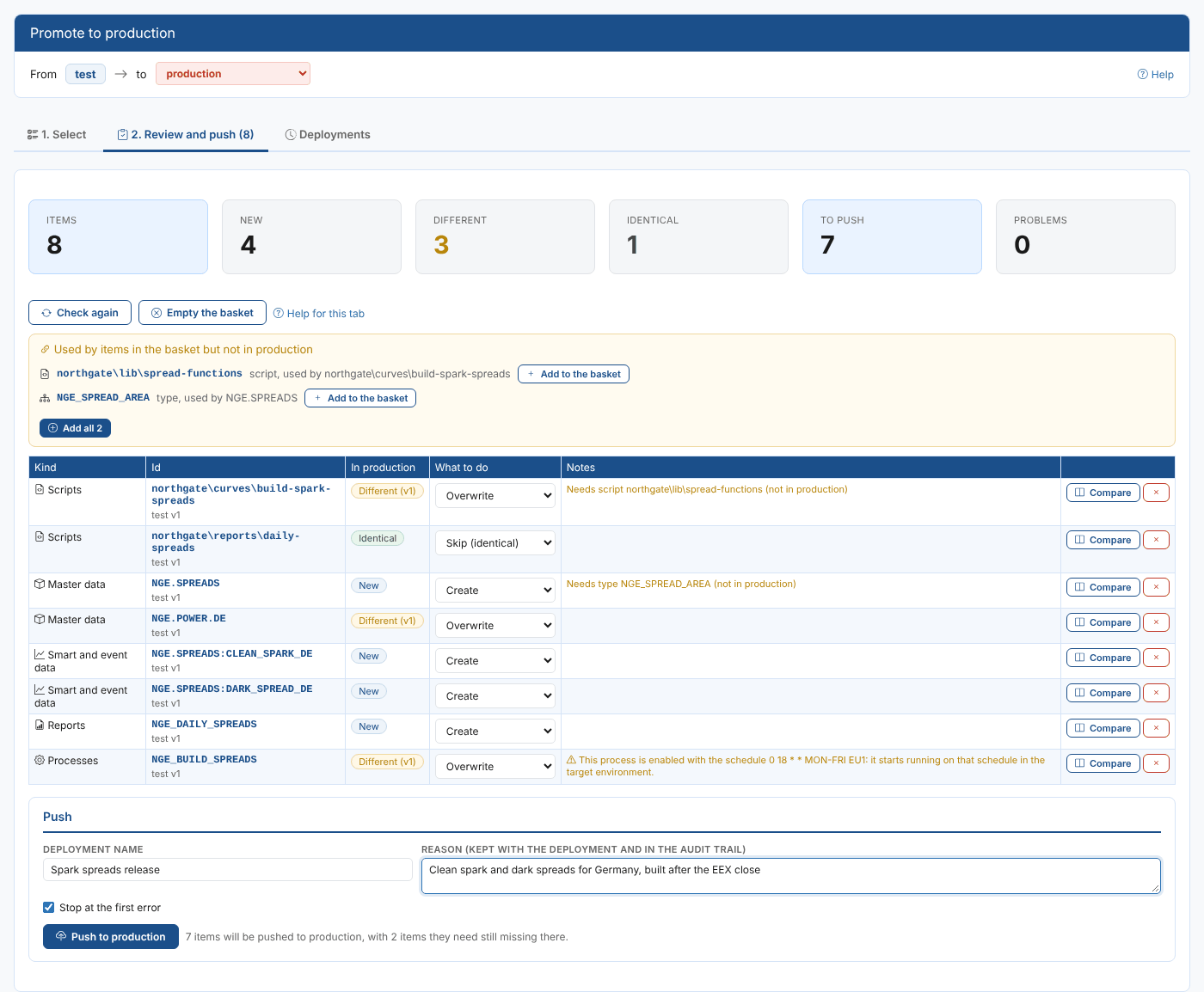
Throughout these pages we follow Northgate Energy, a fictional gas and power trader. Its market data team builds in an environment called test. Priya Shah, a market data analyst, has built the German clean spark and clean dark spread curves there, with a new script, a report for the morning meeting and a process that builds the curves after the EEX close. Now they need to go to production.
Key ideas
| Idea | What it means |
|---|---|
| Source environment | The environment you open the screen in, for example test. Promotion only reads from it. |
| Target environment | Where the items are pushed: production, unless you pick another environment at the top of the screen. In production you pick a test environment. |
| Basket | The items you have ticked to promote. It is kept while you move between kinds and pages, and in your browser until you push. |
| Review | Every item in the basket compared with the target: new, different or identical, what you want done with it, and what it needs. |
| Deployment | One push of the basket, with an id such as PRM-20261026-174105-GOJX, a name, a reason, and a record of every item it changed. |
| Undo | Puts the items a deployment changed back as they were in the target: new items are removed, changed items go back to the version they had. |
What you get
| Screen | What it is for |
|---|---|
| Select | Every kind of item in the source environment, with whether each one already exists in the target. Tick the items to promote. |
| Review and push | The basket compared with the target, a side by side comparison, the items the basket needs, warnings, and the Push button. |
| Deployments | Every deployment made from this environment: its items and versions, its log, the audit trail in the target, downloads, and Undo. |
You open it from the Manage menu: Promote.
From production to a test environment and back
Promotion works in both directions. Install it in production too, and you can copy items from production to a test environment, change them there safely, and push them back:
- In production, open Promote, pick
testas the target and push the items you want to work on. - In
test, change them and check the results. - In
test, promote them back to production. The review shows exactly what you changed, and the deployment can be undone if it goes wrong.
Promotion never changes the source environment, apart from keeping its own deployment records there. What you can change in production is decided by your security policies in production, not by the extension.
Where next
- Selecting items: the kinds of item you can promote and how to find them.
- Reviewing and pushing: comparing, choosing what to do with each item, and pushing.
- Deployments and the audit trail: what is recorded and where.
- Undoing a deployment: putting production back as it was.
- Reference: installation, permissions, how each kind is written, and where the records are kept.