Selecting items
Open Manage > Promote in the environment you want to promote from. The header shows the route: From your environment to the target. The target is production unless you choose another environment in the list (for example a UAT environment between test and production). In production, the list has your other environments, so you can copy items from production to a test environment to work on them.
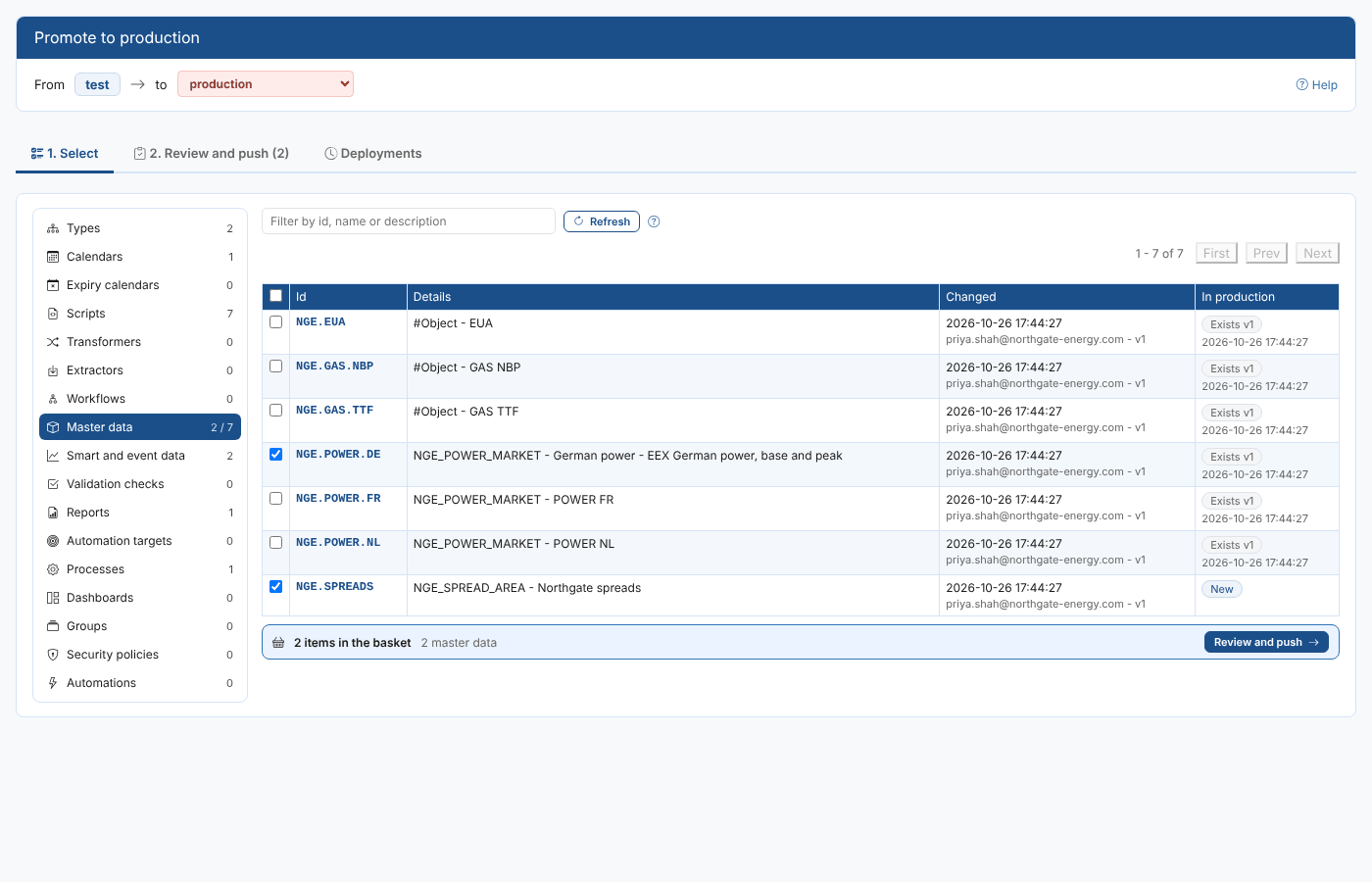
Finding items
The list on the left has every kind of item you can promote, with the number of items of that kind in your environment (and how many of them are in the basket). Select a kind to list its items, 50 a page, sorted by id. Type in the filter box to find items by id, name or description.
Each row shows:
| Column | What it shows |
|---|---|
| Id | The item's id (for an automation, its description and id). |
| Details | A summary: the type and name of a master data record, the kind and expression of a smart curve, the schedule of a process. |
| Changed | When the item was last saved in your environment, by whom, and its version. |
| In production | New when the target does not have an item with this id, or Exists with the target's version and when it was saved there. |
Exists only means the id is there: whether the content is the same is checked on the Review tab.
The kinds of item
| Kind | Service | What is promoted |
|---|---|---|
| Types | type | Private master data types. |
| Calendars | calendar | Private calendars. |
| Expiry calendars | expiry | Private expiry calendars. |
| Scripts | script | ODSL scripts, templates and other scripts, in folders such as northgate\curves. |
| Transformers, Extractors, Workflows | transformer, extractor, workflow | The private definitions. |
| Master data | object | The record and its own fields. Its links to data items are not pushed: see Master data and its data. |
| Smart and event data | data | Smart curves and timeseries, event curves and timeseries, composed curves, and stored timeseries with all their values. |
| Validation checks | validationconfig | Validation configurations. |
| Reports | reportconfig | Report configurations, including insights and scheduled reports. |
| Automation targets | automationtarget | Private automation targets. |
| Processes | process | Processes with their script, input and schedule. |
| Dashboards | dashboard | Dashboards. |
| Groups | group | Groups. |
| Security policies | policy | Security policies. |
| Automations | automation | Automations of your environment. |
Public items (ids starting with #), the scripts of installed extensions, and stored curves (a curve for each ondate) are not offered: public items are shared by every environment, extensions are installed in each environment, and curve data is loaded in each environment by its own processes.
The basket
Tick a row, or select it anywhere, to add the item to the basket. The tick box in the header adds or removes every item on the page. The bar under the list shows how many items of each kind are in the basket; Review and push takes you to the next step.
The basket is kept in your browser for this environment until you push, so you can build it up over several sessions.
You do not need to find every script, type or record your items use. The Review tab lists anything the basket needs that the target does not have, and adds it for you.