Insights
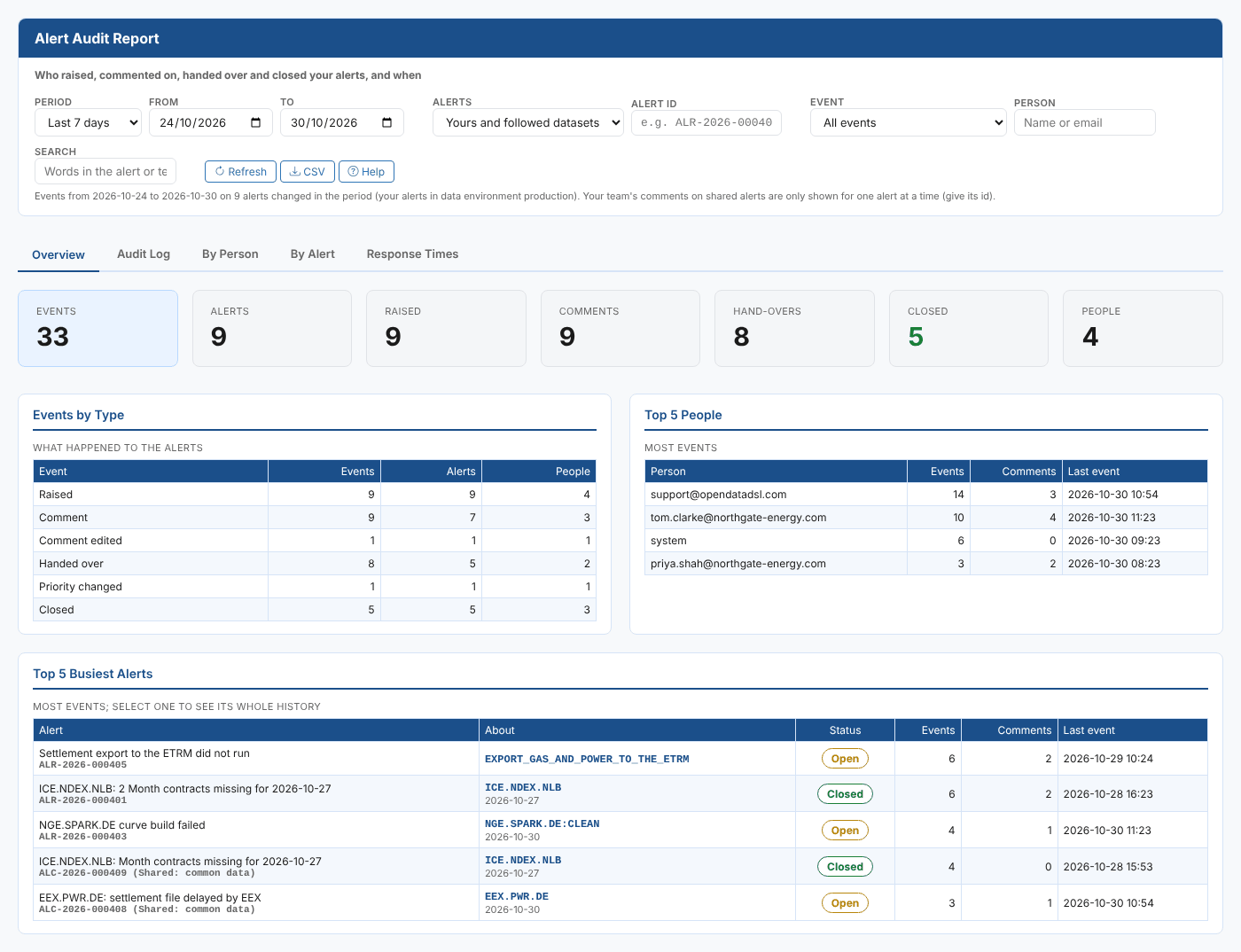
The Alerts screen has Insights: reports about your alerts that you open from the screen itself. They come with the extension (category odsl.alerts) and read the same alerts as the screen: yours in the data environment you are working in, and the shared alerts about the datasets you follow.
The reports
| Report | What it answers |
|---|---|
| Alert Audit Report | Who raised, commented on, handed over and closed your alerts, and when. Filter by period, alert, event, person and text; see the whole history of any one alert (including your team's comments on a shared alert); compare people and alerts; and see how quickly alerts were answered and closed, by priority |
Opening a report
- Open Operations > Alerts.
- Open the screen's Insights and choose the report.
Each report has a Help link at the top that opens its own page in this documentation.
tip
To see everything that happened to one alert, open the Alert Audit Report and type the alert's id, such as ALR-2026-000405, in Alert id. You can copy the id from the alert on the Alerts screen.