Automation targets
An automation target is what an automation does: send an email, send a message to a queue, post to Teams, run a process, build a curve and so on. OpenDataDSL provides the common targets, extensions add their own (Validation adds Run validation checks, Composer Build composition), and your company can create its own, such as Northgate's Send to the Northgate ETRM.
The Targets tab
The Targets tab lists every target you can use: OpenDataDSL's, your extensions', and your company's own. When your company has a target with the same id as an OpenDataDSL one, yours replaces it.
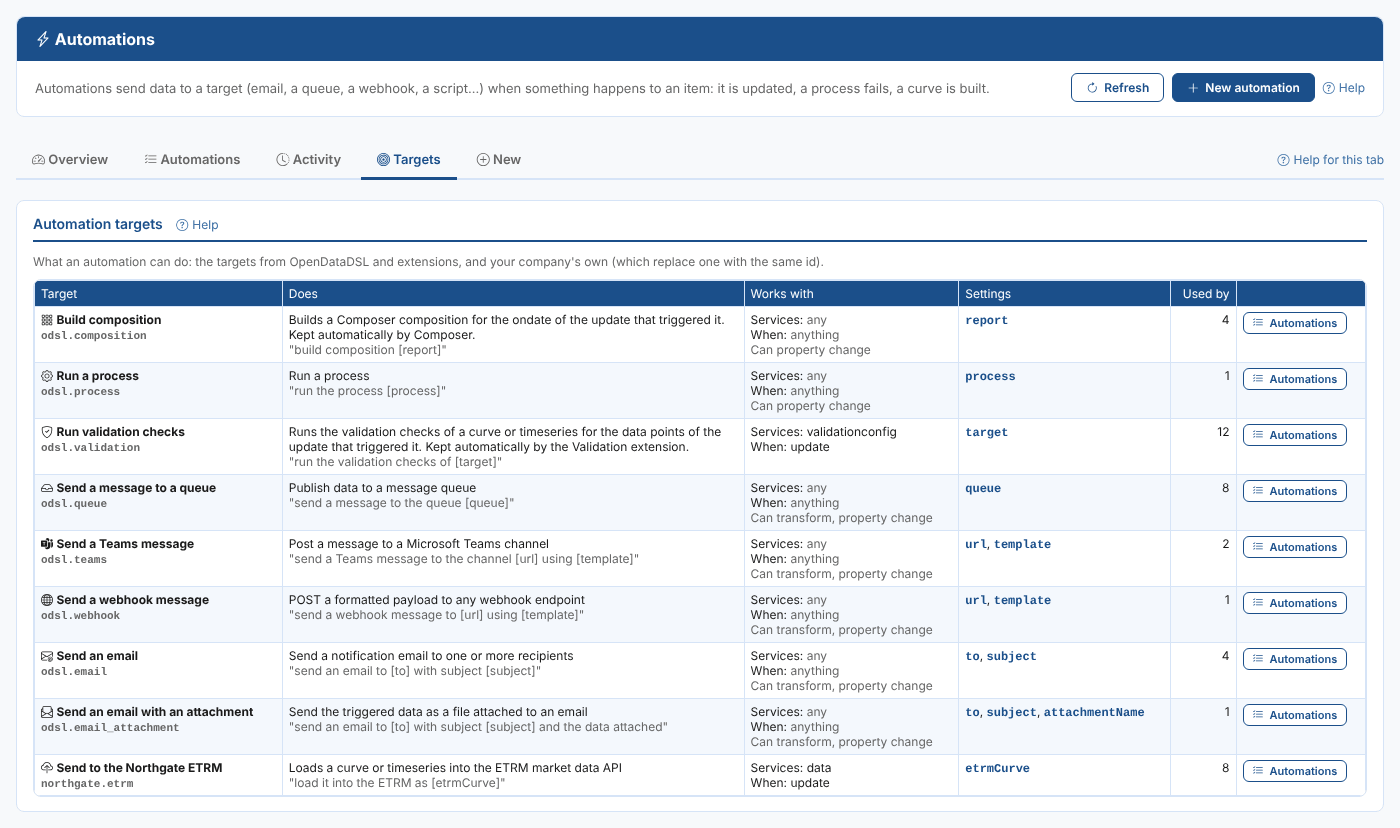
| Column | What it shows |
|---|---|
| Target | The target's name and id |
| Does | Its description, and the sentence its automations end with |
| Works with | The services whose items can trigger it (any, or a list) and the actions it can be used for (anything, or a list). Can transform means its automations can transform the data with a mustache script first, property change that they can fire only when a property has a value |
| Settings | What each automation of the target needs. Hover over a setting for its description |
| Used by | How many automations use the target |
Select Automations to open the Automations tab filtered on the target.
How targets shape the New tab
When you create an automation, the New tab only offers the targets whose Works with includes the item's service, and for each of them only the actions it works with. At Northgate, Send to the Northgate ETRM works with data updates only, so it is offered for a curve, but not for a process or a report.
Common targets
| Target | Id | Settings |
|---|---|---|
| Send an email | odsl.email | to, subject |
| Send an email with an attachment | odsl.email_attachment | to, subject, attachmentName |
| Send a message to a queue | odsl.queue | queue |
| Send a Teams message | odsl.teams | url, template |
| Send a webhook message | odsl.webhook | url, template |
| Run a process | odsl.process | process |
The settings of every OpenDataDSL target, with examples, are described in Automation targets. The Targets tab always shows the targets and settings available to you.
Your own targets
Your company can create its own targets: one that wraps an OpenDataDSL target with fixed settings (for example a Teams target with your channel's address already filled in, so users only choose the message), or one that runs an ODSL script of yours. See Custom targets.