Monthly, weekly and offset daily calendars
Some data has one value a month, a quarter or a week: month-end marks, quarterly reports, a fortnightly payment run. Gas data has one value a day, but the gas day starts at 06:00 German time or 05:00 UK time, not at midnight. These calendars have no rules: they are set up from a few settings.
| Calendar | Gives | Settings |
|---|---|---|
| Monthly | One date a month, every 2, 3, 4 or 6 months, or once a year | The period, the day of the month, and an optional holiday calendar |
| Weekly | One date a week, or every few weeks | The day of the week, the number of weeks, a reference date, and an optional holiday calendar |
| Offset daily | One date a day, starting at an hour in a time zone | The time zone, the hour the day starts, and a day offset |
To create one, choose it in the New other calendar... menu in the header. To list them, choose Monthly calendars, Weekly calendars or Offset daily calendars in Type on the Calendars tab. The Based on column shows the settings of each one.
Monthly calendars
At Northgate Energy, Priya Shah keeps NGE_MONTH_END, the last trading day of each month, for the month-end curve marks.
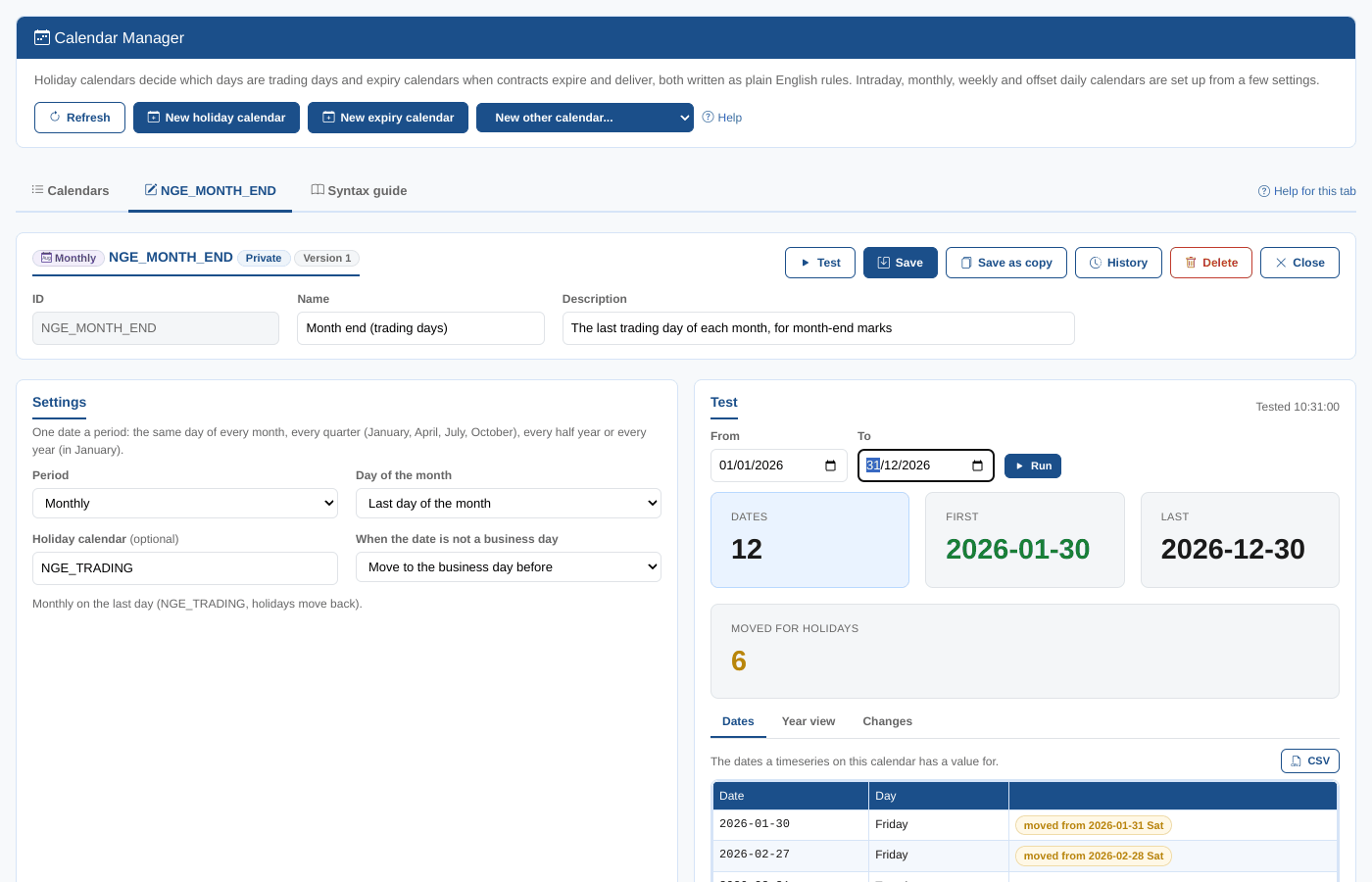
| Setting | What it does |
|---|---|
| Period | Monthly, Every 2 months, Quarterly, Every 4 months, Half-yearly or Yearly. Periods are counted from January: quarterly is January, April, July and October; half-yearly is January and July; yearly is January. |
| Day of the month | The 1st to the 31st, or Last day of the month. In a shorter month, the 29th, 30th or 31st is the last day of the month. |
| Holiday calendar | Optional. A holiday calendar, such as #BUSINESS or your own trading calendar. A date that is not one of its business days is moved. It must be a holiday calendar: a daily or intraday calendar is refused. |
| When the date is not a business day | Move to the next business day or Move to the business day before. Used only with a holiday calendar. |
Testing
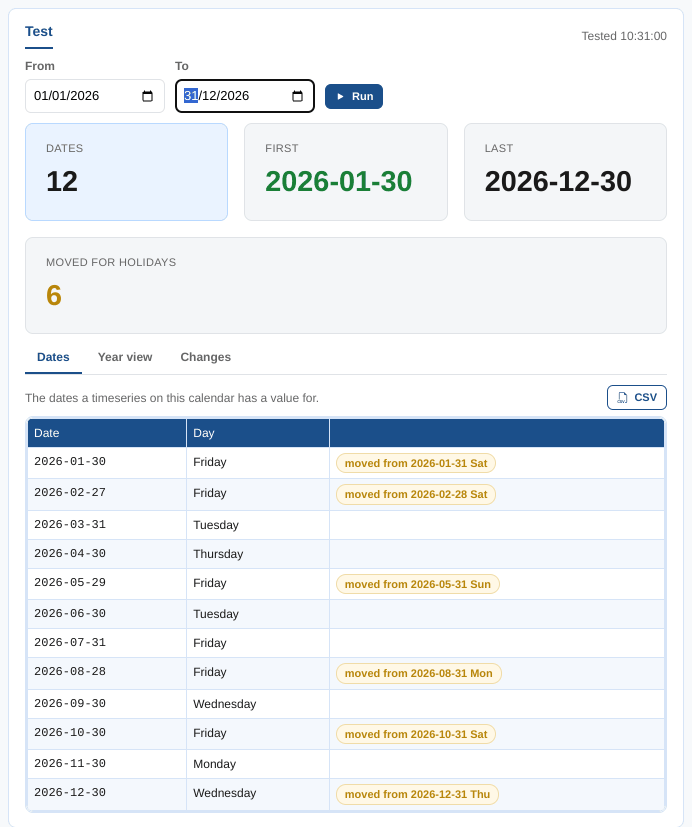
The Test panel lists the dates in the range (this year and next, to start with).
| Card | What it shows |
|---|---|
| Dates | Dates in the range |
| First, Last | The first and last date |
| Moved for holidays | Dates the holiday calendar moved |
The Dates tab marks each moved date with the date the settings give, such as moved from 2026-01-31 Sat. In 2026 the month-end calendar moves six dates: four weekends, the Summer Bank Holiday on 31 August, and New Year's Eve, an office closure on NGE_TRADING.
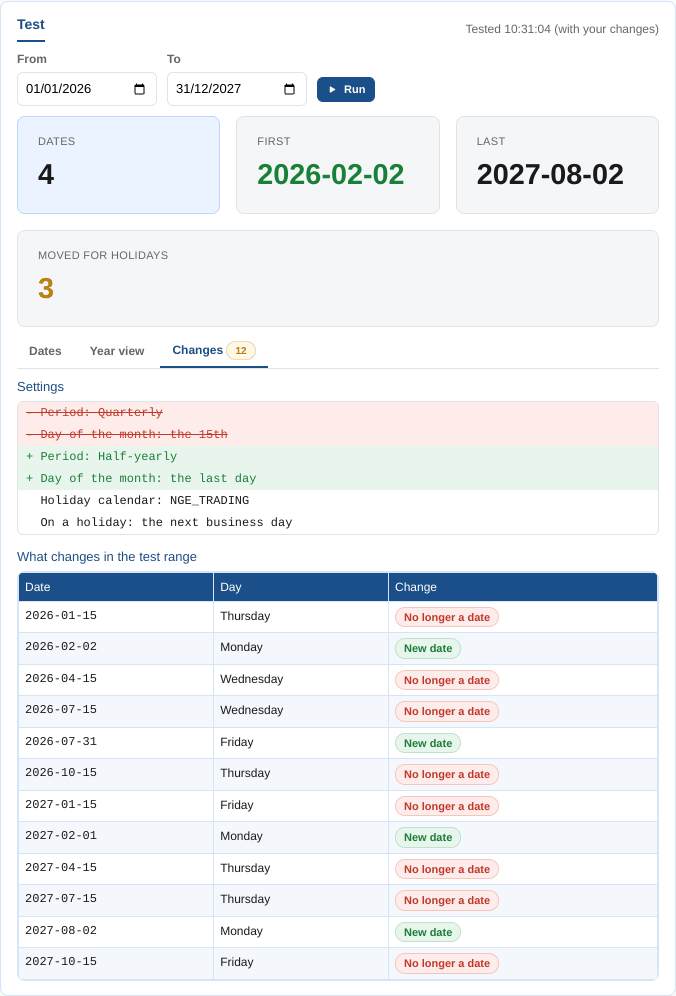
The Year view shows the dates on a calendar, and Changes compares the settings and the dates with the saved calendar. Here Tom Clarke tries changing NGE_QUARTERLY_15 from quarterly on the 15th to half-yearly on the last day of the month: 31 January 2026 is a Saturday, so the first date is Monday 2 February.
Weekly calendars
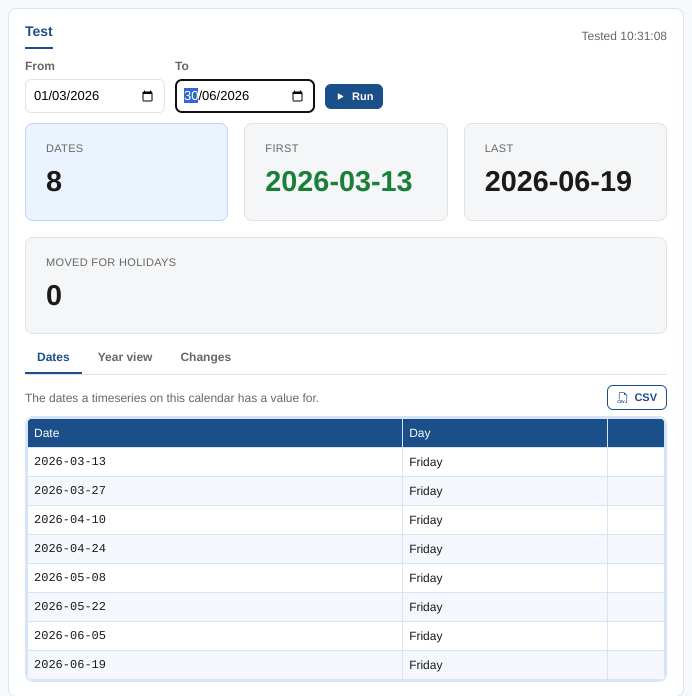
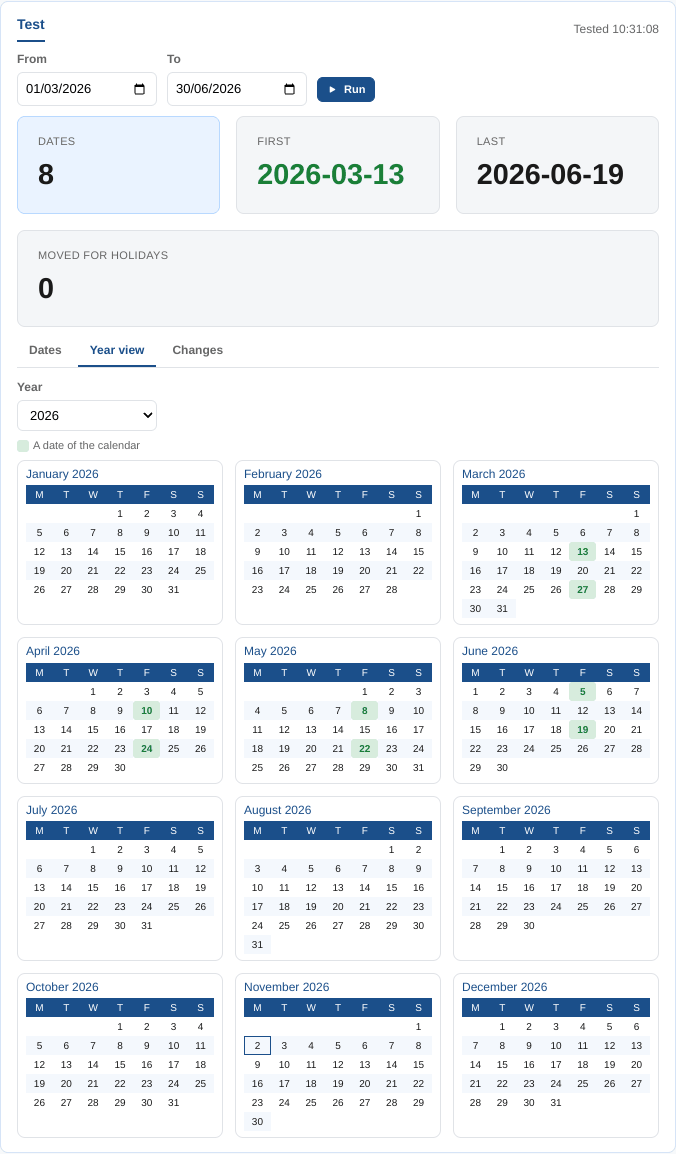
NGE_FORTNIGHTLY_FRI is the payment run, every other Friday.
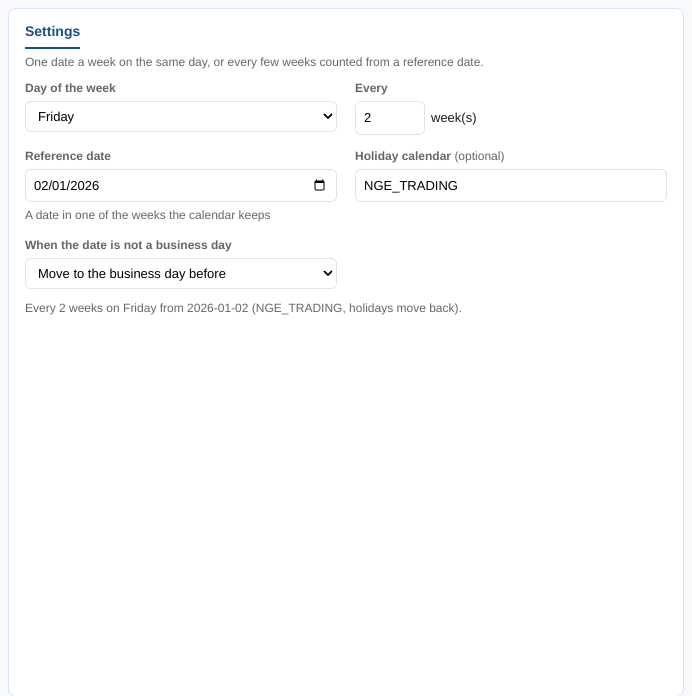
| Setting | What it does |
|---|---|
| Day of the week | Monday to Sunday |
| Every | The number of weeks between dates, from 1 to 52 |
| Reference date | Needed when Every is more than 1 week: a date in one of the weeks the calendar keeps. The weeks are counted from it, before and after. |
| Holiday calendar, When the date is not a business day | As for monthly calendars: a date that is not a business day is moved to the next business day or the business day before |
The Dates tab lists the dates with any moved ones marked, and the Year view shows them on a calendar:
Offset daily calendars
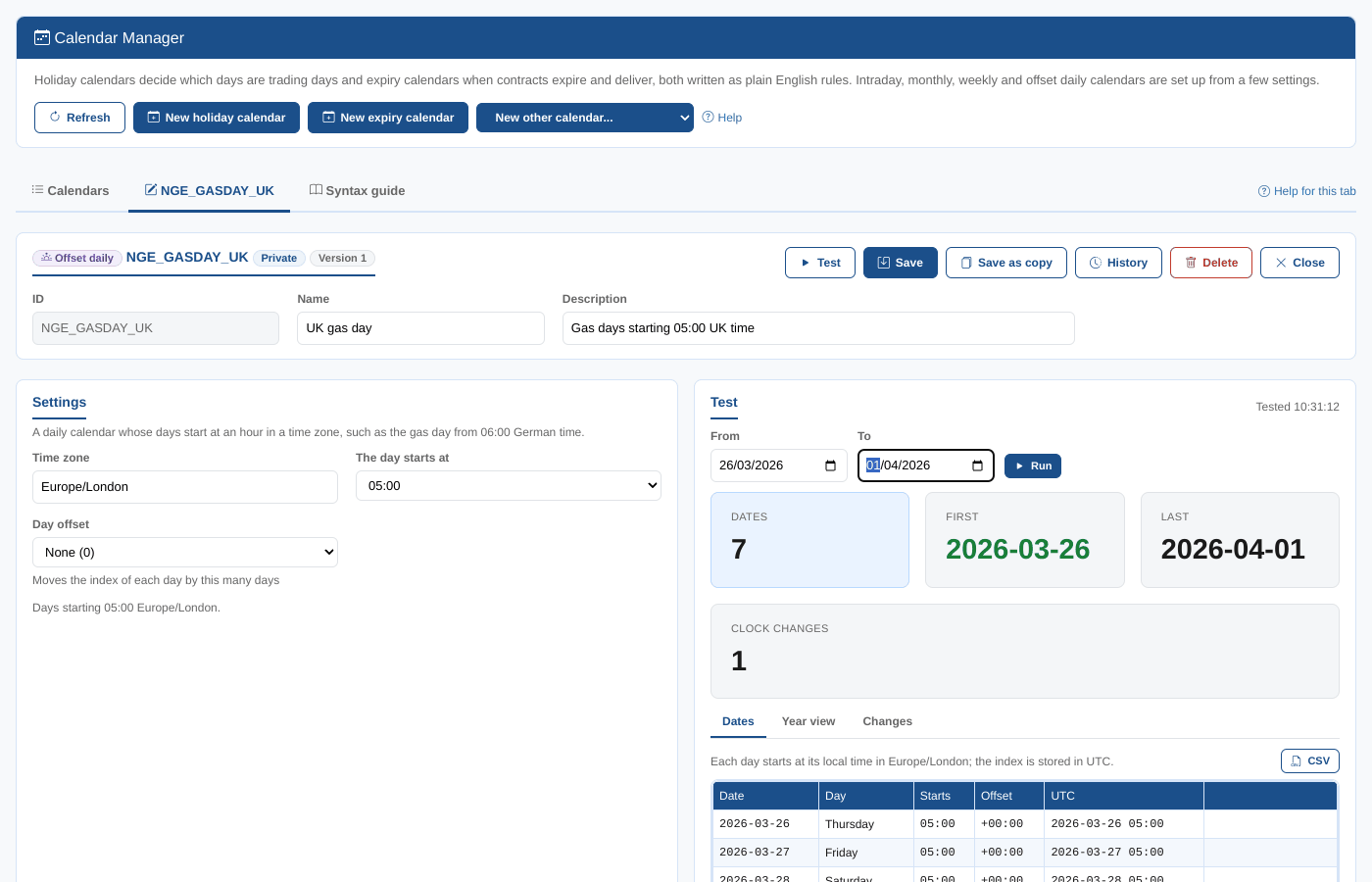
An offset daily calendar has one date a day, but each day starts at an hour in a time zone. NGE_GASDAY_UK is the UK gas day, from 05:00 UK time.
| Setting | What it does |
|---|---|
| Time zone | The time zone of the hour, such as Europe/London or Europe/Berlin |
| The day starts at | The hour each day starts, in that time zone: 06:00 for the German gas day, 05:00 for the UK gas day |
| Day offset | Moves the index of each day by a day: The day before (-1), None (0) or The day after (+1) |
The Dates tab shows each day with its start in local time, its offset from UTC and the index in UTC, as a timeseries stores it. The day the clocks change is marked clocks change: the local start stays at 05:00, so the time in UTC moves by an hour.
History
History compares the settings of any version with the editor, line by line, and Load into the editor puts them back. See Editing rules.
Other calendar types
Daily calendars (#DAILY), sparse calendars and the other built-in calendars have nothing to set. The Calendar Manager lists them and shows their dates, read only. Intraday calendars are on their own page: Intraday calendars.