Testing a calendar
This page covers holiday and expiry calendars. For hourly and sub-hourly calendars, see Intraday calendars, and for FX and money market tenors, see Financial expiry calendars.
The Test panel works out the dates the calendar gives, with the rules as they are in the editor, saved or not. It runs when you open a calendar, when you change the test settings, and a moment after you stop typing a rule. Select Test in the header or Run in the panel to run it now. The time of the last run is shown at the top, with (with your changes) when the editor has unsaved changes.
Testing saves nothing. Rules that do not follow the grammar are left out of the test.
Holiday calendars
| Setting | What it does |
|---|---|
| From, To | The test range. It starts as this year and next year, and can be up to 25 years. |
| Dates to check | Optional: dates (yyyy-mm-dd) separated by commas, for the Check dates tab |
Summary cards
| Card | What it shows |
|---|---|
| Holidays | Distinct holiday dates in the range. Weekly closures (every Saturday) are not counted. |
| Business days | Days in the range no rule closes |
| On a closed day | Holidays that fall on a day a weekly rule already closes, so they change nothing. If a substitute day is needed, add a shift option to the rule. |
| Same date twice | Dates given by more than one rule |
| Rules with no holidays | Rules that give no holiday in the range |
Holidays
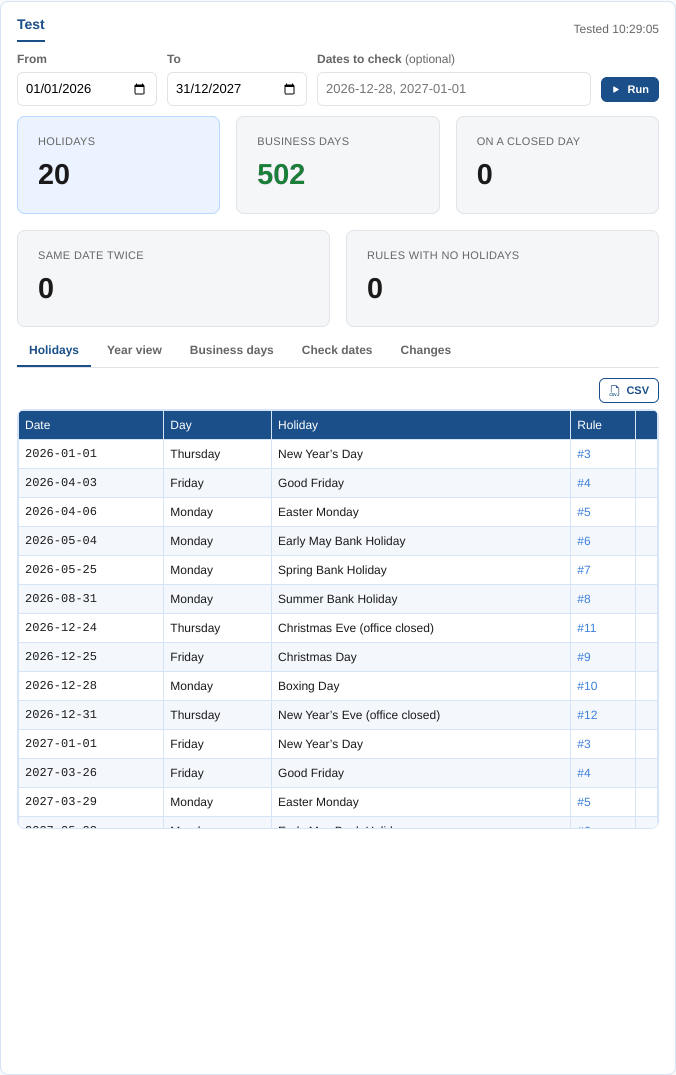
Every holiday in the range in date order: the date, the day of the week, the holiday name and the rule that gives it (click the rule number to go to the rule), with on a closed day and same date twice marks. CSV downloads the table.
Year view
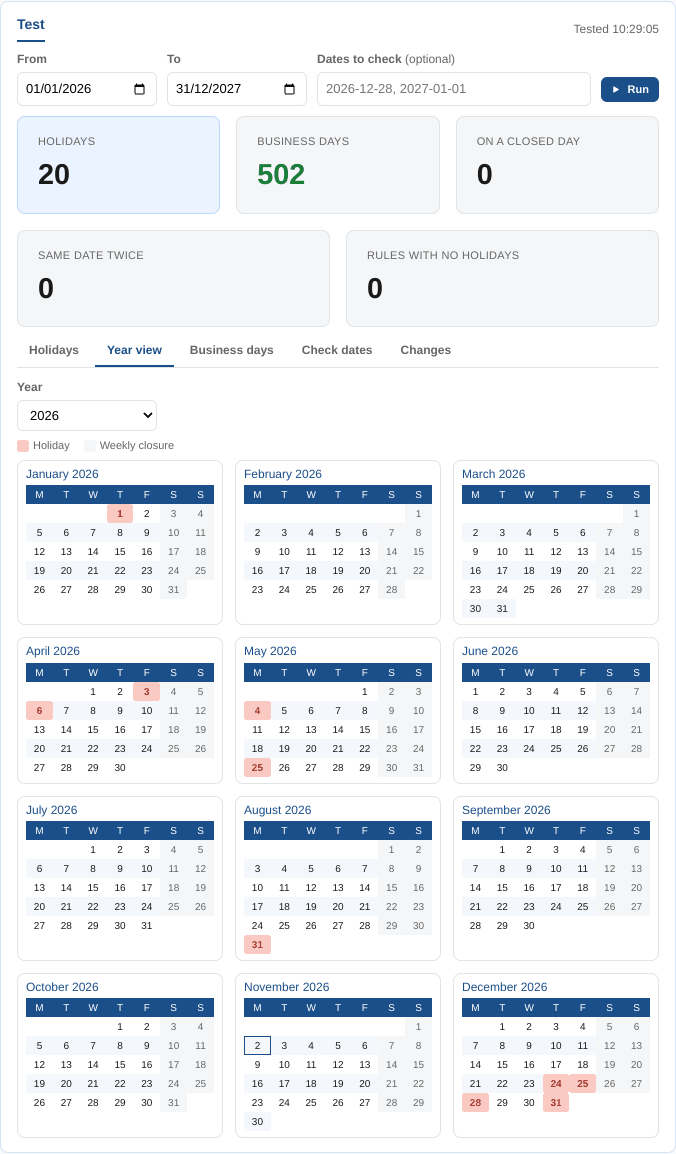
A year of month grids. Holidays are red (hover to see the name and the rule), weekly closures grey and today is outlined. Pick the year from the list. When the rules differ from the saved calendar, new holidays have a green outline and removed ones a dashed red outline.
Business days
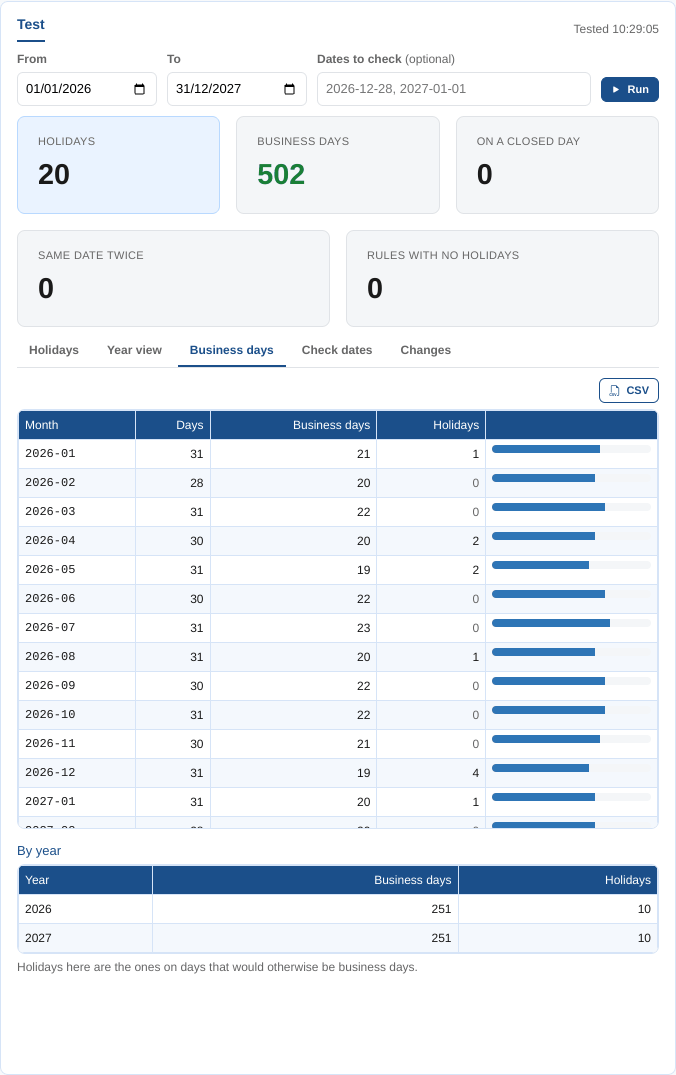
The days, business days and holidays of each month in the range, with a bar for the business days, then the totals by year. A holiday here is one on a day that would otherwise be a business day. CSV downloads the months.
At Northgate Energy, Priya uses this tab for the volume team, who need the number of business days in each month of next year.
Check dates
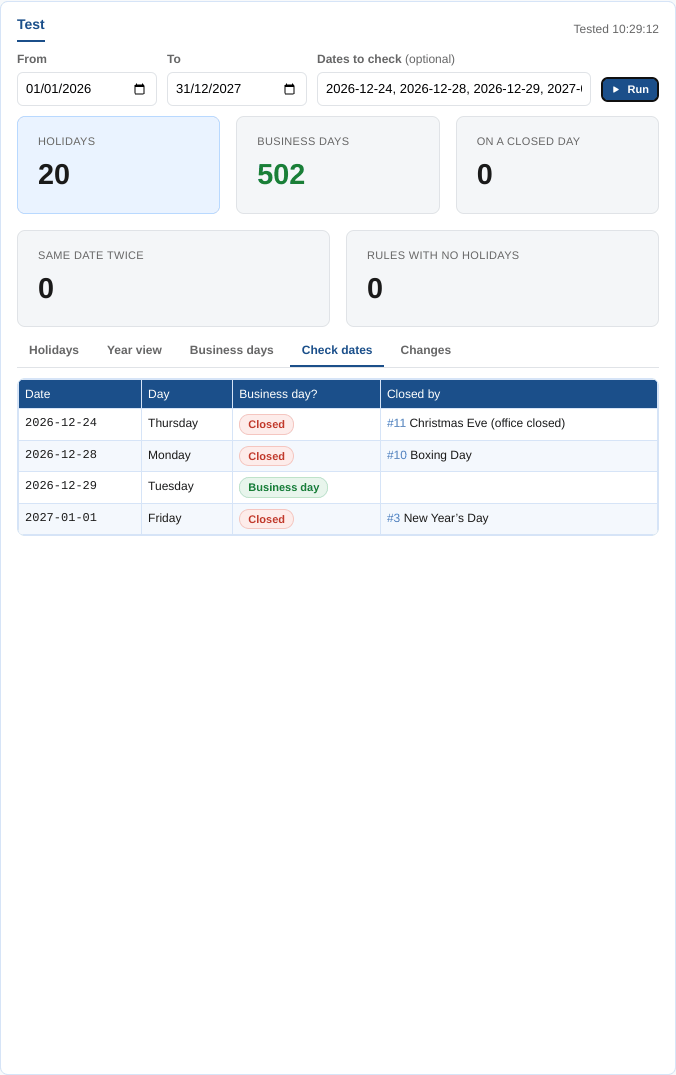
For each date in Dates to check: its day of the week, whether it is a business day or closed, and the rules that close it with the holiday name. Use it to answer questions such as is 28 December 2026 a business day? without scrolling through the list.
Changes
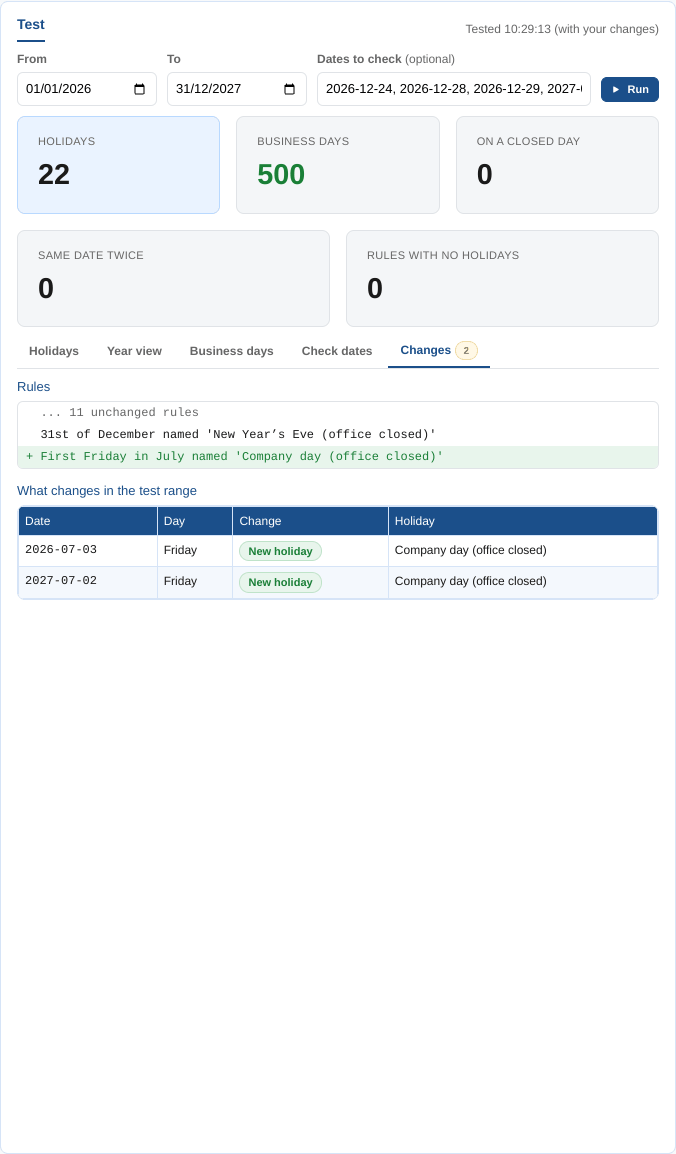
For a saved calendar: the rule changes against the saved version, line by line (unchanged rules are folded), then the holidays that change in the test range: new holidays, dates that are no longer holidays and renamed holidays. The tab name shows how many dates change.
At Northgate Energy, Priya adds an office closure, First Friday in July named 'Company day (office closed)', and the tab shows the two new holidays it gives in the test range, 3 July 2026 and 2 July 2027, before she saves.
Expiry calendars
| Setting | What it does |
|---|---|
| Curve date | The date the relative tenor codes (M01, Q01...) are worked out from. It starts as today. |
| From, To | Contracts that expire in this range are listed. It starts as the first of this month and runs for two years. |
| Tenors | The kinds of contract to list: hours, days, weekends, weeks, months, quarters, seasons, years |
An expiry calendar needs its trading calendar to be tested.
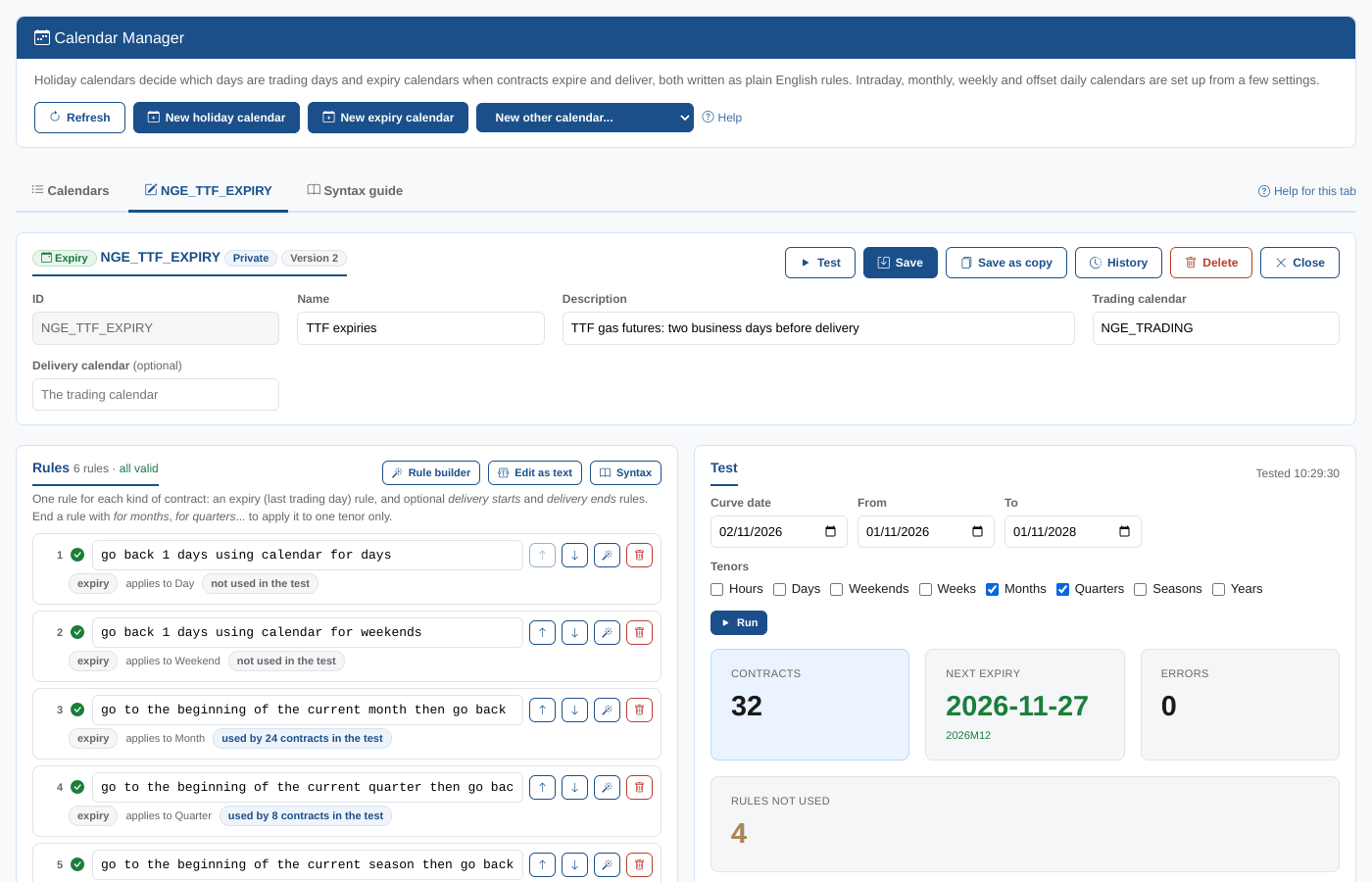
Summary cards
| Card | What it shows |
|---|---|
| Contracts | Contracts that expire in the range |
| Next expiry | The first expiry from today, with its contract |
| Errors | Tenors the rules could not work out, for example a tenor with no rule |
| Rules not used | Rules no contract of the tenors tested uses |
Expiries
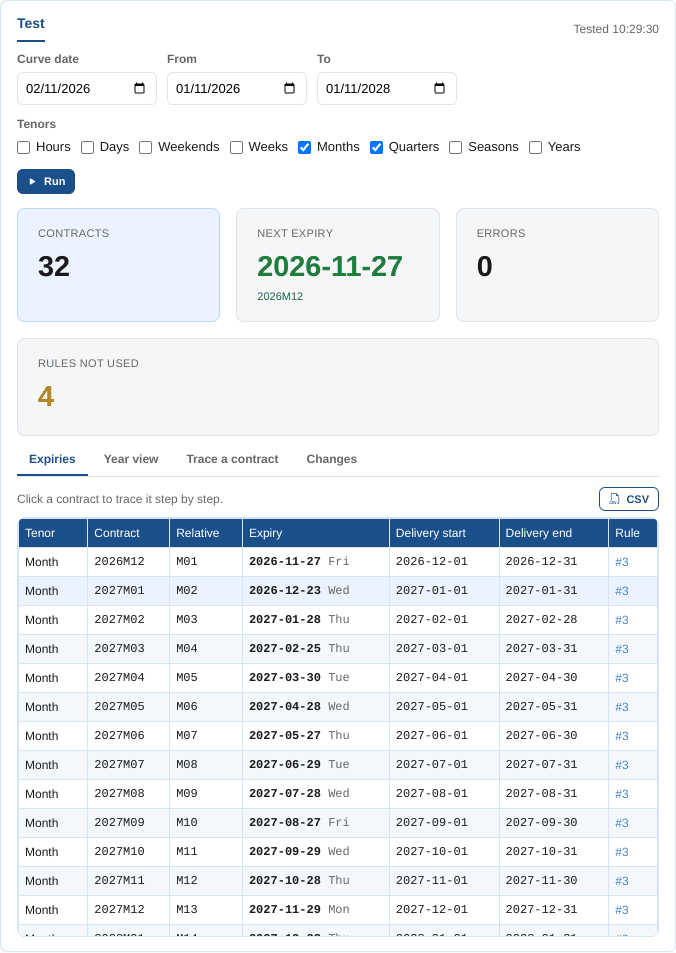
One row per contract, in order for each tenor:
| Column | What it shows |
|---|---|
| Tenor | The kind of contract |
| Contract | The absolute period code, such as 2026M12 |
| Relative | The relative code from the curve date, such as M01 |
| Expiry | The last trading day, with the day of the week. For hour contracts, the date and time. |
| Delivery start, Delivery end | When delivery starts and ends: from the delivery rules, or the contract period. For hour contracts, with the time (an hour from 06:00 delivers 06:00 to 06:59). |
| Rule | The rule that gave the expiry (click it to go to the rule) |
Click a contract to trace it.
At most 400 contracts are listed for each tenor. Hours reach that limit in about 16 days, so a note says when a tenor was cut short: set From and To a day or two apart to test hour contracts.
Hour contracts
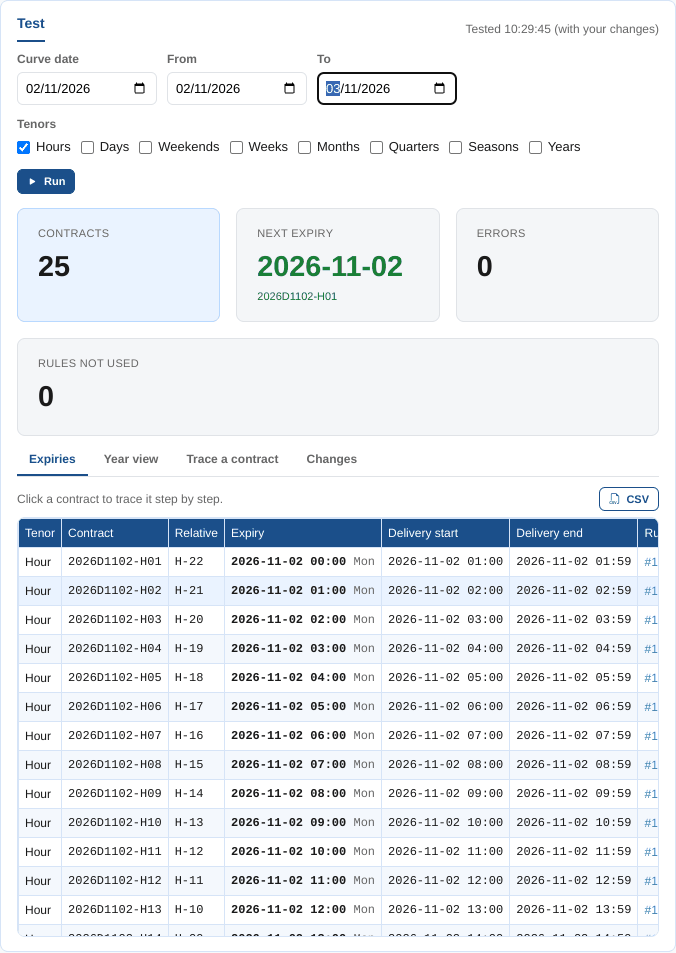
Tick Hours to test the hourly contracts of an intraday market. Each hour is a contract, with an absolute code such as 2026D1102-H06 (the hour from 06:00 on 2 November 2026) and a relative code such as H05. Hour contracts use the rules with no for (see Rule syntax).
At Northgate Energy, Tom sets up NGE_POWER_DE_HOURLY for German intraday power, where each hour stops trading an hour before delivery: the rule go back 1 hours. The test for 2 November shows each hour expiring at the start of the hour before, and the trace of 2026D1102-H06 shows the one step, from 06:00 back to 05:00.
Year view
A year of month grids with each expiry in green; hover a date to see which contracts expire.
Trace a contract
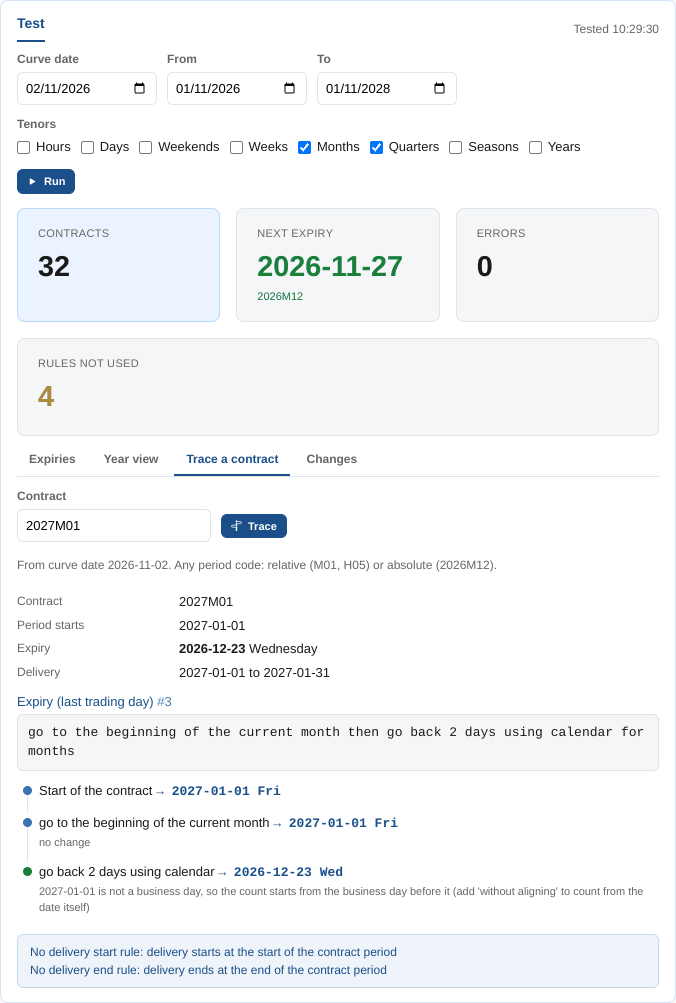
How the expiry and the delivery dates of one contract were worked out. Type any period code (M01, 2026M12, Q1-27) and select Trace, or click a contract on the Expiries tab.
The trace shows the contract, its absolute code, when its period starts, its expiry and its delivery period, then for the expiry rule and each delivery rule: the rule, and each of its steps with the date reached after it. A grey step was skipped because its exception did not apply; no change means the step left the date where it was (for example aligning a date that is already a business day). When business days are counted from a date that is not a business day, a note says so: the count starts from the business day before it, unless the step says without aligning. Notes explain what is not ruled, such as a contract with no delivery rule, which delivers over its whole period.
At Northgate Energy, Tom wonders why the January 2027 contract expires on 23 December 2026, before Christmas. He clicks 2027M01. Its period starts on Friday 1 January, a holiday, and New Year's Eve and 28 December are closed too. The note under go back 2 days using calendar explains it: because 1 January is not a business day, the count starts from the business day before it, 30 December, and two business days back from there is 23 December. The exchange counts from the 1st itself, which gives 29 December.
Changes
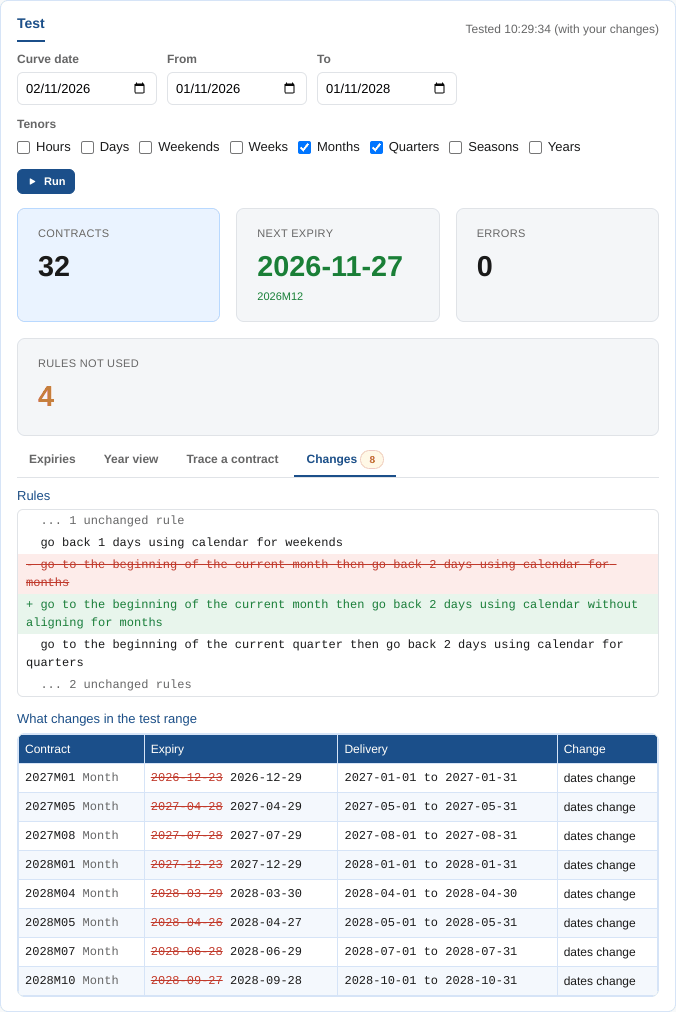
For a saved calendar: the rule changes against the saved version, then the contracts whose expiry or delivery dates change in the test range, with the old dates struck through.
Tom adds without aligning to the month rule. Before saving, the tab shows the contracts that move: January 2027 to 29 December, and the May and August 2027 and January 2028 contracts, whose first days are also weekends or holidays. Every other contract keeps its date.