Event timeseries
An event timeseries takes one number from each event and places it at the event's start, end or time. Like an event curve it is built when it is read, so it always has the latest events.
Northgate's wind output list NGE.WIND.DE:OUTPUT has a reading per farm per day. Priya wants a daily timeseries of the Nordsee West farm, NGE.WIND.DE:NORDSEE_WEST_DAILY.
Creating an event timeseries
Open the list and select the Event timeseries tab, then New.
| Field | Example | Notes |
|---|---|---|
| Keep it on the master data record | NGE.WIND.DE | A private record, as for event curves. |
| Name (key on the record) | NORDSEE_WEST_DAILY | |
| Value field | mw | The number field that becomes each value. |
| Index | Event start | Where each value is placed in time: the event's start, end or time, or any date field of the events. When an event has no start or end, its time is used. |
| Calendar | DAILY | The calendar of the timeseries, such as DAILY, BUSINESS or HOURLY. Required. |
| Timezone | Europe/Berlin | |
| Currency and Units | MW | |
| Only events where | {"site": "Nordsee West"} | A JSON filter on the events: here, one farm's readings. |
Previewing from the events
Select Preview from the events. With Events from left empty the preview reads the latest 20,000 events of the list; set Events from and to for other days, and select Preview again.
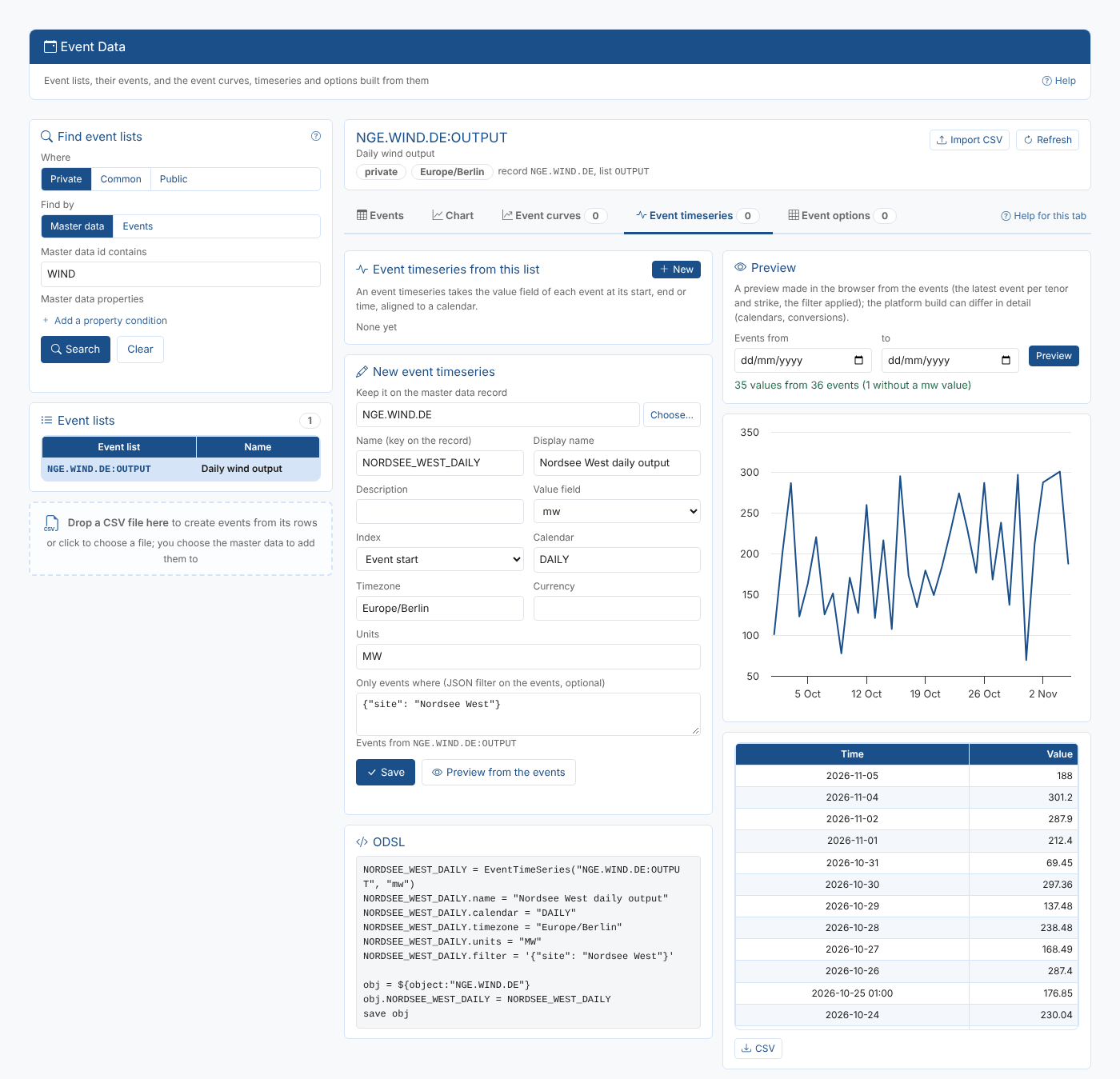
The status line says how many values were found and how many events had no number in the value field (the 3 November reading was n/a). When there is nothing to show, it says why:
| Message | What to check |
|---|---|
| No events between ... | The dates, or the filter. |
| None of the events has a number in ... | The Value field. |
| None of the events has a date in ... | The Index. |
Saving and viewing the built timeseries
Select Save. The view changes to Built timeseries, read from the platform: choose a Range (the last 100 or 1,000 values, the last 30 days, the last year or everything), with a chart and a table of the values, newest first. CSV downloads them.
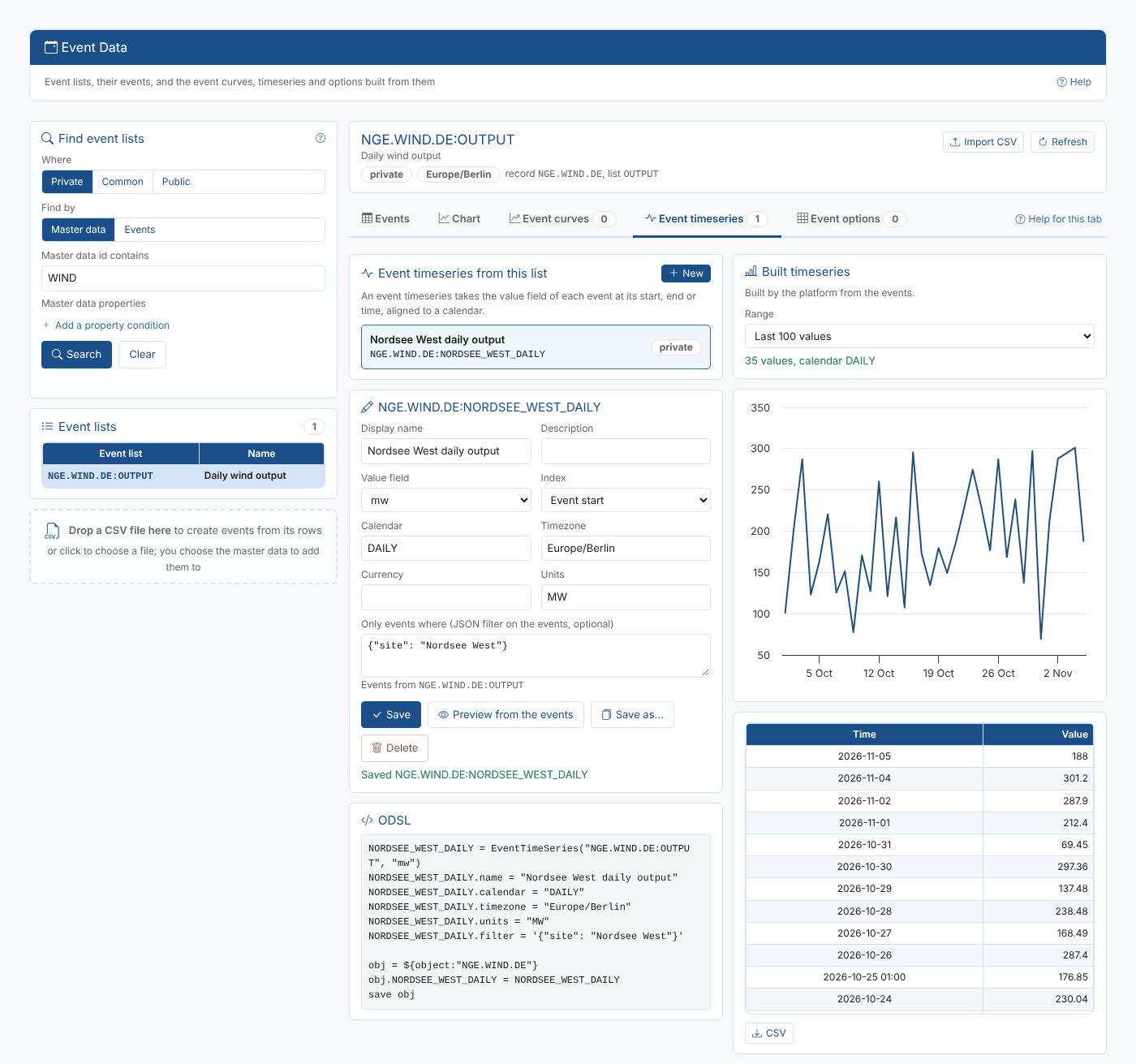
Save as... and Delete work as for event curves.