The workflow code
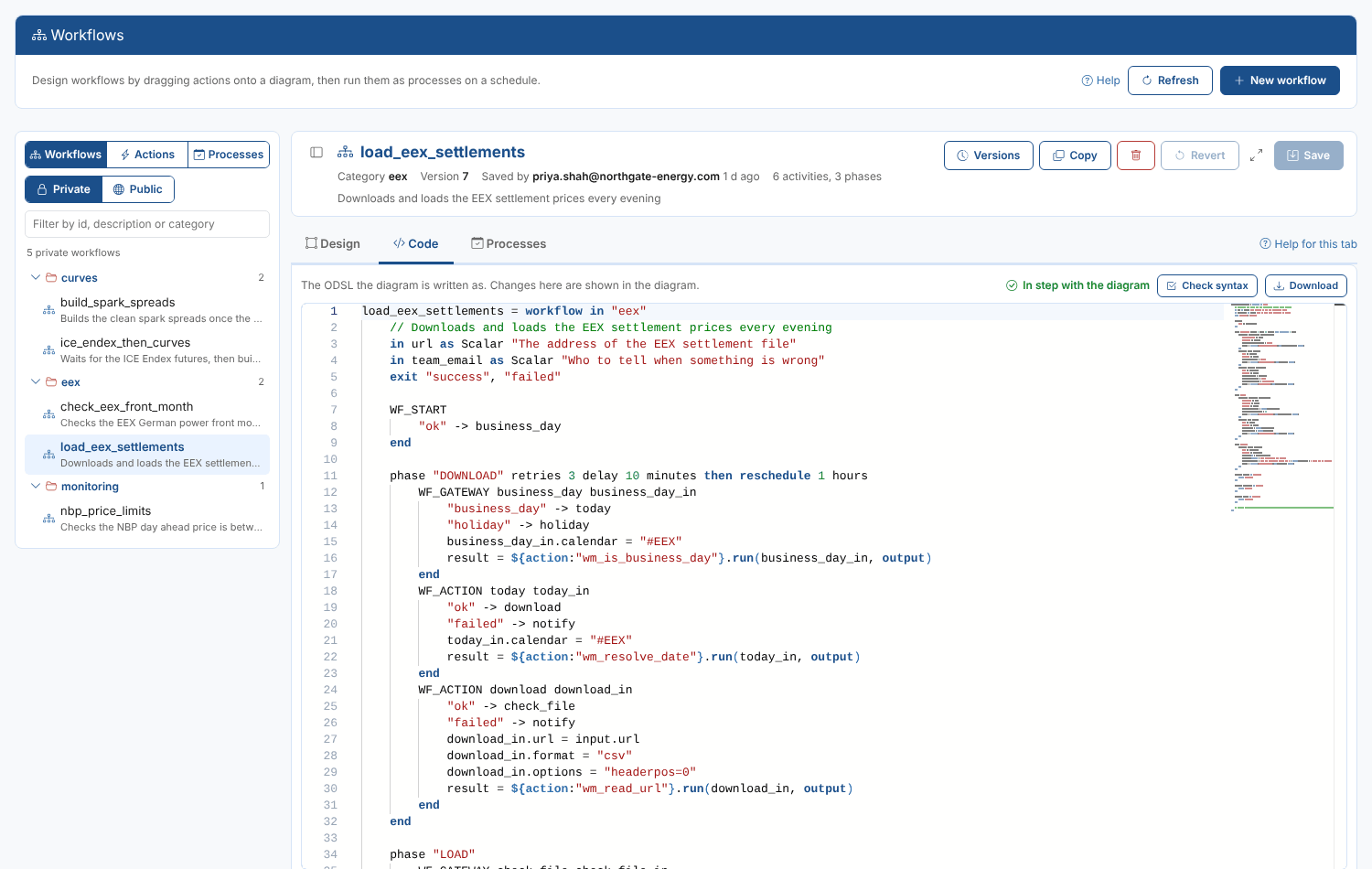
The platform runs a workflow from its ODSL code. The Code tab shows the code the diagram is written as, in an editor with ODSL highlighting, and the two are kept in step:
- every change in the diagram rewrites the code;
- every change in the code is read back into the diagram half a second after you stop typing.
The code follows the workflow syntax. For Priya's workflow it starts like this:
load_eex_settlements = workflow in "eex"
    // Downloads and loads the EEX settlement prices every evening
    in url as Scalar "The address of the EEX settlement file"
    in team_email as Scalar "Who to tell when something is wrong"
    exit "success", "failed"

    WF_START
        "ok" -> business_day
    end

    phase "DOWNLOAD" retries 3 delay 10 minutes then reschedule 1 hours
        WF_GATEWAY business_day business_day_in
            "business_day" -> today
            "holiday" -> holiday
            business_day_in.calendar = "#EEX"
            result = ${action:"wm_is_business_day"}.run(business_day_in, output)
        end
        WF_ACTION today today_in
            "ok" -> download
            "failed" -> notify
            today_in.calendar = "#EEX"
            result = ${action:"wm_resolve_date"}.run(today_in, output)
        end
The positions of the activities on the canvas are kept in a comment at the end, // @layout {...}. It does not change what the workflow does. A workflow written in code without it is laid out automatically when you open it.
When the code cannot be shown
If the code has a mistake the designer cannot read, such as a missing end, the line is marked in the editor, the Code tab says what is wrong, and the diagram shows a red banner and becomes read only until the code is fixed. Saving is not possible until then.
Statements written inside a phase but outside its blocks (log lines, variables) are kept as the phase's code and written at the top of the phase.
Checking the syntax
Check syntax sends the code to the platform's ODSL parser and marks any errors in the editor. The same check runs when you save.
Download saves the code as an .odsl file.