Agents
An agent is a saved set of questions that Fusion asks in order, as one conversation. Use agents for jobs you would otherwise ask for by hand every day: a morning curve summary, a list of overnight process failures, a check of vendor corrections, each emailed to you or saved as a report.
An agent can run:
- On demand, with Run now
- On a schedule, with a cron expression
- From an automation, when something happens on the platform, such as a dataset being delivered or a process failing
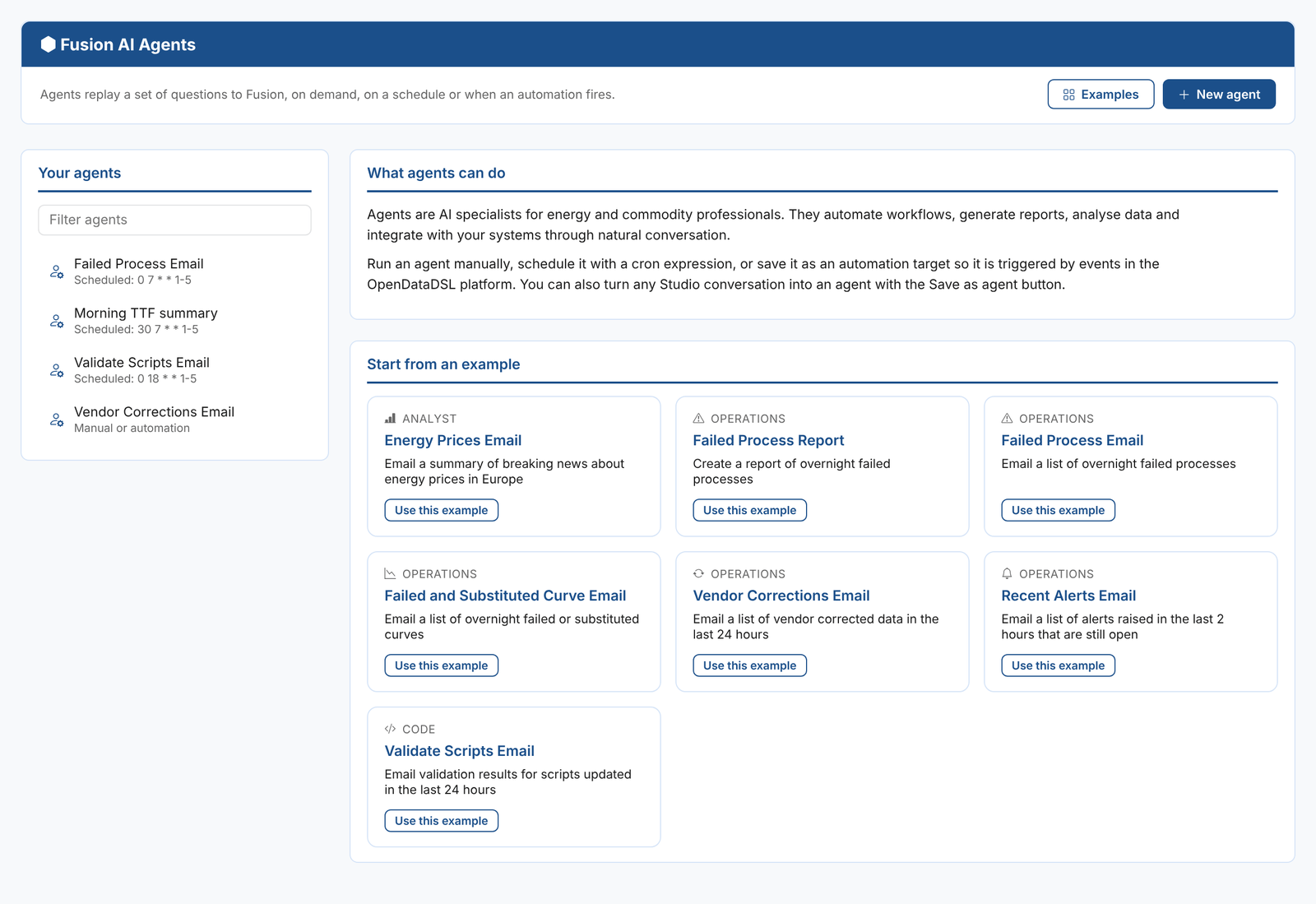
Information > Fusion AI > Agents lists your agents. With none selected, it shows example agents to start from.
Creating an agent
There are three ways to create an agent:
- Select New agent and write the questions yourself
- Select Examples, then Use this example on one of the examples
- In the Studio, select Save as agent on a conversation that did what you want
| Field | What it is for |
|---|---|
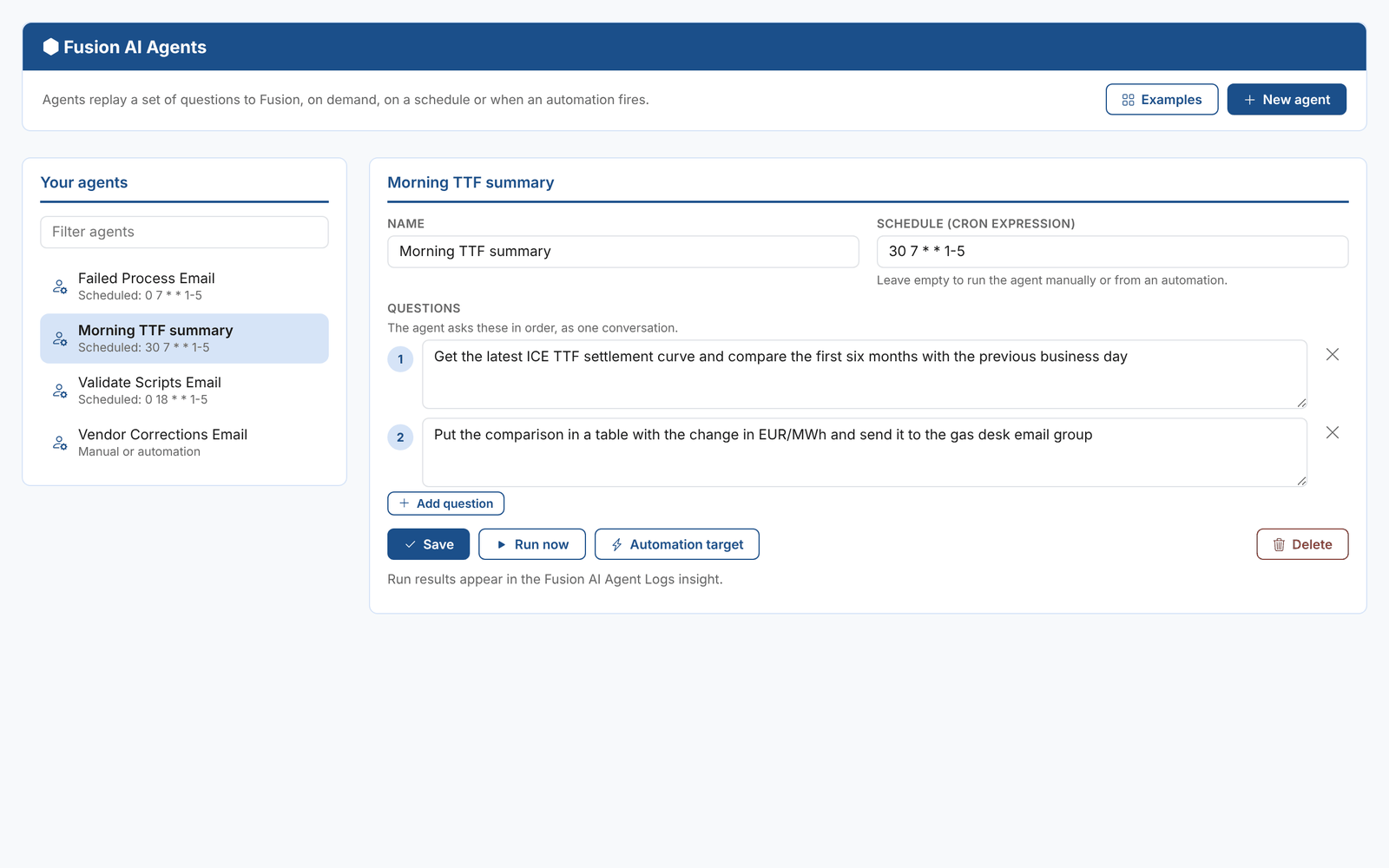
| Name | The agent's name, shown in the list and as the name of each run in the Agent Logs insight |
| Schedule | Optional. A cron expression, for example 0 7 * * 1-5 for 07:00 every weekday. Leave it empty to run the agent by hand or from an automation. See CRON expressions. |
| Questions | What the agent asks Fusion, in order. Each question sees the answers to the ones before it, as in a chat. Add question adds another; the cross removes one. |
Select Save. Run now, Automation target and Delete become available once the agent is saved.
Writing good questions
An agent runs with nobody watching, so each question must say exactly what to do, including what to do with the result:
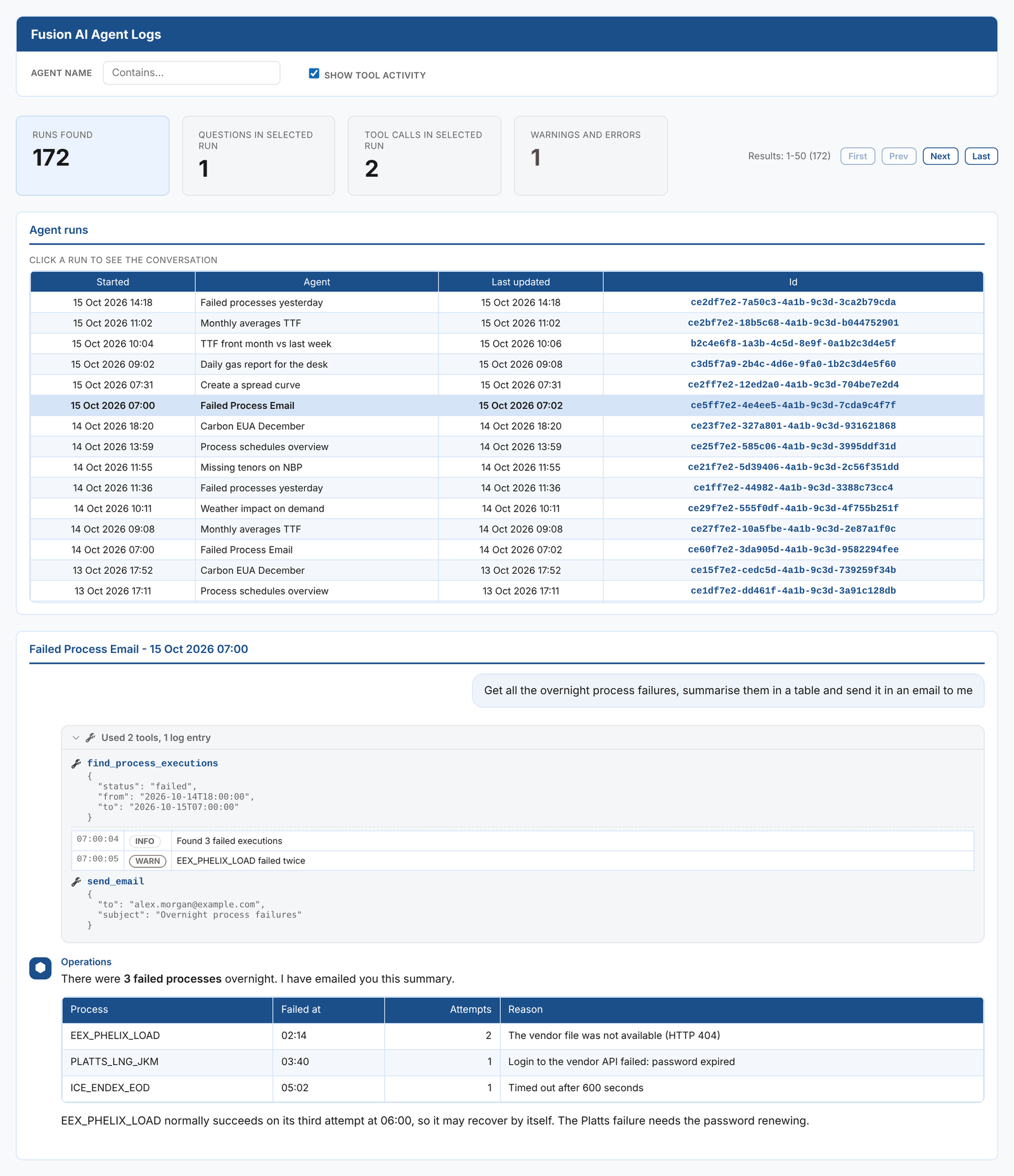
Get all the overnight process failures, summarise them in a table and send it in an email to me
Get the latest ICE TTF settlement curve and compare the first six months with the previous business day. Put the comparison in a table with the change in EUR/MWh and send it to the gas desk email group.
Get all the overnight process failures, summarise them in a table and save them in a report with the id OVERNIGHT_FAILED_PROCESSES
Split a long job into several questions so each one does one thing: gather the data first, then format it, then send it. Try the questions in the Studio first; when the conversation gives the result you want, save it with Save as agent.
Examples
| Example | What it does |
|---|---|
| Energy Prices Email | Emails a summary of breaking news about energy prices in Europe |
| Failed Process Report | Saves a report of overnight failed processes |
| Failed Process Email | Emails a list of overnight failed processes |
| Failed and Substituted Curve Email | Emails a list of overnight failed or substituted curves |
| Vendor Corrections Email | Emails a list of vendor corrected data in the last 24 hours |
| Recent Alerts Email | Emails a list of alerts raised in the last 2 hours that are still open |
| Validate Scripts Email | Emails the validation results for scripts updated in the last 24 hours |
Running an agent
Run now starts the agent in the background. It can take a few minutes; you do not need to keep the page open. The result appears in the Fusion AI Agent Logs insight, where you can read the whole conversation, the tools the agent used and any warnings.
Running an agent from an automation
Automation target creates an automation target that runs the agent. Its id is odsl.agent_ followed by the agent's id, and it is shown as Run an AI Agent with the agent's name.
Then create an automation as usual and choose the agent's target. For example, run an investigation agent whenever a dataset is marked late, or a summary agent when a curve build finishes. See Automations.
Agents and playbooks
Agents and playbooks both repeat a job, in different ways:
| Agent | Playbook | |
|---|---|---|
| What it is | A list of questions | A written job with inputs, steps, checks and approvals |
| Inputs | None; the questions are fixed | A form, filled in for each task |
| Checks | None | Each step is checked before the run moves on |
| Approvals | None | The run pauses at gates for named approvers |
| Best for | Simple, read-mostly jobs such as summaries and emails | Jobs that change the platform, or that must be done the same way every time |