Assistants
An assistant is a specialist that Fusion hands a question to. Each one has a description, which tells Fusion when to use it, and a prompt, which tells it how to behave. In the Studio you can let Fusion choose (Auto) or pick one yourself.
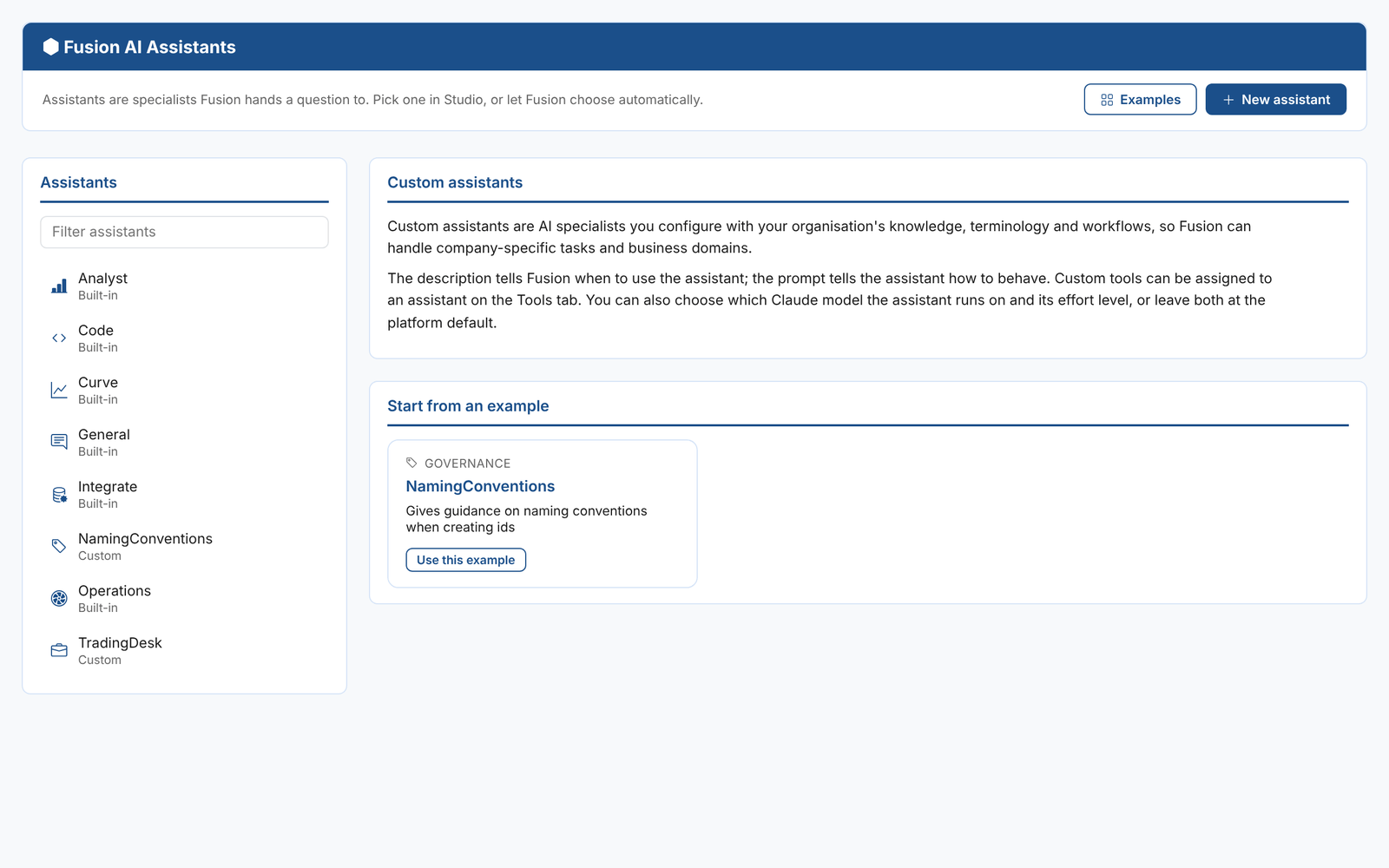
Information > Fusion AI > Assistants lists the built-in assistants and your tenant's custom assistants.
Built-in assistants
| Assistant | Description |
|---|---|
| General | I can help with OpenDataDSL concepts and documentation |
| Analyst | I can help you to analyse data, create reports, insights and platform extensions |
| Code | I can help you create ODSL scripts |
| Curve | I can help you create SMART curves |
| Integrate | I can help you get data in or out of the platform |
| Operations | I can help with monitoring processes and data and investigating issues |
Built-in assistants are maintained by OpenDataDSL and are read only: select one to see its description.
Custom assistants
A custom assistant is an AI specialist you configure with your organisation's knowledge, terminology and workflows, so Fusion can handle company-specific tasks. Some examples:
- A naming conventions assistant that suggests ids for new scripts, datasets and reports that follow your standards
- A trading desk assistant that answers questions about your own positions, using a custom tool that reads them from your trading system
- A compliance assistant that knows the regulations your team works under
To create one, select New assistant, or Examples and then Use this example to start from the naming conventions example.
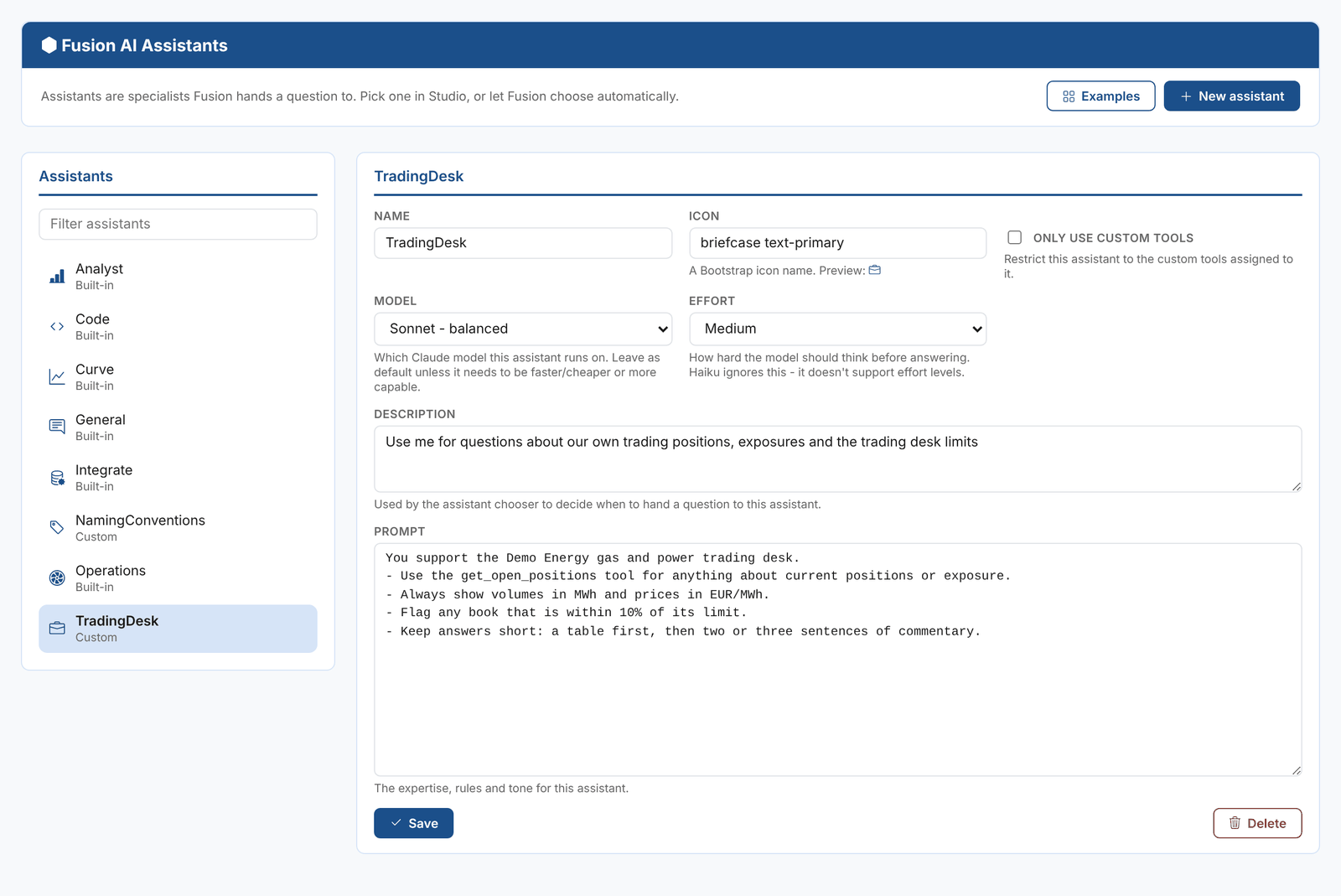
| Field | What it is for |
|---|---|
| Name | A short, one-word name. It is shown in the assistant picker and above each answer, and playbook steps use it to choose the assistant. |
| Icon | A Bootstrap icon name, for example briefcase, optionally followed by a colour class such as text-primary. A preview is shown. |
| Only use custom tools | Restricts the assistant to the custom tools assigned to it, rather than the full set of Fusion tools |
| Model | The Claude model the assistant runs on: Haiku (fast and economical), Sonnet (balanced) or Opus (most capable). Leave it at Platform default unless the assistant needs to be faster and cheaper, or more capable. |
| Effort | How hard the model thinks before it answers, from Low to Max. Haiku does not support effort levels and ignores it. |
| Description | When Fusion should use this assistant. Fusion reads it when choosing an assistant for a question, so be specific. |
| Prompt | The assistant's expertise, rules and tone |
Select Save. The assistant is available straight away in the Studio, to agents and to playbook steps.
The model affects cost as well as quality. Tokens are weighted by model when they are billed: Haiku 1, Sonnet 2 and Opus 4. See Billing, budgets and limits.
Writing a good assistant
The description decides when the assistant is used. Write it as a rule Fusion can apply to a question, for example "Use me for questions about our own trading positions, exposures and the trading desk limits", rather than a general statement of what the assistant knows.
The prompt decides how it answers. Good prompts:
- Say who the assistant works for and what it is for
- Name the tools it should use for each kind of question
- Set the units, formats and conventions to use, such as EUR/MWh or uppercase ids
- Say what to flag and what to avoid
- Say how long answers should be, and how to lay them out
You support the Demo Energy gas and power trading desk.
- Use the get_open_positions tool for anything about current positions or exposure.
- Always show volumes in MWh and prices in EUR/MWh.
- Flag any book that is within 10% of its limit.
- Keep answers short: a table first, then two or three sentences of commentary.
Test a new assistant in the Studio by selecting it in the assistant picker, then check that Auto chooses it for the questions it is meant for.
Assistants in extensions
Assistants can be shipped in extensions, together with their tools, playbooks and insights. OpenDataDSL publishes assistants this way, for example the REMIT compliance assistant and the renewable generation optimiser.
To use an assistant in a playbook step, set the step's assistant to its name. See Playbook syntax.