Versions and the audit trail
Every save of a smart curve or timeseries makes a new version and keeps the earlier ones. The Compare versions and Audit trail tabs of the workspace show what changed, who changed it and when, and let you go back.
Northgate's clean spark spread has three versions: Priya created it on 5 October with gas only, Tom added the carbon cost on 12 October, and Priya changed the plant efficiency from 0.5 to 0.49 on 26 October.
Comparing versions
The Compare versions tab lists the versions, newest first, with who saved each one and when. Under the list two versions are shown side by side, with the removed lines in red and the added lines in green. Each version is shown as its stored definition, with its fields in alphabetical order.
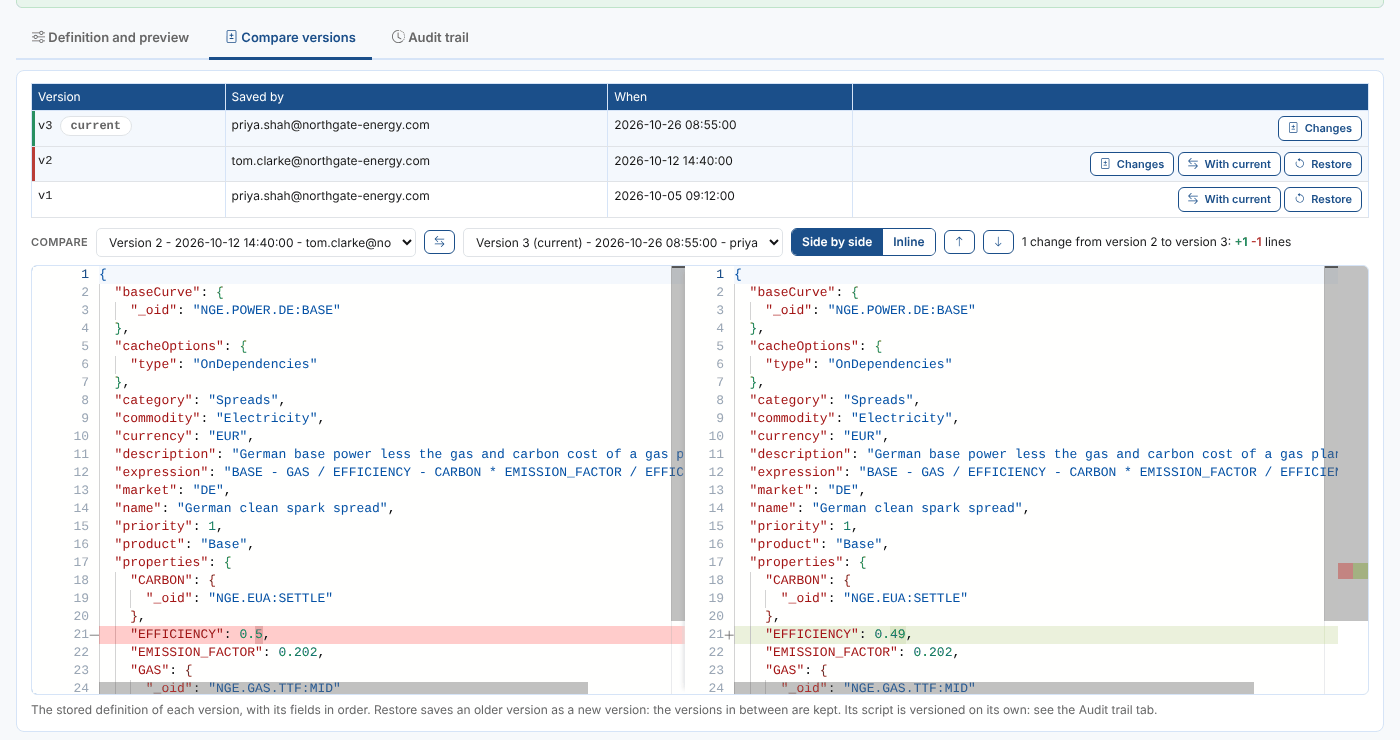
| Control | What it does |
|---|---|
| Changes | Compares a version with the one before it: what that save changed |
| With current | Compares a version with the current one, or with your unsaved changes when you have any |
| Compare lists | Any two versions, or a version and Your unsaved changes |
| Swap | Swaps the two sides |
| Side by side and Inline | Two columns, or one column with the removed and added lines one after the other |
| Up and down arrows | Go to the previous or next change |
Above the comparison you see how many changes there are, and how many lines were added and removed.
The script of a smart curve has versions of its own: compare those in the Script Manager, or see the script's changes in the audit trail below.
Restoring a version
Select Restore on an earlier version to make it the current one again. It is saved as a new version and the versions in between are kept, so you can restore those too. The preview is then built with it.
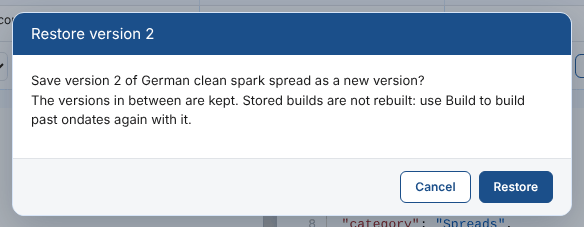
When you have unsaved changes you are told they will be replaced. Restore is not offered when the view is read only.
Restoring changes what the platform builds from now on, but not the builds already stored. Use Build with Build them again for the past ondates that should use the restored version.
Rolling back and deleting
More, Delete or roll back... removes the latest version, or the whole smart curve or timeseries.
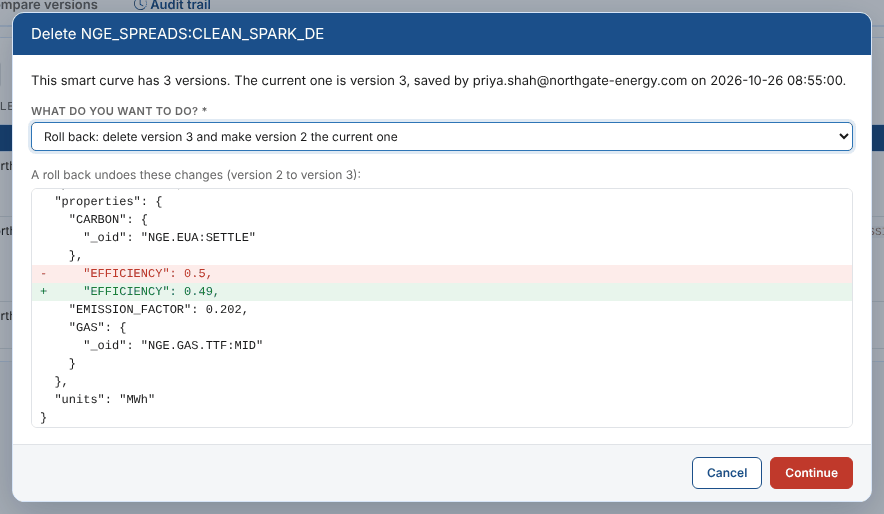
| Choice | What happens |
|---|---|
| Roll back | Deletes the current version: the version before becomes the current one. The dialog shows what the roll back undoes. Stored builds are kept |
| Delete it completely | Deletes every version, its build automation and (for a smart curve) all its stored builds. You are asked again, with the number of builds and their ondates |
A smart curve or timeseries with one version can only be deleted completely.
Deleting is refused while another smart curve or timeseries uses it as its base or an input: the dialog lists them. Change or delete those first. Reports, Composer compositions and scripts that read it are not checked, so look for them before deleting a curve others rely on.
The audit trail
The Audit trail tab lists every create, change and delete of the smart data and of its script, newest first. History in the toolbar opens it too.
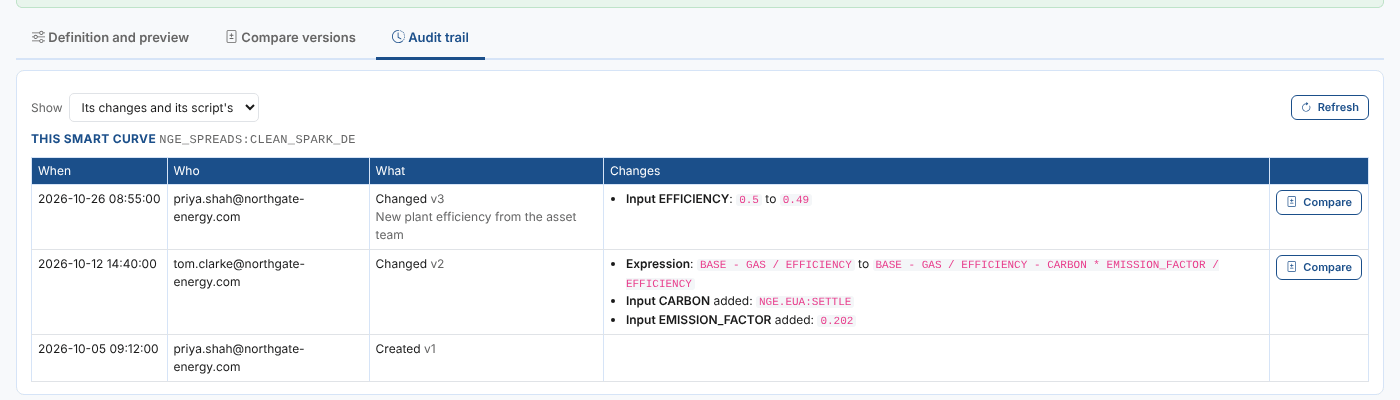
| Column | What it shows |
|---|---|
| When | The date and time of the change |
| Who | Who made it |
| What | Created, Changed, Rolled back, Deleted and so on, with the version it made and the reason given |
| Changes | Each field that changed, with its value before and after: Input EFFICIENCY: 0.5 to 0.49 |
- Show chooses Its changes and its script's, Its changes or Its script's changes. Refresh reads them again.
- Compare on one of its changes opens the Compare versions tab with that version and the one before. On a change of its script, it shows the script's difference in place.
- The latest 100 changes are shown. Your unsaved changes are not in the audit trail until you save them.
- Builds are not listed: the Build card shows when it was last built.
Next
Smart Data reference: how smart data is stored, the platform calls, permissions and what the extension contains.