People
The People tab lists who works on the project.
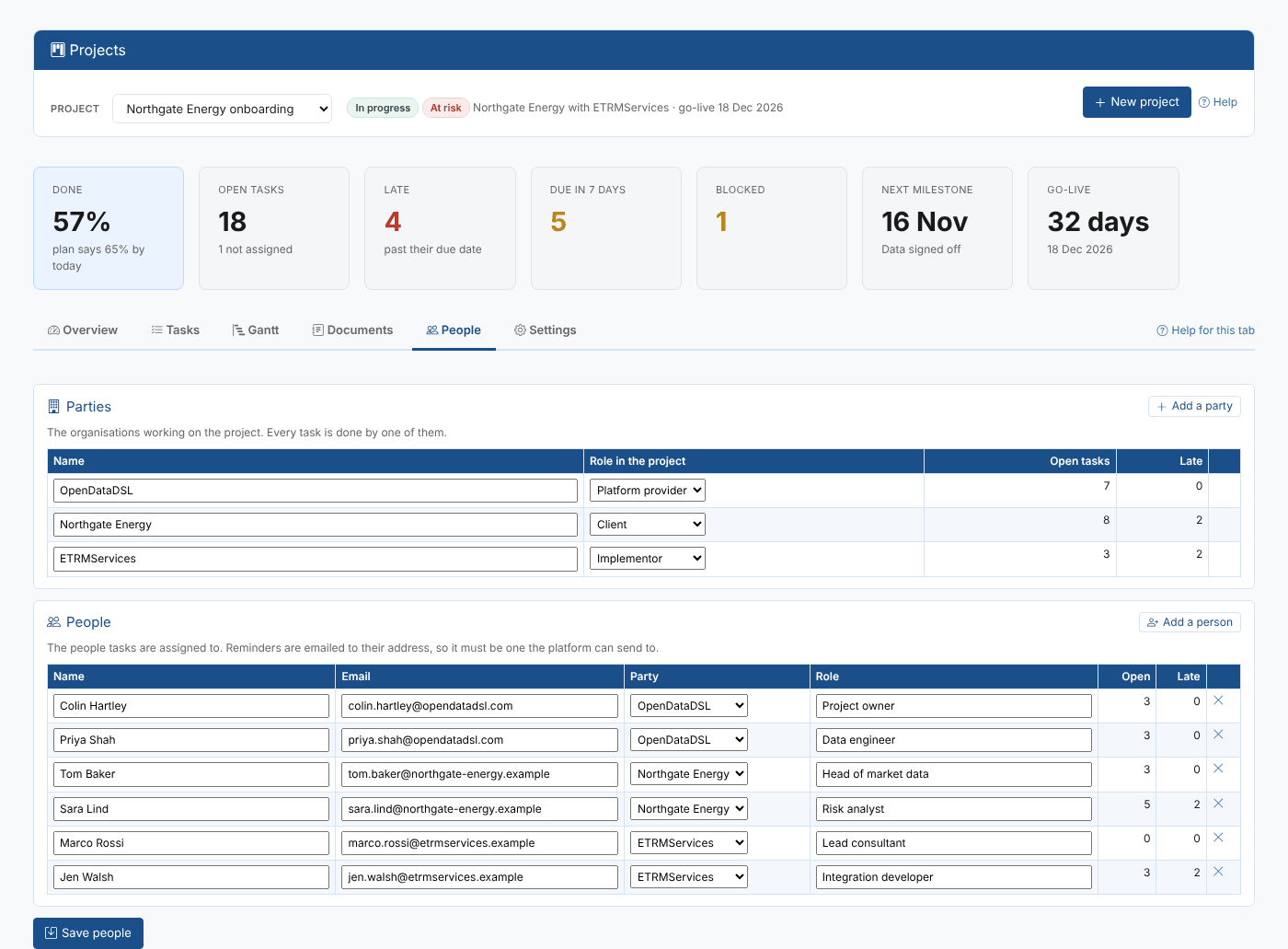
Parties
A party is an organisation working on the project. Every task is done by one party, which is how the Overview tab and the Project Status insight show what each team has still to do.
| Role in the project | Usually |
|---|---|
| Platform provider | OpenDataDSL |
| Client | The company being onboarded |
| Implementor | ETRMServices, or another consultancy connecting the ETRM |
| Data vendor | A vendor with its own tasks, for example to authorise data |
| Other | Anyone else |
Rename a party, change its role, or select Add a party. A party with tasks cannot be removed. New projects start with the parties in the defaults.
People
The people tasks are assigned to, with their email address, party and role. The table shows how many open and late tasks each one has.
Select Add a person to add someone, then Save people. Removing someone does not change their tasks: they stay assigned to that email address until you change them.
Reminders are emailed to these addresses, so check them. People from the client and the implementor need a user in your tenant to open the Projects screen themselves, but anyone with an email address can be assigned tasks and get reminders.