Building a data loader
Priya's brokers send a file every evening at https://files.northgate-energy.example/brokers/settlements/20261105.csv, one file per trading day. It has a semicolon between columns, prices with a decimal comma, dates written day first, n/a when a contract did not settle, and a TOTAL line at the end. This page builds a loader for it.
Open Operations, Data Loaders and select New data loader.
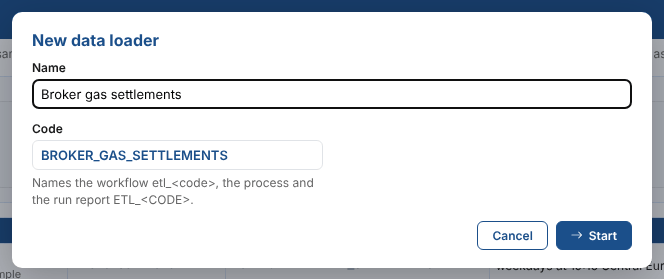
| Field | Example | Notes |
|---|---|---|
| Name | Broker gas settlements | Shown in the list and the run reports. You can rename it later. |
| Code | BROKER_GAS_SETTLEMENTS | Made from the name. Capitals, digits and _. It names the workflow, the process and the run report, and cannot be changed. |
The editor has six steps, and a seventh, optional one. A step opens once the ones before it are done; you can go back to any step. Save keeps your work; Next checks the step and saves too.
1. Extract
Choose the kind of source, then fill in its settings.
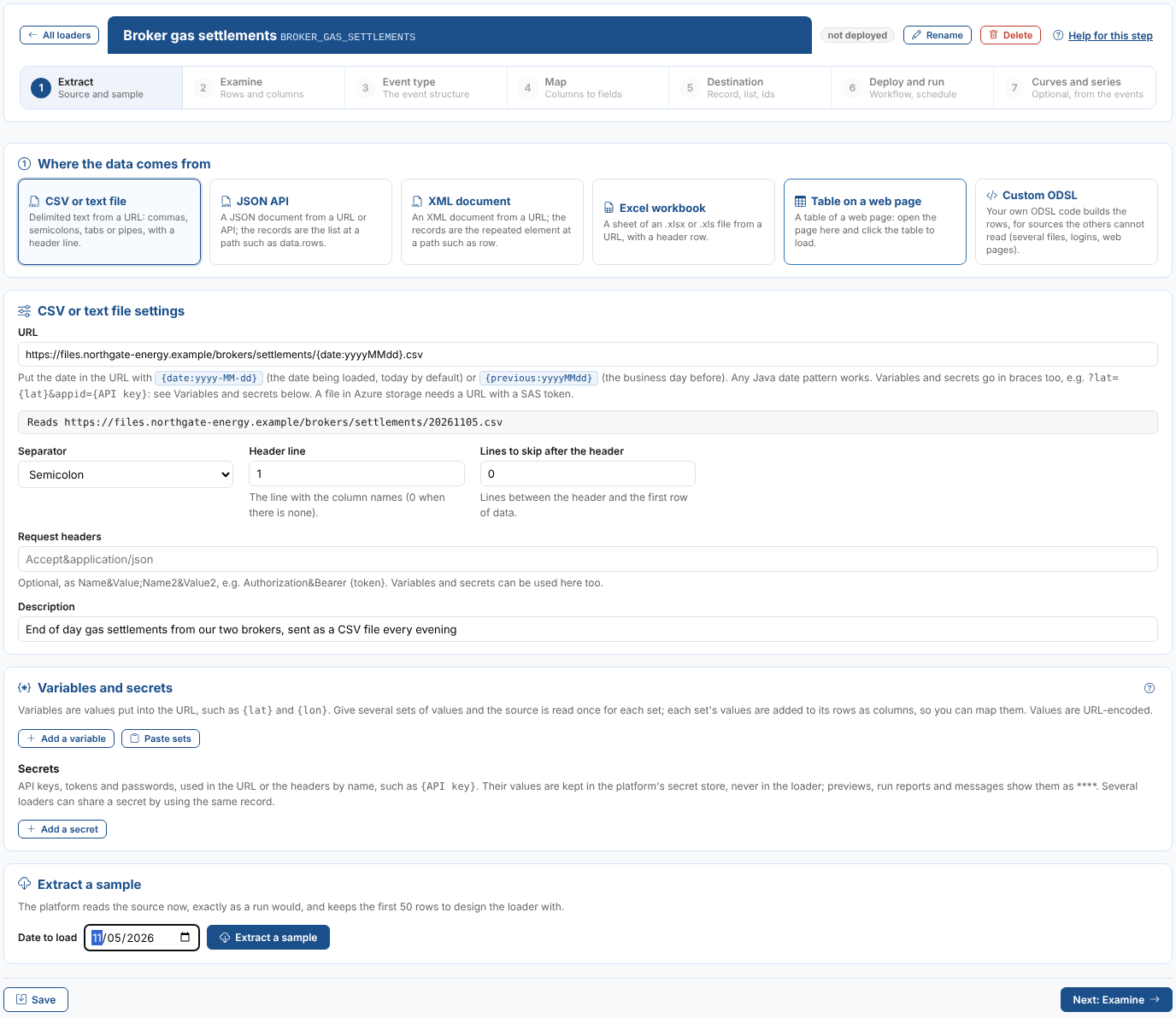
| Field | Example | Notes |
|---|---|---|
| URL | https://files.northgate-energy.example/brokers/settlements/{date:yyyyMMdd}.csv | {date:yyyyMMdd} is the date being loaded, today unless a date is given. The line under the URL shows the address it reads. |
| Separator | Semicolon | Comma, semicolon, tab, pipe or spaces. |
| Header line | 1 | The line with the column names. |
| Lines to skip after the header | 0 | |
| Description | End of day gas settlements from our two brokers | Optional. Fusion AI reads it too. |
An API that needs a key or values in the URL, such as a latitude and longitude, uses the Variables and secrets card: see Variables and secrets.
Enter a Date to load (Priya uses 05/11/2026, a day with a file) and select Extract a sample. The platform reads the source as a run would and keeps the first 50 rows. The settings of the other kinds are in Sources.
The column names are the ones the platform gives: the CSV reader keeps only the letters and digits of a header, so Trade Date becomes TradeDate and Volume (MWh) becomes VolumeMWh.
2. Examine
The sample, as a table you can filter, and a profile of each column.
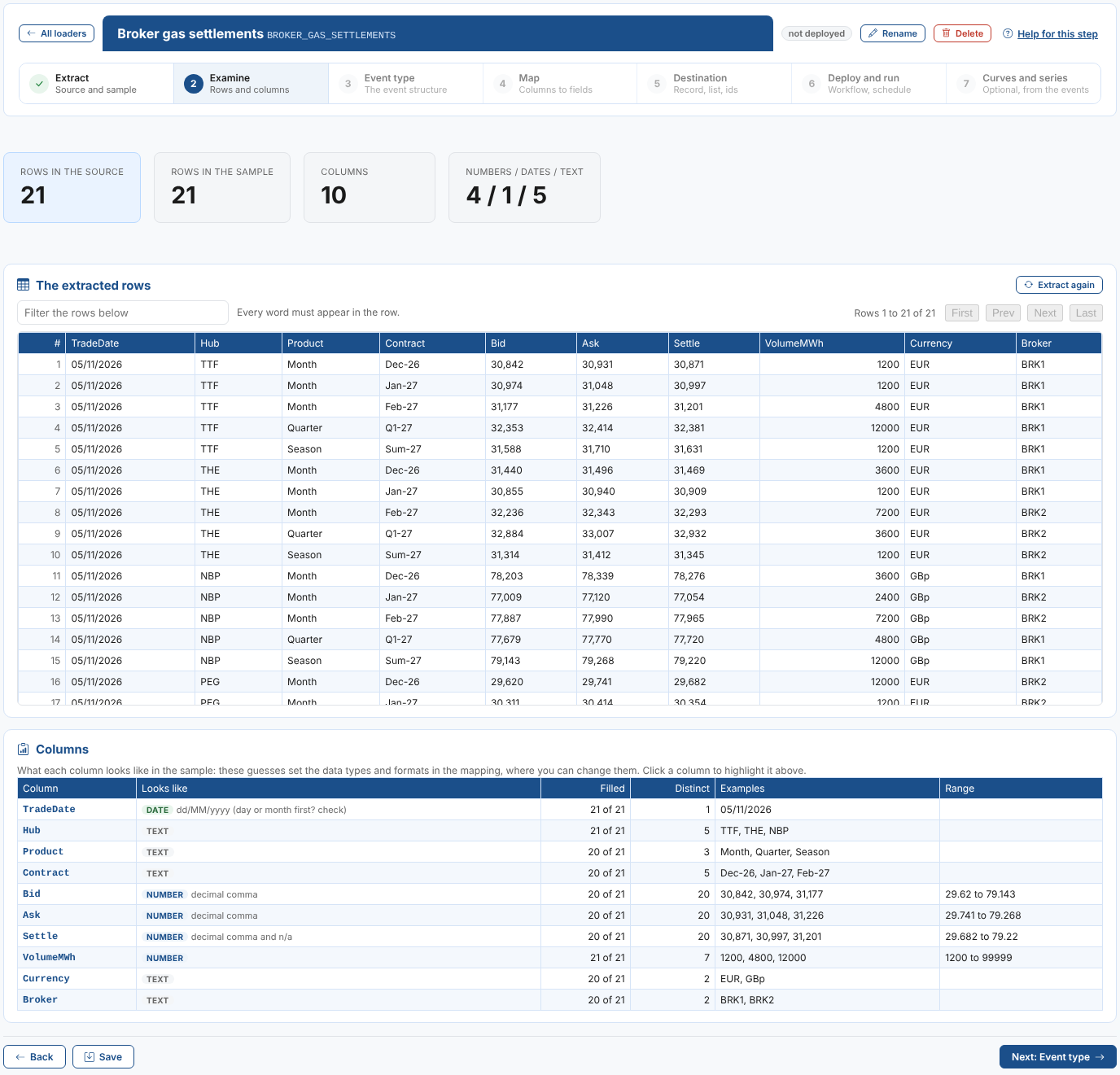
The Columns table says what each column looks like: a number (and whether it uses a decimal comma), a date (and its format), true or false, or text, with how many rows have a value, how many distinct values there are, examples and the range of numbers. These guesses set the data types, formats and empty values in the mapping. Click a column to highlight it in the rows above.
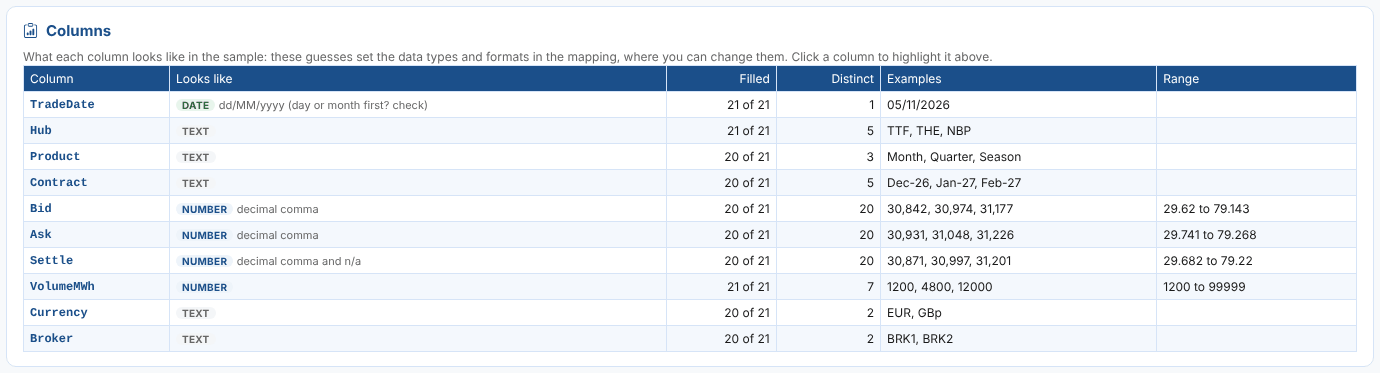
05/11/2026 could be the 5th of November or the 11th of May. The profile says day or month first? check when no value settles it, and takes day first. Check the format on the Map step.
3. Event type
| Choice | When to use it |
|---|---|
| Use an event type | One of your private event types or a public one fits. Its properties are listed. |
| Define a new event type | Nothing fits. The properties are made from the columns: a name, a type (text, number, boolean or date) and a description each. The first date column is left out, as it becomes the event time. |
| No event type | The events get the type #Event, and every field is a free field. |
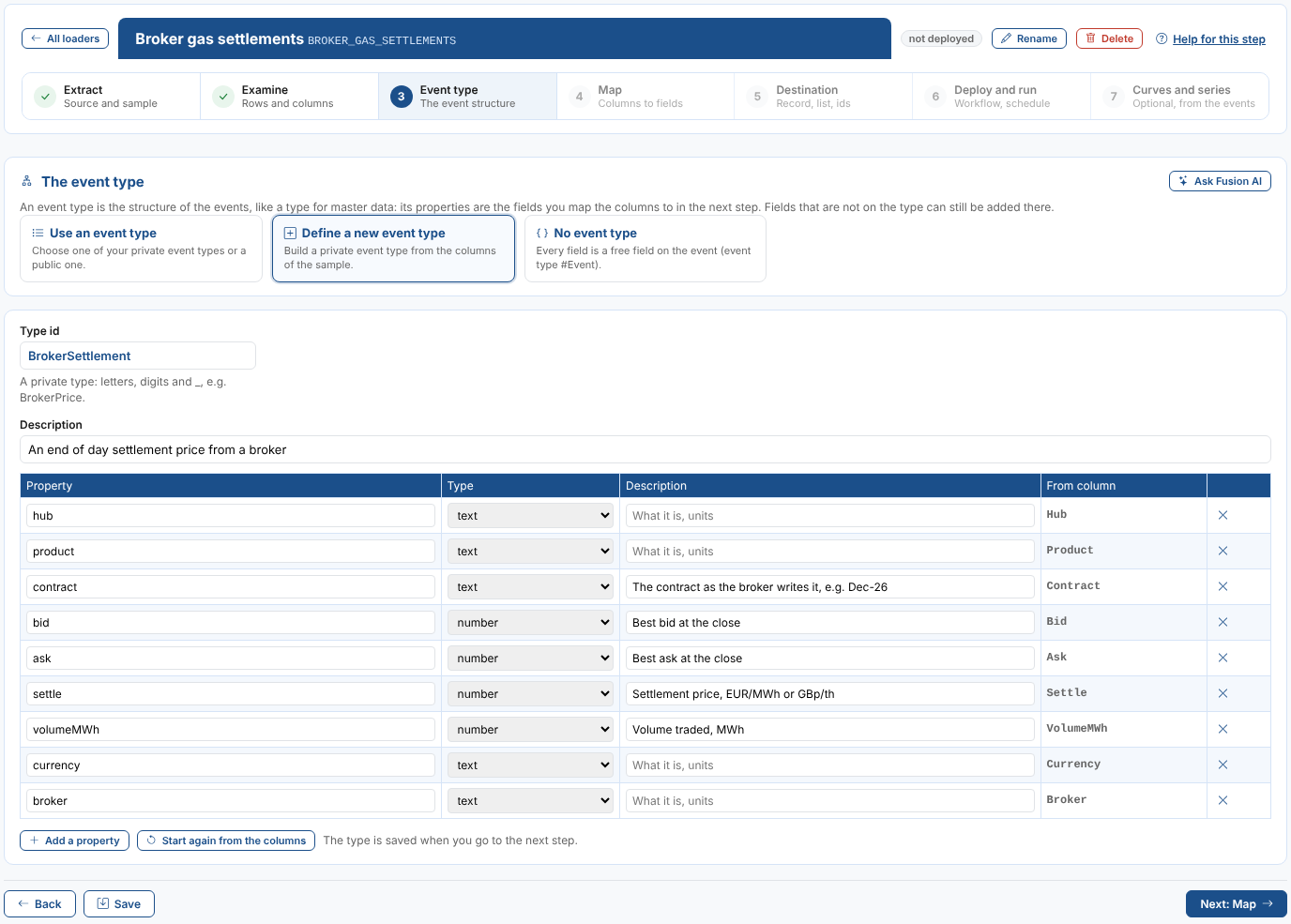
Priya defines BrokerSettlement and describes the price properties. A new type is saved as a private event type when you select Next, and the columns are mapped to the properties they were made from.
4. Map
Drag each column onto a field, set the conditions for the rows to leave out and check the preview. This step has its own page: Mapping columns to fields.
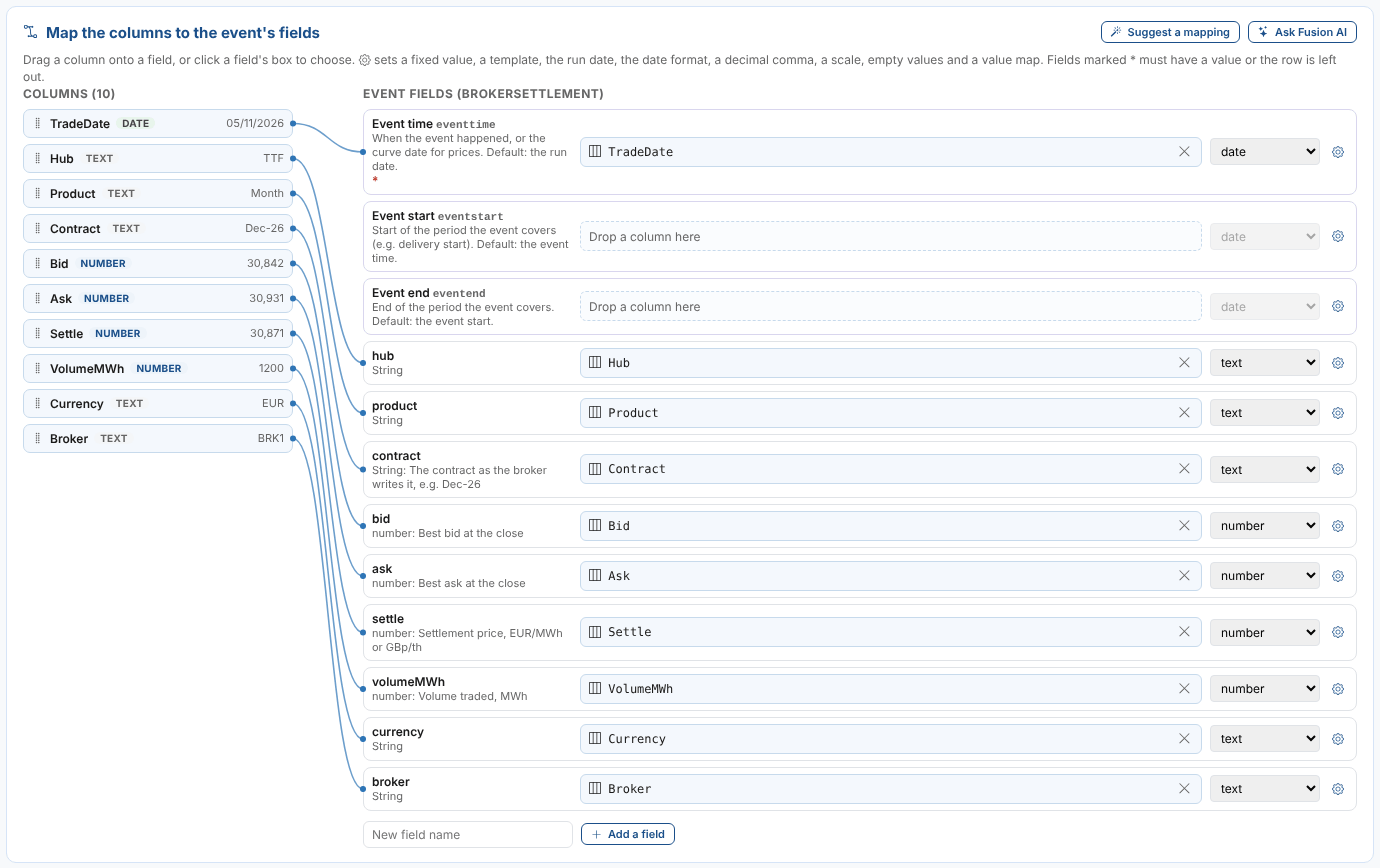
Priya keeps the suggested mapping, leaves out the TOTAL line with the condition Hub does not equal TOTAL, and adds a value map so the contracts are saved as period codes (Dec-26 as 2026M12).
5. Destination
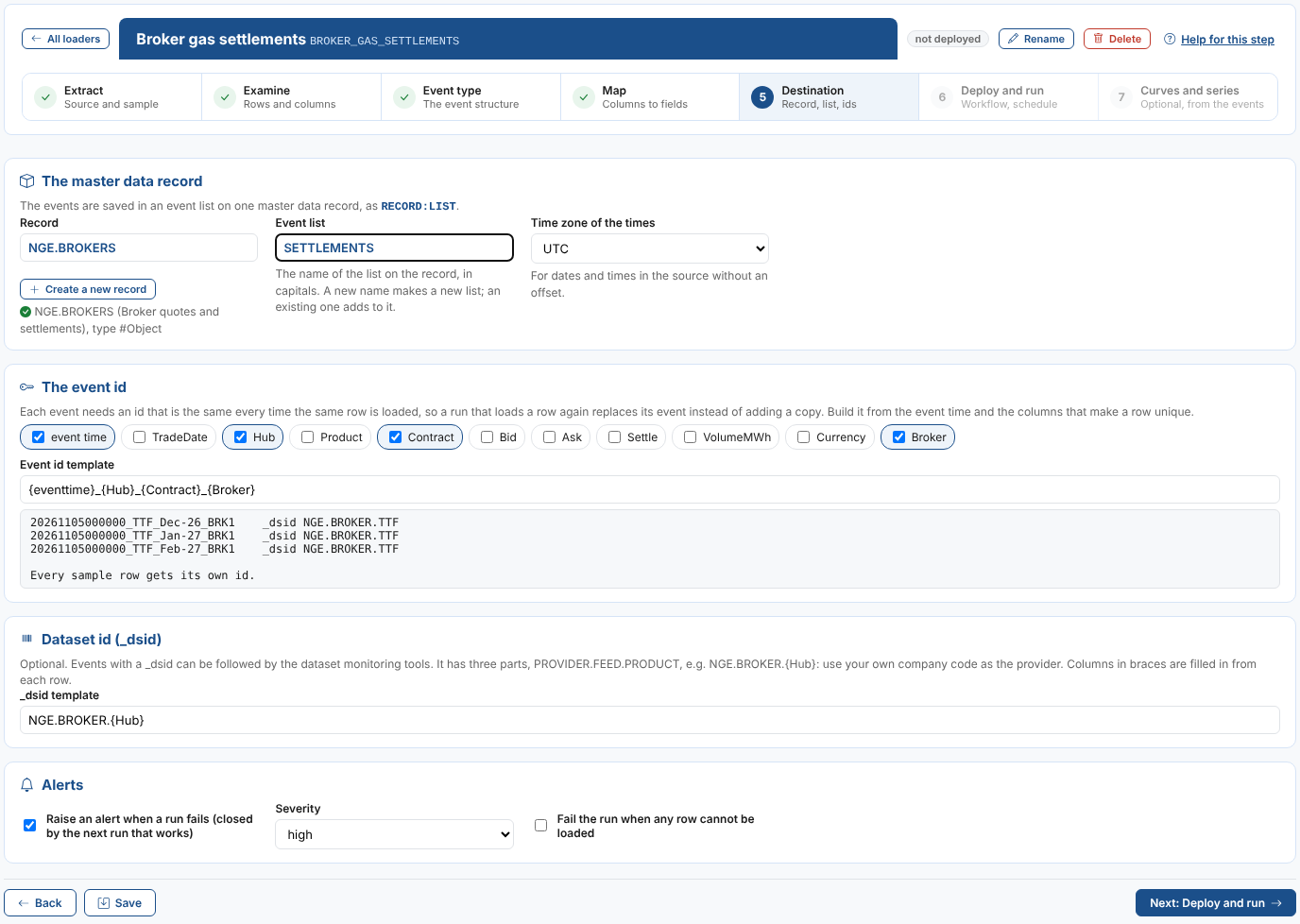
| Field | Example | Notes |
|---|---|---|
| Record | NGE.BROKERS | Search your private master data records, or select Create a new record. |
| Event list | SETTLEMENTS | In capitals. A new name makes a new list; an existing one adds to it. |
| Time zone of the times | UTC | For dates and times in the source with no offset. |
| Event id template | {eventtime}_{Hub}_{Contract}_{Broker} | Tick the columns that make a row unique. The preview shows the first ids and warns when two sample rows get the same id. |
| _dsid template | NGE.BROKER.{Hub} | Optional: PROVIDER.FEED.PRODUCT, so the dataset monitoring tools can follow the events. |
| Raise an alert when a run fails | ticked, high | The next run that works closes it. |
| Fail the run when any row cannot be loaded | not ticked | When ticked, one problem row fails the whole run (and nothing is saved). |
The event id is what makes a rerun safe. With the event time, hub, contract and broker in the id, loading the 5 November file again replaces those events instead of adding copies.
6. Deploy and run
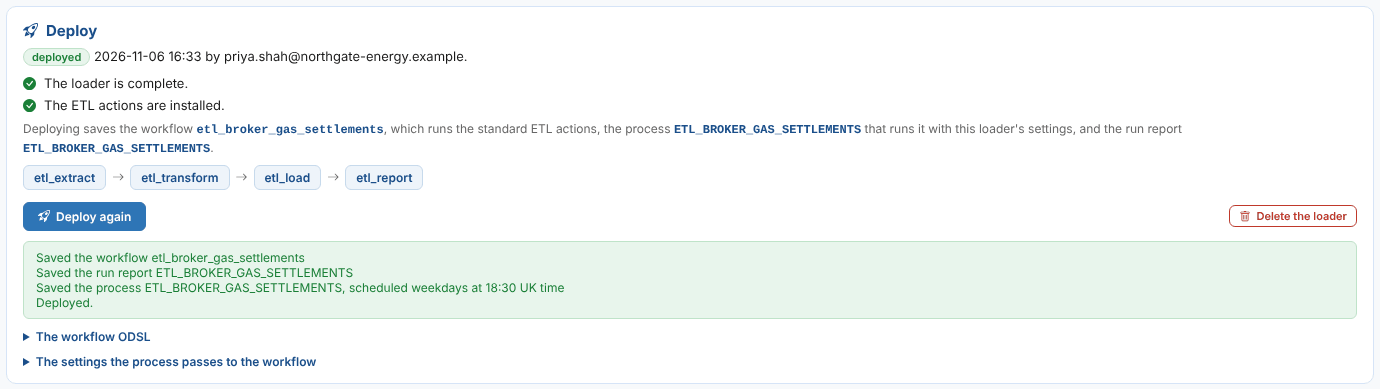
The checks list anything missing, with a link to its step, and whether the standard ETL actions are installed. Priya ticks Run on a schedule, chooses Weekdays at 18:30 UK time (EU1), and selects Deploy. Then she enters 05/11/2026 as the Date to load and selects Run now.
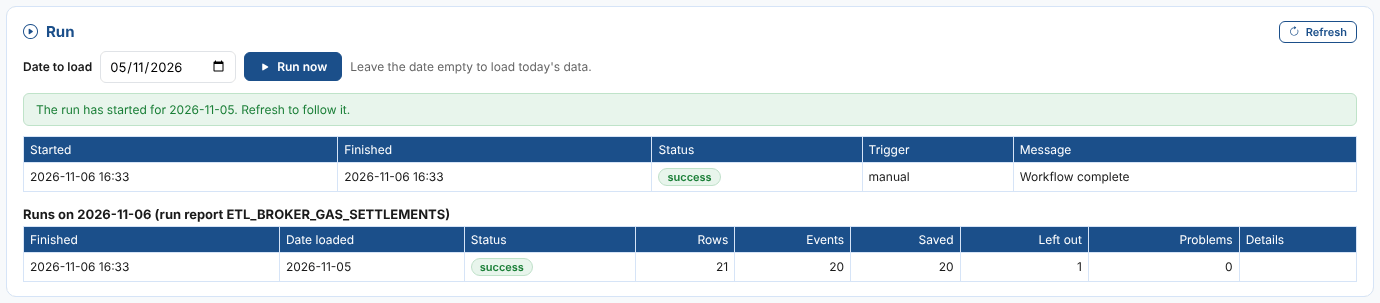
The 20 settlements are now BrokerSettlement events in NGE.BROKERS:SETTLEMENTS; the TOTAL line was left out. More on runs, schedules and alerts: Deploying, running and scheduling.
7. Curves and series
Optional, and done once: make event timeseries, curves or options from the events, kept on NGE.BROKERS. See Curves and series.