Curves and series
Events are often only the first step: the desk wants a timeseries of the TTF front month, or a forward curve each day. Curves and series, the last step of a loader, makes those once. They are saved on the loader's master data record, next to its event list, and the platform builds them from the events whenever they are read, so they keep up as the loader adds events.
The step is optional, does not change the loader and can be used before or after deploying. Come back to it to add more.
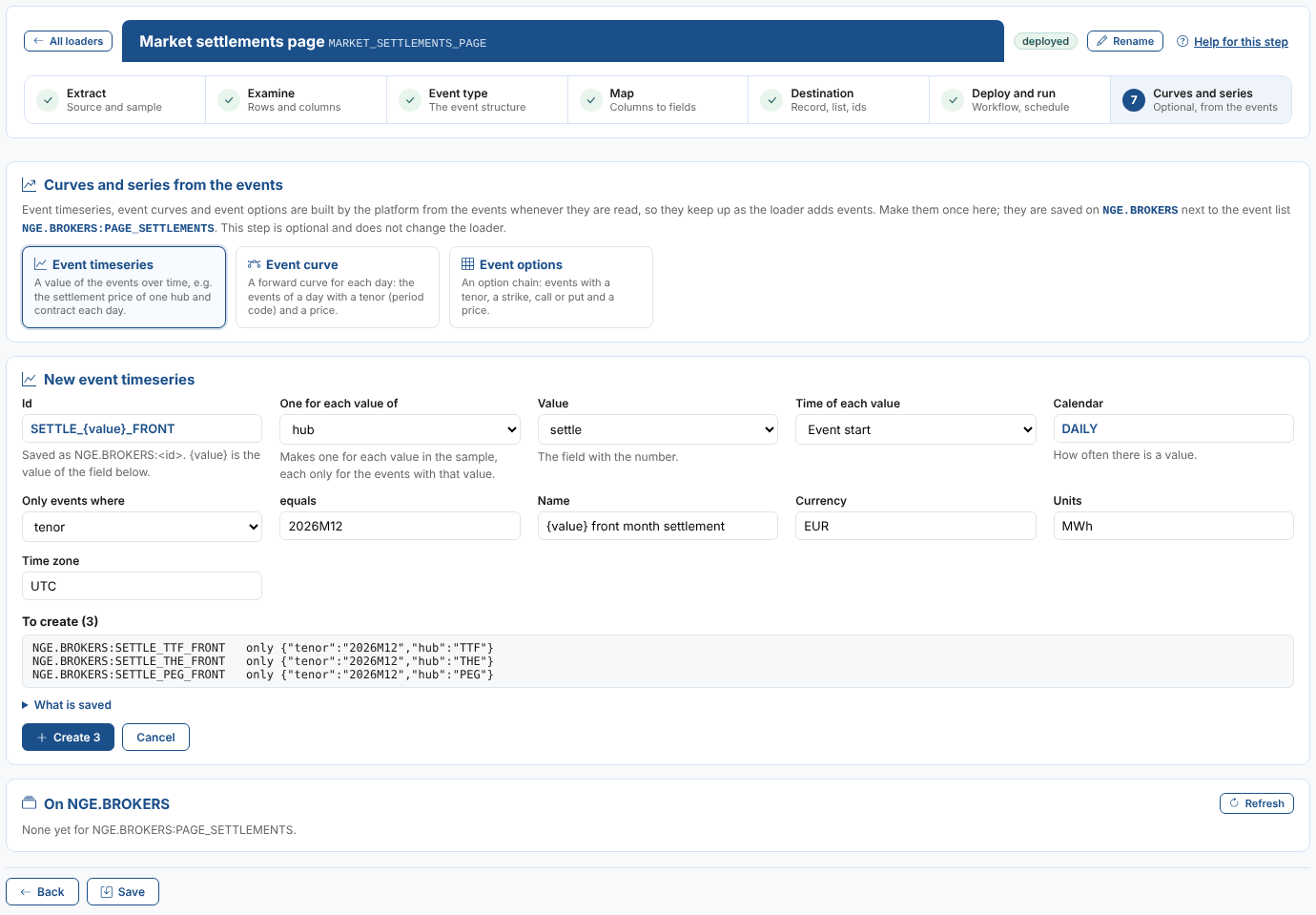
What you can make
| Kind | What it is | Needs |
|---|---|---|
| Event timeseries | A value of the events over time. | A number field, and a calendar (DAILY, BUSINESS, HOURLY, MONTHLY or another calendar code). |
| Event curve | A forward curve for each day: the events of a day, one per tenor. | A number field, a field with the tenor as a period code (2026M12, M01), and an expiry calendar such as #REOMHENG. The event time must be the curve date. |
| Event options | An option chain: one event per tenor, strike and call or put. | Tenor, strike, call or put and price fields, an expiry calendar, and the values that mean call and put (C and P by default). |
The settings
| Setting | Notes |
|---|---|
| Id | Saved as RECORD:ID, e.g. NGE.BROKERS:SETTLE_TTF_FRONT. Letters, digits, _, . and -. |
| One for each value of | Makes one for each value of a field in the sample, each only for the events with that value. Put {value} in the id (and the name), e.g. SETTLE_{value}_FRONT gives SETTLE_TTF_FRONT, SETTLE_THE_FRONT and SETTLE_PEG_FRONT. |
| Value | The number field (event timeseries and curves). |
| Time of each value | Event timeseries: the event start (default), end or time. |
| Tenor | Event curves and options: the field with the period code. |
| Only events where ... equals | Keeps only the events with that value, e.g. the tenor 2026M12 for a front month series. |
| Name, Currency, Units, Time zone | Shown with the data. |
To create lists what will be made, with the events each one uses; What is saved shows the definitions. An id that is already on the record is flagged: creating it again replaces it. Select Create to save them.
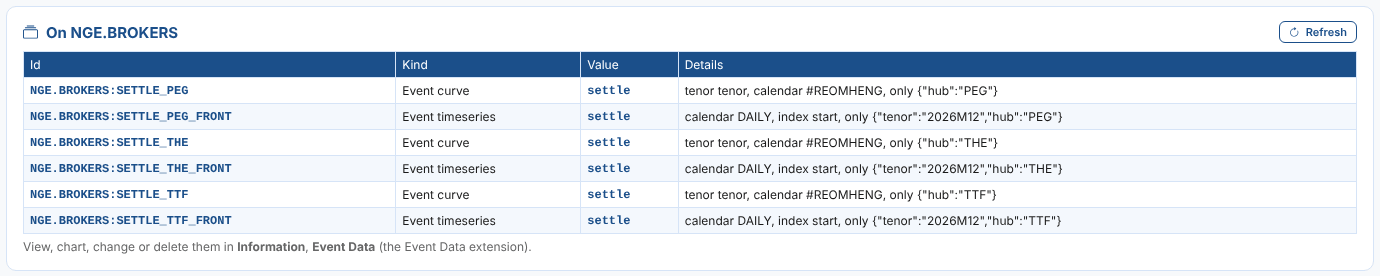
The list under the form shows every event timeseries, curve and options definition on the record that uses the loader's event list. View, chart, change or delete them in Information, Event Data (the Event Data extension).
The values in One for each value of come from the sample. A hub that first appears in later files needs its own series: come back and create it, with Only events where.