Sources
A data loader reads one source each run. The sample on the Extract step comes from the platform, read exactly as a run reads it.
Dates in the URL
| Placeholder | Becomes |
|---|---|
{date:FORMAT} | The date being loaded, in a Java date pattern, e.g. {date:yyyyMMdd} gives 20261105. Today, unless the run is given a date. |
{previous:FORMAT} | The business day before the date being loaded, e.g. {previous:yyyy-MM-dd} on a Monday gives the Friday. |
A URL can have several placeholders. The line under the URL shows the address for the Date to load.
Variables and secrets
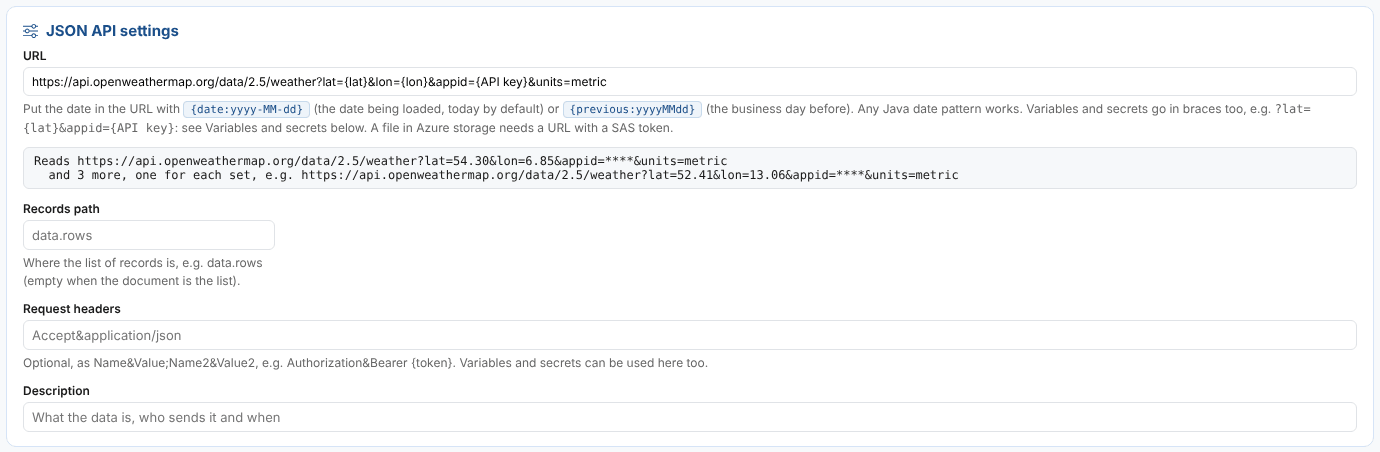
Many APIs take values in the URL and a key to prove who you are, such as the OpenWeather current weather API, https://api.openweathermap.org/data/2.5/weather?lat={lat}&lon={lon}&appid={API key}. The Variables and secrets card of the Extract step fills these placeholders.
Variables
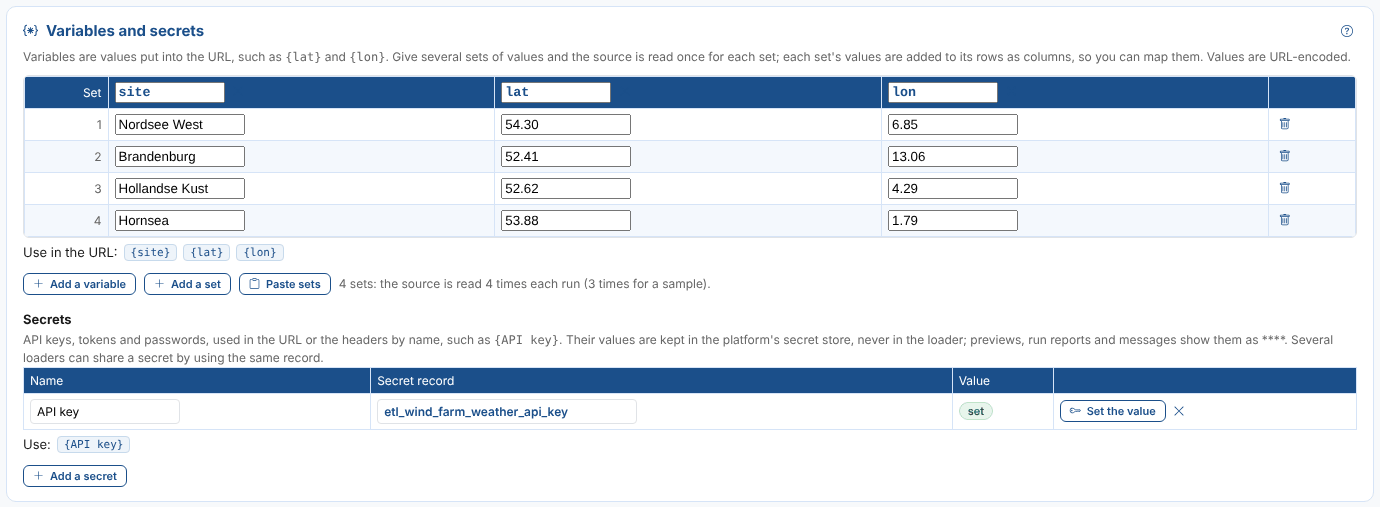
A variable is a name, such as lat, and a value for each set. With several sets the source is read once for each set and the rows of all of them are loaded together. Northgate reads the weather at four of its wind farms:
| What | Notes |
|---|---|
| Add a variable, Add a set | A variable's name is letters, digits and _. Renaming a variable renames it in the URL too. |
| Paste sets | The names on the first line, then one set a line, separated by commas, semicolons or tabs: copy them from a spreadsheet. Replaces the variables. |
| In the URL | Values are URL-encoded, so Berlin Mitte & Co is sent as Berlin%20Mitte%20%26%20Co. |
| In the headers | Values are used as they are. |
| In the rows | Each row gets its set's values as columns of the same names (unless the row already has a column with that name), so the Map step can use site as a field or in the event id. |
A sample reads the first 3 sets; a run reads them all.
Secrets
A secret is an API key, a token or a password, used by name in the URL or the headers, such as {API key} or Authorization&Bearer {token}.
| What | Notes |
|---|---|
| Name | Letters, digits, spaces, _ and -. |
| Secret record | Where the value is kept in the platform's secret store, etl_<code>_<name> by default. Give several loaders the same record to share one key. |
| Set the value | Saves the value in the secret store. It is never shown again, and Value says only whether it is set. |
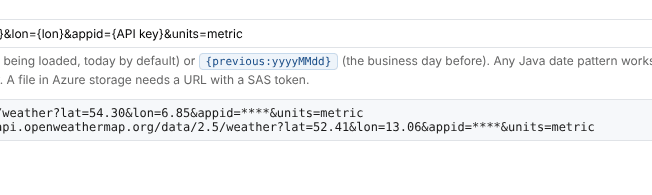
The value is never stored in the loader, the process or the workflow: the etl_extract action reads it from the secret store when it runs. The URL in previews and run reports, and any error message, show it as ****. A run whose secret has no value fails at once, with the secret's name.
A value used in a header cannot contain ,, ; or &: the headers option is split on them. Excel sources cannot send headers, so put the key in the URL.
CSV or text file
| Setting | Notes |
|---|---|
| Separator | Comma, semicolon, tab, pipe or spaces. |
| Header line | The line with the column names; 0 when there is none. |
| Lines to skip after the header | Lines between the header and the first row. |
| Request headers, Request body (POST), Body type | Optional, as for a JSON API. |
Header names keep only their letters and digits (Trade Date is TradeDate). Values that are plain numbers with a point are read as numbers; others, such as 31,25, stay text until the mapping converts them.
JSON API
| Setting | Notes |
|---|---|
| Records path | Where the list of records is, with dots, e.g. data.readings. Empty when the document is the list. |
| Request headers | Optional, as Name&Value;Name2&Value2, e.g. Accept&application/json. |
| Request body (POST), Body type | Optional: see Sending a request body. |
Each record's fields are columns; fields of objects inside it are paths such as reading.mw.
XML document
| Setting | Notes |
|---|---|
| Records path | The repeated element, e.g. row or report.rows.row. |
Attributes are columns; child elements are paths. The text of an element is its content, e.g. price.content.
Sending a request body
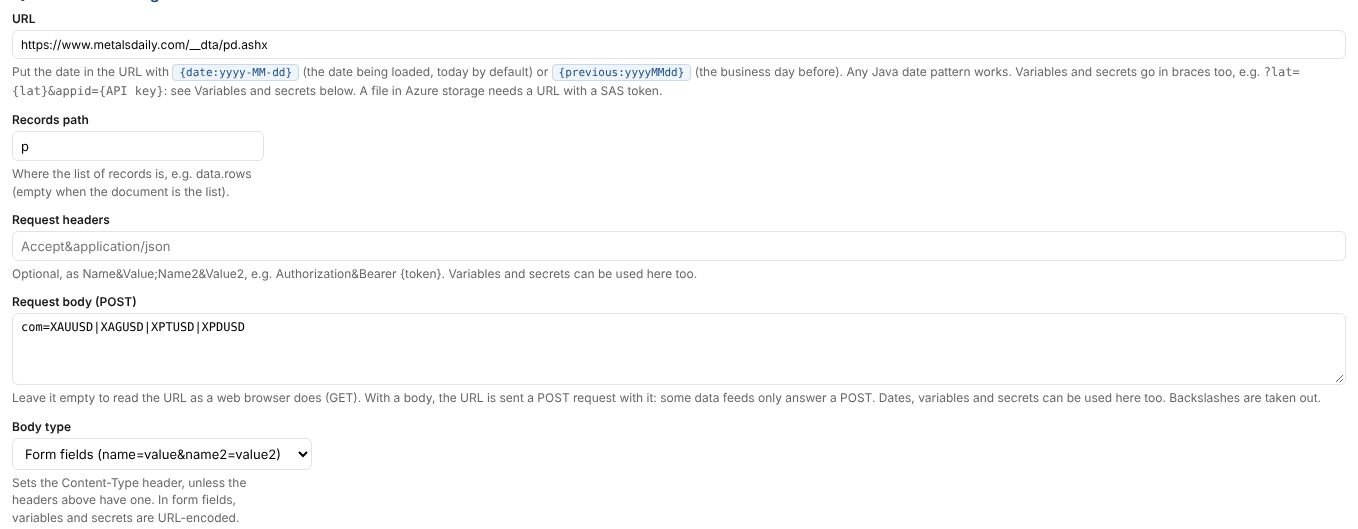
Some data feeds only answer a POST request with a body, such as a list of the codes you want. CSV, JSON and web page sources can send one: leave Request body (POST) empty to read the URL as a web browser does (a GET), or fill it in to send a POST.
| Body type | Use for | Content-Type sent |
|---|---|---|
| Form fields | name=value&name2=value2, as a web form sends | application/x-www-form-urlencoded |
| JSON | A JSON document, such as {"codes": ["XAUUSD", "XAGUSD"]} | application/json |
| Plain text | Anything else | text/plain |
A Content-Type in Request headers is used instead. The body can use the dates ({date:yyyy-MM-dd}, {previous:yyyyMMdd}), variables and secrets, as the URL does; in form fields their values are URL-encoded. With sets of variables, one request is sent for each set. Backslashes in the body are taken out by the platform.
Example: prices a page loads with its scripts
A page of live metal prices fills its tables with a script, so the tables the platform reads are empty. The browser's developer tools (the Network tab) show the script calling a data feed: a POST to https://www.metalsdaily.com/__dta/pd.ashx with the form field com=XAUUSD|XAGUSD, which answers {"p": [{"a": "XAUUSD", "b": "4068.35", ...}]}. Read it as a JSON API:
| Setting | Value |
|---|---|
| URL | https://www.metalsdaily.com/__dta/pd.ashx |
| Records path | p |
| Request body (POST) | com=XAUUSD|XAGUSD|XPTUSD|XPDUSD |
| Body type | Form fields |
Each code is a row, with the fields a (the code), b (bid), c (ask) and so on. A data feed that a page uses for itself is not a published API: it can change without notice, and the site's terms may limit how its data can be used.
Table on a web page
For prices published on a web page as an HTML table.
| Setting | Notes |
|---|---|
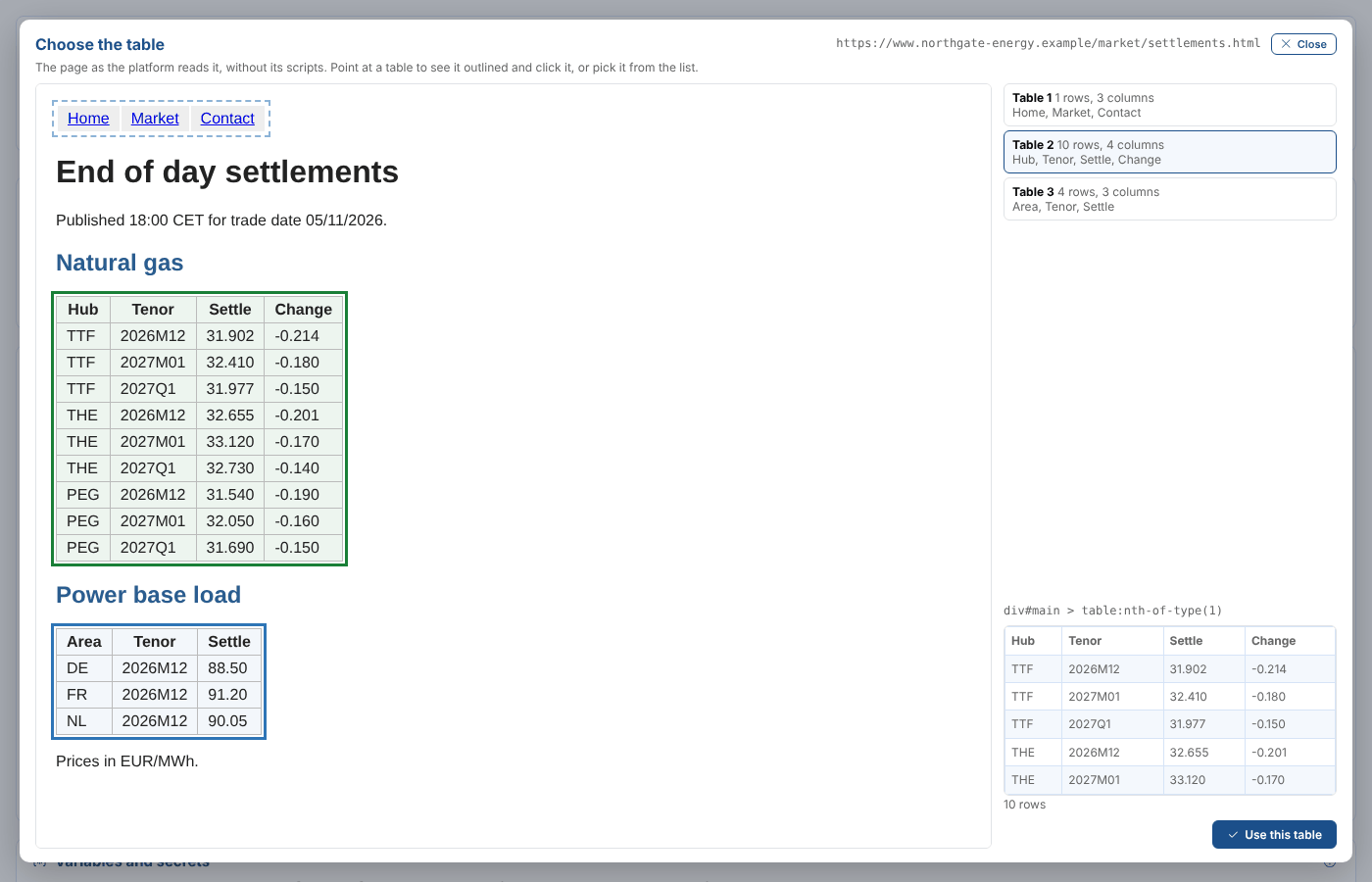
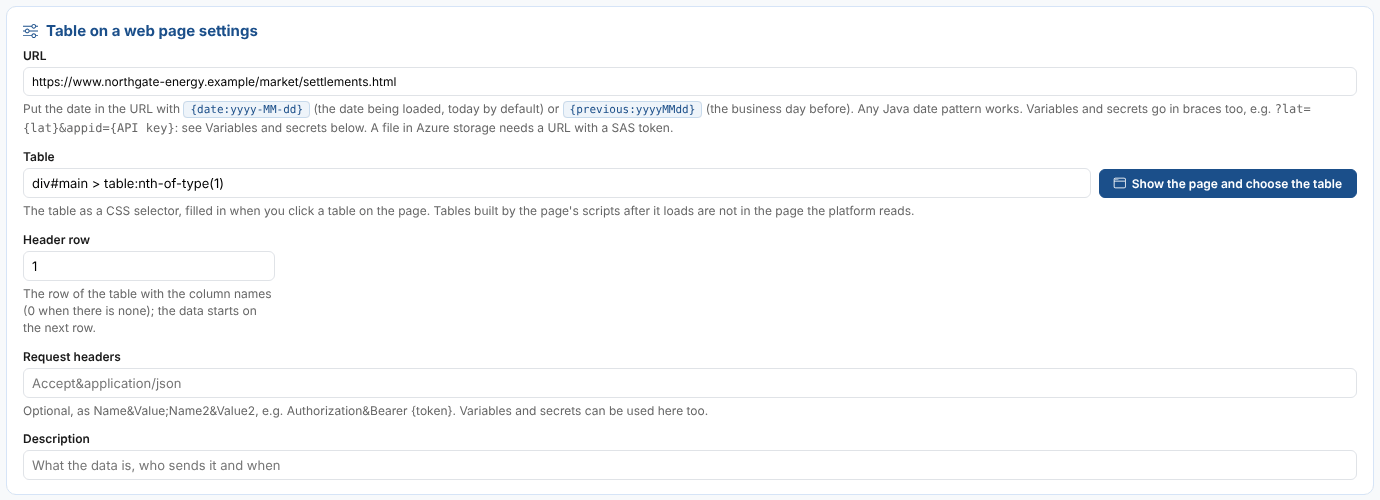
| Table | The table, as a CSS selector such as div#main > table:nth-of-type(1). Select Show the page and choose the table to fill it in. |
| Header row | The row of the table with the column names, counting rows of the head, body and foot; 0 when there is none. The data starts on the next row. |
| Request headers | Optional, as for a JSON API. |
| Request body (POST), Body type | Optional: see Sending a request body. |
Show the page and choose the table opens the page as the platform reads it, without its scripts. Every table is outlined; point at one and click it, or choose it from the list on the right, which says how many rows and columns each has. The selected table's first rows are shown under its selector. Use this table fills in the selector.
| Good to know | |
|---|---|
| Cells | The text of each cell: header cells (th) first, then data cells (td), for each row. Empty cells give no value. Dots in header names become spaces, and repeated names get a number. |
| Tables built by scripts | Pages that fill their tables with JavaScript after they load have empty tables (or none) in the page the platform reads. Look for the data feed the page calls and read it as a JSON API (often with a request body), or use custom ODSL. |
| Pages that change | The selector follows the page's structure. If the page is rearranged, a run fails with No table rows found and you choose the table again. |
| Secrets in the URL | The page cannot be shown when its URL needs a secret: type the selector yourself. |
Excel workbook
| Setting | Notes |
|---|---|
| Sheet | The sheet name. Default: the first sheet. |
| Header row | The row number of the column names; the data starts on the next row. Rows with no values are skipped. |
Up to 104 columns (A to CZ) are read.
Custom ODSL
For sources the others cannot read: several files, a page that needs a login, a source that needs reshaping. Your code sets rows to a list of rows: CSV rows, objects read from JSON or XML, or SimpleObjects you build. ondate is the date being loaded.
rows = []
for hub in ["TTF", "NBP"]
    part = ${csv:"https://files.northgate-energy.example/brokers/" + hub + "_" + format(ondate, "yyyyMMdd") + ".csv", "separator=;"}
    for r in part
        rows.add(r)
    next
next
Deploying saves the code as the action etl_extract_<code>. Actions cannot define functions, so write the code inline. The loader's secrets are in secrets by name, e.g. variable(secrets, "API key"), and its variables in variables (names and sets).
In custom code a secret whose value is only digits loses its leading zeros (0071 becomes 71). The standard sources keep them.
A file in Azure storage is read from its URL with a SAS token, like any other URL.