Curve builds
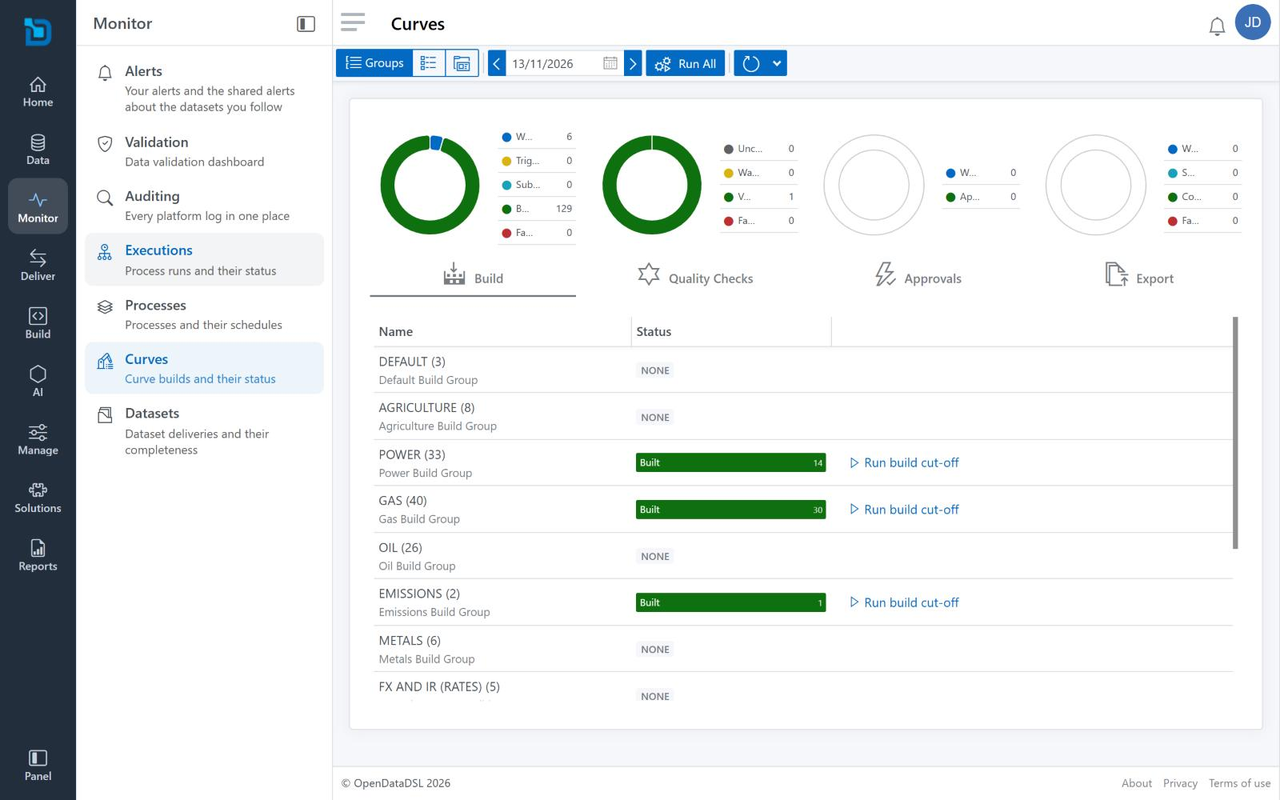
Monitor > Curves shows how your curve builds are going for a build date: how many curves are built, whether they passed their quality checks, whether they are approved and whether they have been exported.
The toolbar
| Control | What it does |
|---|---|
| Groups, List view, Report view | Shows the curves by build group, as a list of every curve with filters, or the curve management reports |
| Build date | The date the builds are for. The arrows move to the previous or next build date. |
| Run All | Runs the builds |
| Refresh | Reads the status again; the arrow beside it has more options |
The summary
Four charts summarise the curves for the build date:
| Chart | What it counts |
|---|---|
| Build | Curves Waiting to be built, Triggered, Substituted, Built and Failed |
| Quality Checks | Curves Unchecked, with Warnings, Valid and Failed |
| Approvals | Curves Waiting for approval and Approved |
| Export | Exports Waiting, Sent, Complete and Failed |
Select a chart's heading (Build, Quality Checks, Approvals or Export) to show that stage in the table below.
Build groups
In Groups, the table lists your build groups, such as POWER or GAS, with the number of curves in each. Status shows how many of the group's curves are in each state for the selected stage; NONE means the group has nothing for that stage on the build date. Run build cut-off runs the group's build cut-off. ALL OTHERS holds the curves that are not in a build group.
Build groups, and the quality, approval and export groups, are managed in Manage > Group Manager.