The Power BI streaming dataset plug-in
The Power BI Streaming Dataset Integration extension (odsl.integration_powerbi) pushes the values of curves, timeseries and options as rows to a Power BI streaming or push dataset, so a dashboard shows them as soon as they are sent.
What it needs
Once installed, add a system that sends with it: select New system and choose Power BI streaming dataset under Sends with. The plug-in's codes, settings and secrets are listed on the system's System setup tab. Each system on the plug-in has its own secrets, groups and daily report, and its own codes when you choose them (see The codes a system sends with).
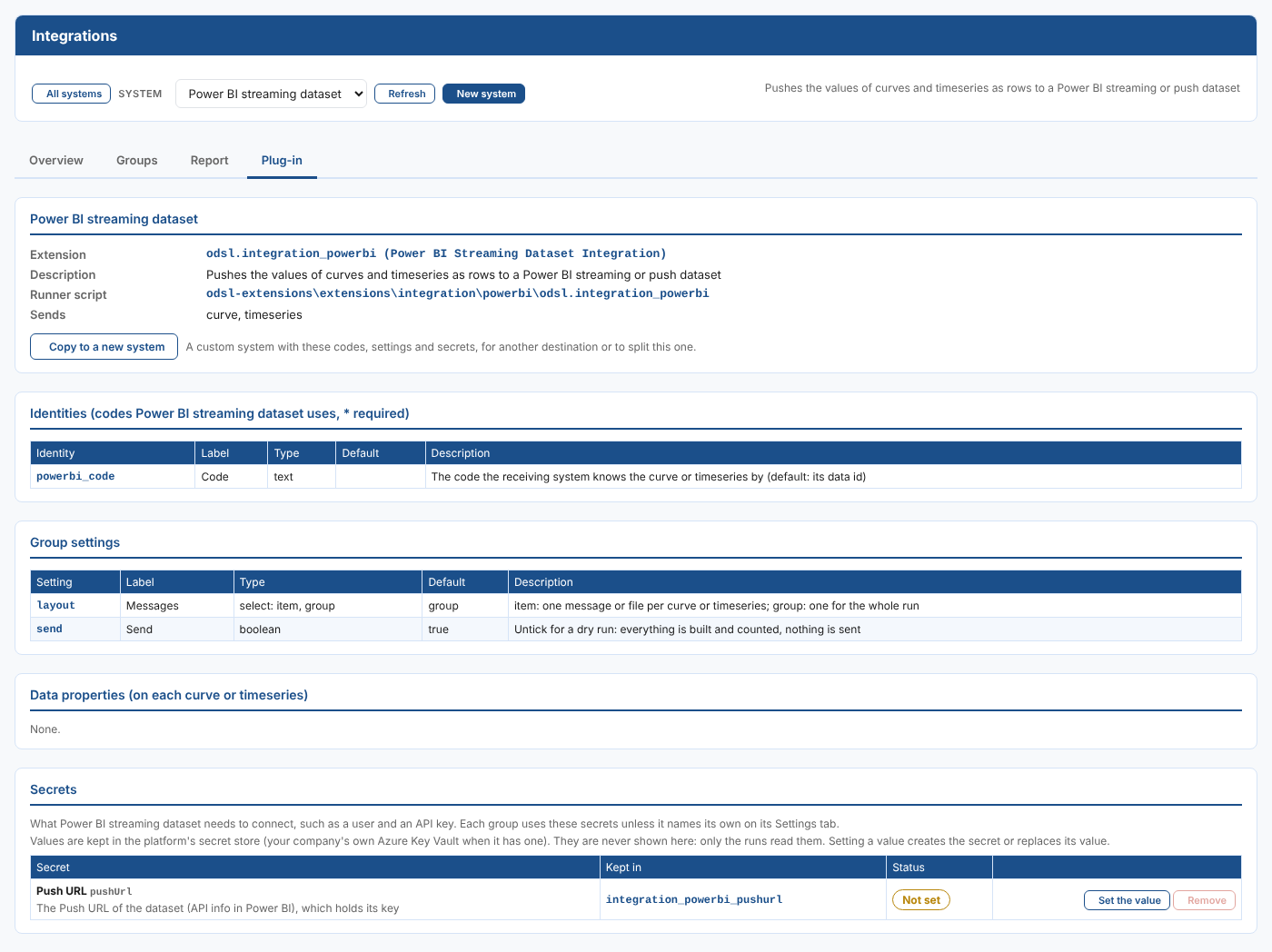
| Kind | Name | What it is |
|---|---|---|
| Identity | powerbi_code | The code the receiving system knows the data by. Left empty, the data id is sent, such as NGE.GAS.TTF:MID. |
| Group setting | Messages (layout) | item or group, group unless you change it. item: one message or file per data item; group: one for the whole run. |
| Group setting | Send (send) | Ticked unless you change it. Untick for a dry run: everything is built and counted, nothing is sent. |
Secret, kept in integration_powerbi_pushurl | Push URL (pushUrl) | The Push URL of the dataset (API info in Power BI), which holds its key. |
Set the secret values in the Secrets part of the system's System setup tab (see Getting started). A group can use its own secret records instead, named on its Settings tab, for example to send to a second account.
How it sends
Each value is one row, with the columns of the CSV files: id, code, name, kind, ondate, tenor, start, time and value. Rows are posted in requests of at most 2,000, the Power BI limit. With Messages set to group (the default) the rows of the whole group are posted at the end of the run; with item, the rows of each curve or timeseries as it is read.
Create the dataset in Power BI as an API (streaming) dataset with these columns: value as a number and the others as text. To send options, add the text columns expiry, strike, callput and column: each value of each option is a row. Then copy its Push URL from its API info into the Push URL secret. The URL holds the dataset key, which is why it is a secret.
What each message or file holds, the CSV columns and the file names are the same for every generic plug-in: see What the generic plug-ins send.
Examples
Northgate Energy shows its daily curves on a Power BI dashboard: one group with Messages group sends the curves of the day as one push, and a tile filters on code and tenor.
One plug-in, several destinations
Each group sending to Power BI streaming dataset has its own settings, so groups can already send to different datasets. To keep destinations apart, with their own secrets, codes, report and groups, add a system for each one on this plug-in: select New system and choose Power BI streaming dataset under Sends with, or Copy to a new system on a system's System setup tab (see Copying a system). The plug-in is installed once, and every system on it gets its updates.
Next
- All plug-ins: every system with a ready-made plug-in.
- What the generic plug-ins send: the messages, rows and file names.
- Integration reference: where everything is kept, and troubleshooting.