Audit Report
Every time someone creates, changes, rolls back or deletes an item on the platform, an audit record is written. The Audit Report brings those records together across every service, so you can answer questions like:
- What changed on the platform today, and who changed it?
- Which items have been changed most this week?
- Who has been making changes to processes or security policies?
- What exactly changed in a record: which field, from what, to what?
- How much of the activity comes from loaders and processes rather than people?
At Northgate Energy, Priya Shah from market data opens the report each morning to check the overnight loader runs and the changes promoted from UAT the day before.
Opening the report
The report is in the Reports menu, in the Audit category, as Audit Report (report id #INSIGHT_AUDIT_REPORT). It reads the private audit trail of the data environment you are working in.
It opens on Today and loads straight away. Every tab uses the same date range and search.
| Control | What it does |
|---|---|
| Date range | Today, Yesterday, Last 7 days, Last 30 days, Last month or This month. Choosing one fills in Start and End. |
| Start, End | Change the start or end date and time yourself. The range starts at Start and ends just before End. |
| Search | Shows only records where the user, action, service, key, date or description contains the text (any case). It applies to every tab. |
| Debug log | At the bottom of the page: the requests the report made and how many records came back |
The presets work in UTC. Today starts at midnight UTC, which is 1 am in London during British Summer Time.
The same template can also be attached to a master data record as an insight, with a KEY property set on the report. The report then shows only the audit records whose key is that value.
Key ideas
| Idea | What it means |
|---|---|
| Audit record | One change to one item: who made it (User), what kind of change (Action), which service (Service), which item (Key), when (Date) and a Description, which is the reason given when the item was saved |
| Action | Usually create, update, delete or rollback |
| Key | The id of the item that changed, such as NGE_PRODUCT:TTF_M or NGE_EOD_CURVES |
| Change details | The individual field changes in an update: the kind of change, the path of the field, and the value before and after |
The tabs
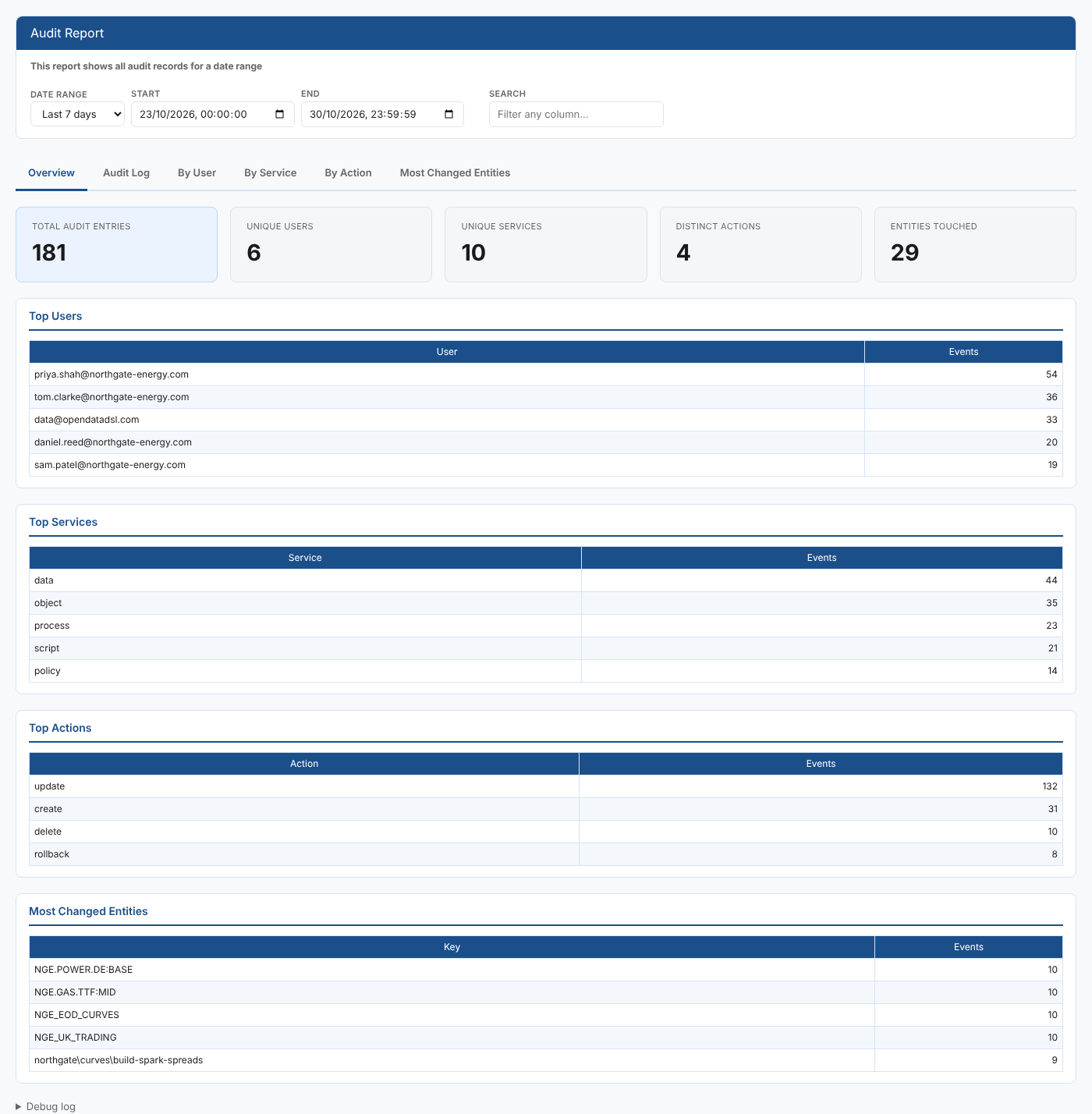
Overview
| Card | What it counts |
|---|---|
| Total audit entries | Audit records in the range |
| Unique users | Different users who made changes |
| Unique services | Different services changed |
| Distinct actions | Different kinds of change |
| Entities touched | Different items (keys) changed |
Below the cards, Top Users, Top Services, Top Actions and Most Changed Entities show the five with the most records.
At Northgate the busiest user is usually data@opendatadsl.com: that is the platform itself saving data for loaders and builds, not a person.
Audit Log
The audit records themselves, 50 to a page, with the number in the range in the Audit entries in range card and First, Prev, Next and Last to move between pages.
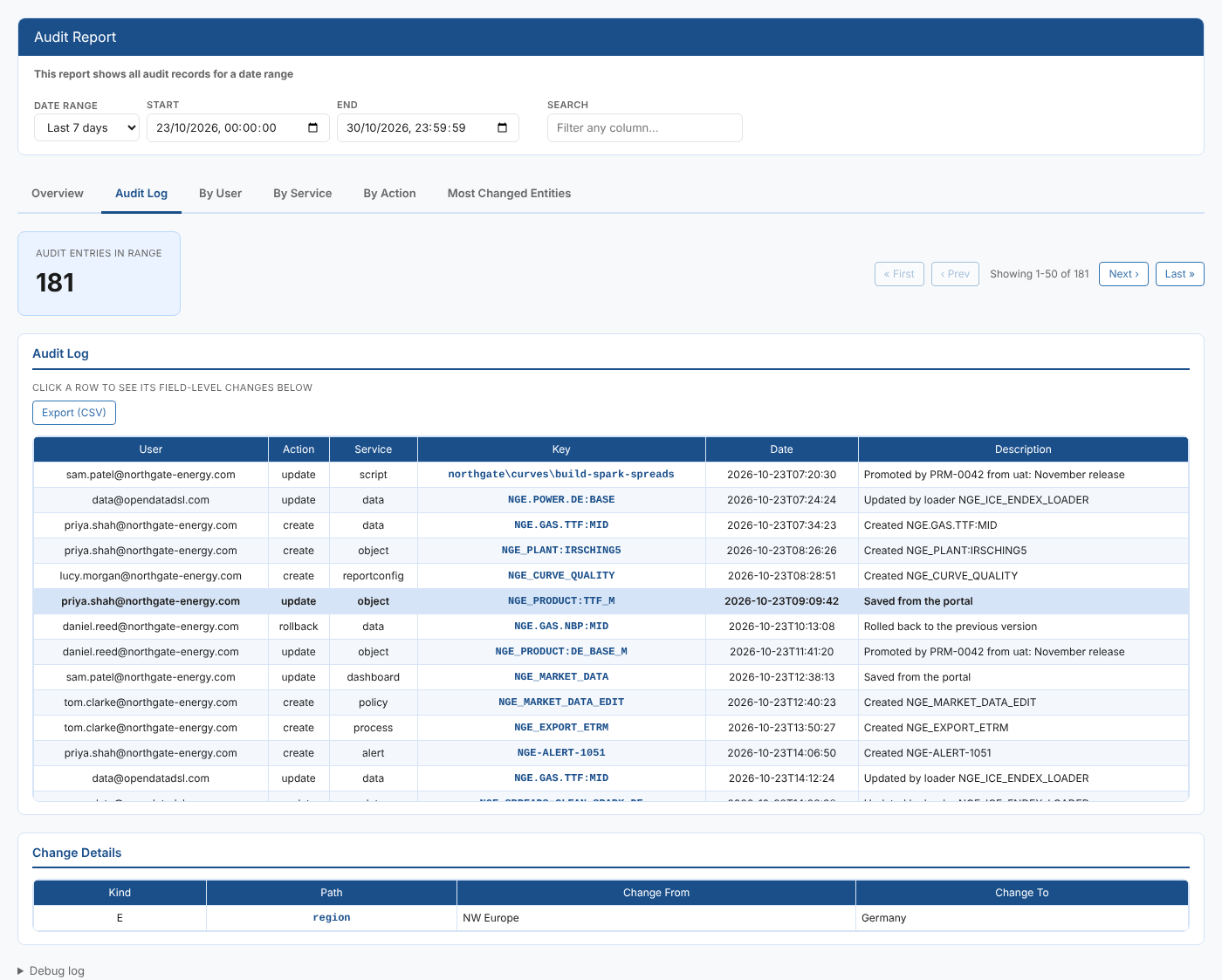
Newest records come first. Select any column heading to sort the whole log by that column (not just the page on screen), and select it again to reverse the order. The arrow in the heading shows the current sort.
Narrow the log with the filters above the table:
| Filter | What it does |
|---|---|
| Action | Shows only records with this action, such as update |
| User | Shows only records made by this user |
| Service | Shows only records for this service, such as curve or process |
| Clear filters | Removes all three filters |
Each list offers the actions, users and services that appear in the date range and search. The filters work together with the date range and search, and narrow only the Audit Log (and its export): the other tabs still summarise everything in the range.
Select a row to see its changes in Change Details underneath. The report reads the full record when you select it.
| Column | What it shows |
|---|---|
| Kind | E edited, N added, D removed, A a change inside a list |
| Path | The field that changed. A nested field shows each level separated by commas, for example properties,deliveryPoint. |
| Change From | The value before the change (blank for an added field) |
| Change To | The value after the change (blank for a removed field) |
A record with no field changes, such as a create, delete or rollback, shows This entry has no recorded field changes.
Select Export (CSV) to download every record that matches the date range, search and filters, in the current sort order, not just the page on screen.
By User
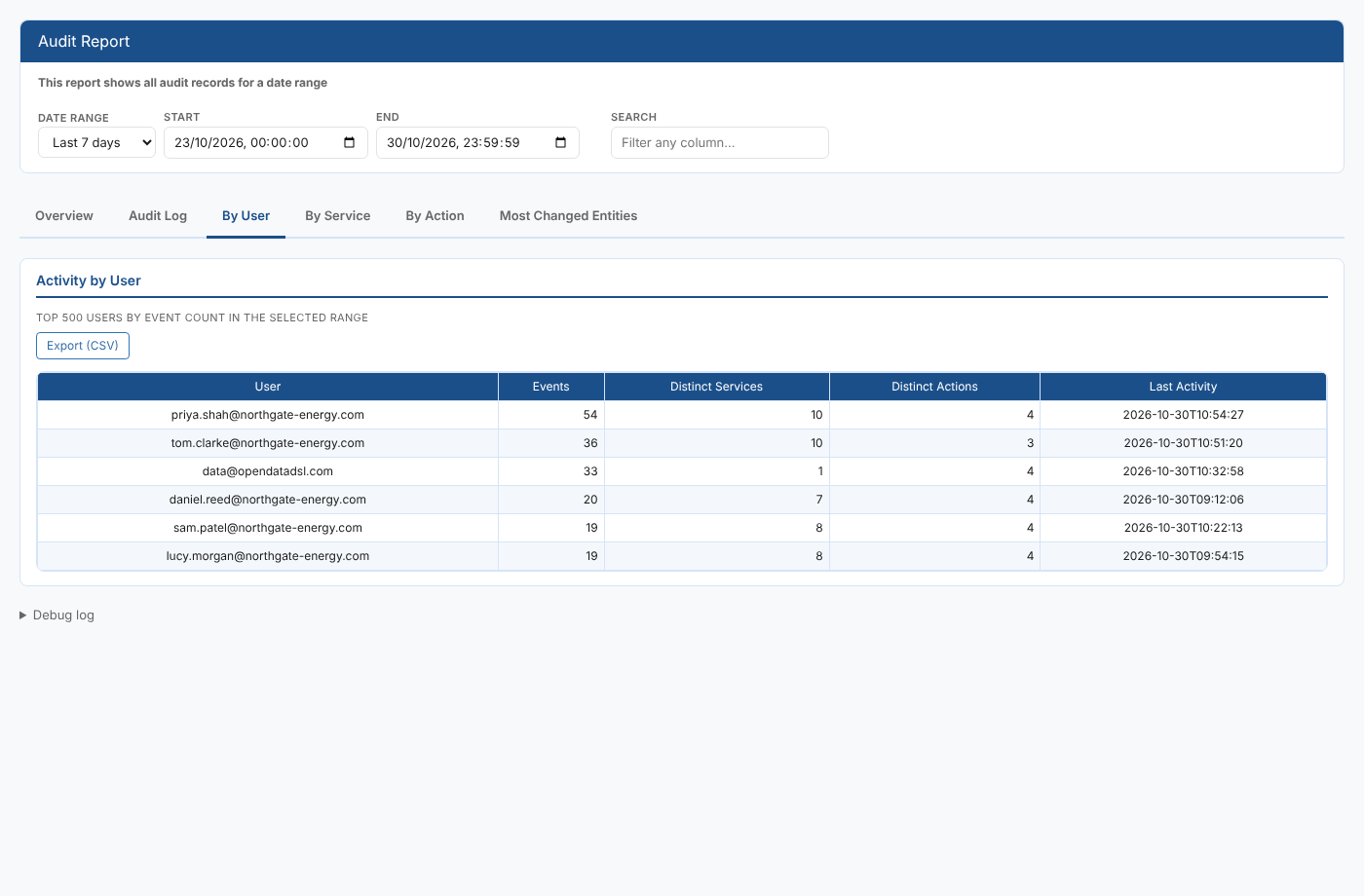
One row per user, most active first (up to 500): Events, Distinct Services, Distinct Actions and Last Activity.
By Service
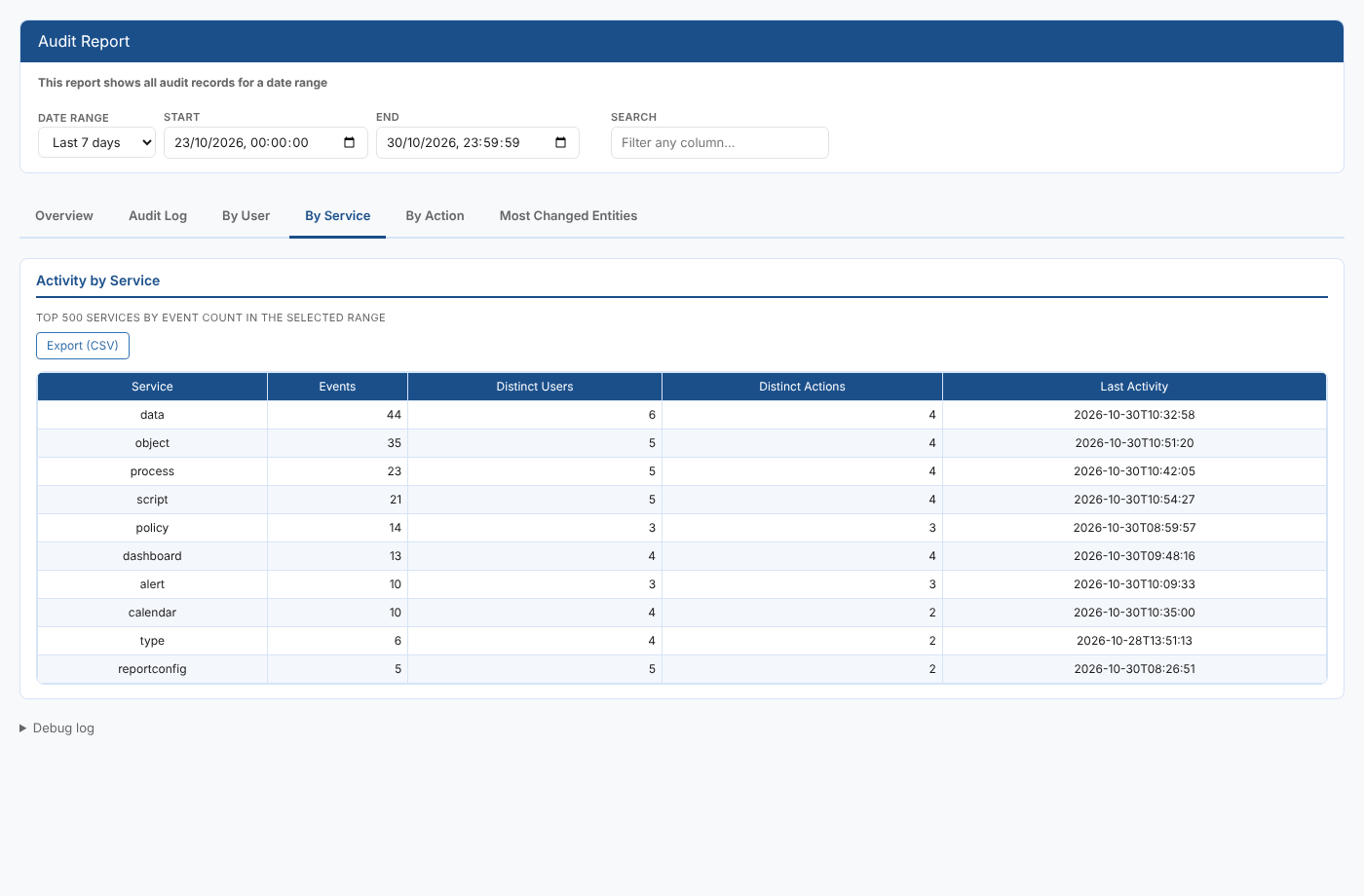
One row per service, busiest first (up to 500): Events, Distinct Users, Distinct Actions and Last Activity.
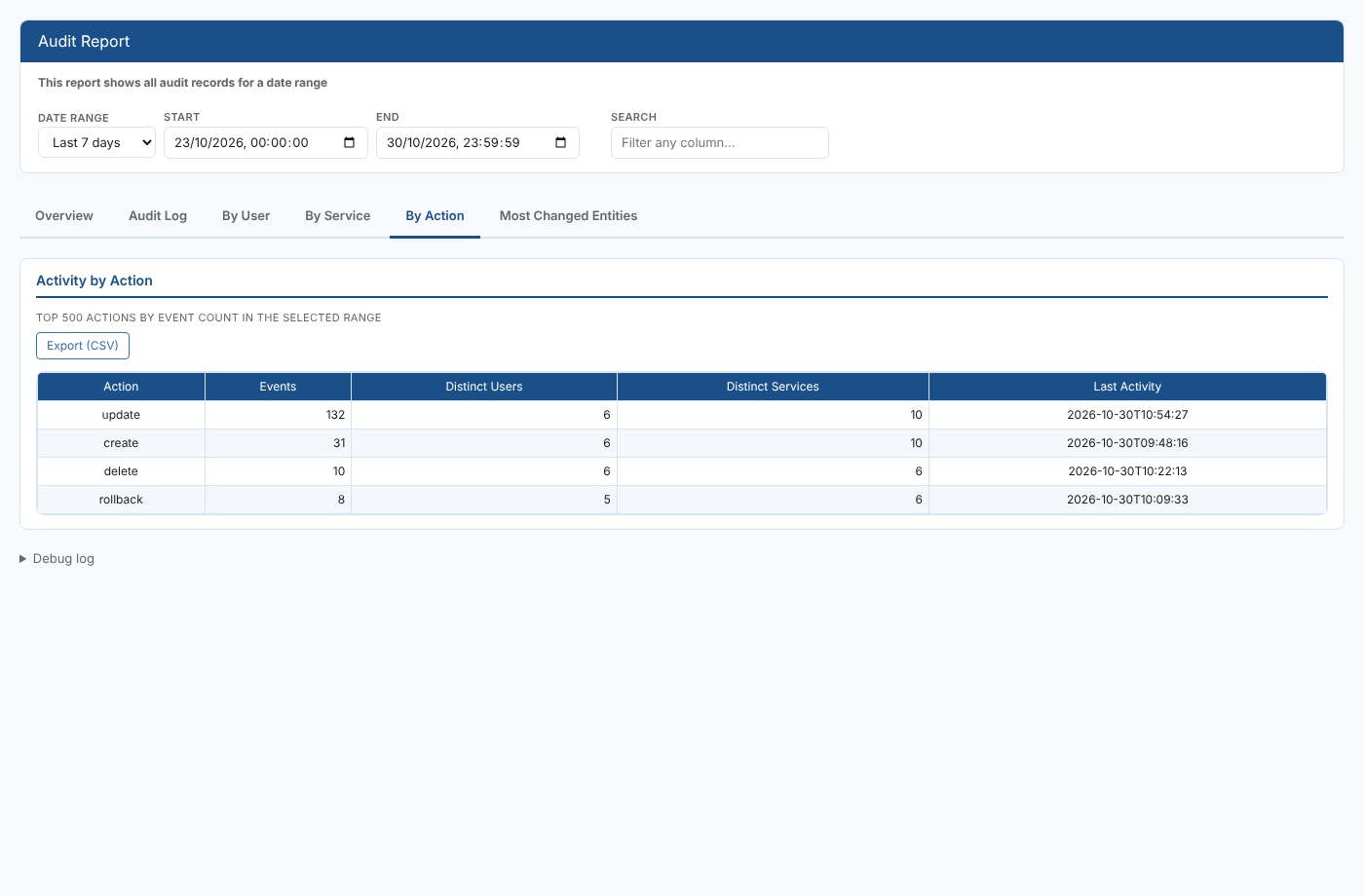
By Action
One row per action (up to 500): Events, Distinct Users, Distinct Services and Last Activity.
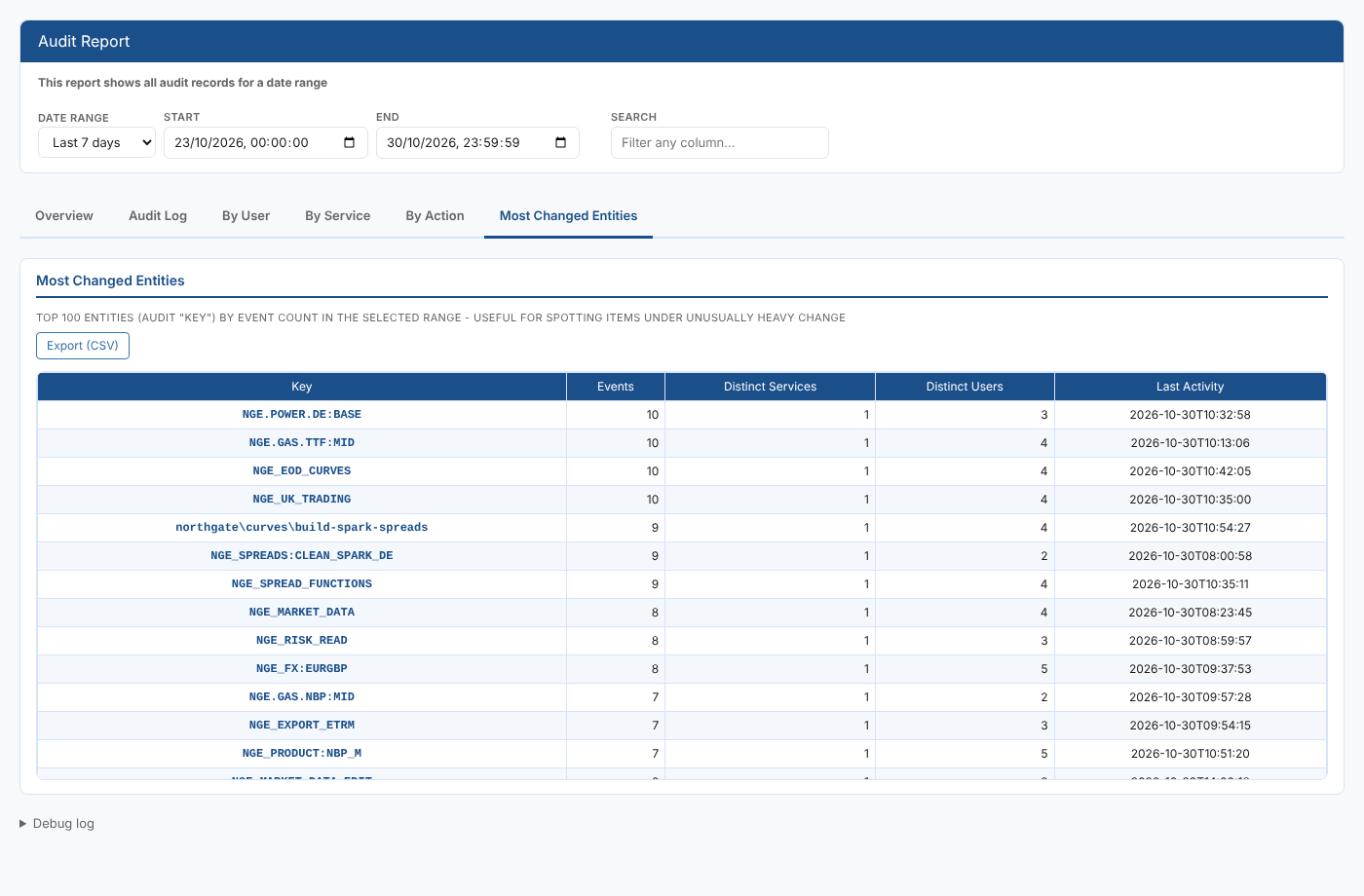
Most Changed Entities
The 100 items with the most audit records in the range: Events, Distinct Services, Distinct Users and Last Activity. Use it to spot items under unusually heavy change, such as a curve that is being rebuilt far more often than expected.
Select any column heading in the summary tables, the Overview's top five lists and Change Details to sort by that column, and again to reverse it. Every summary tab has its own Export (CSV) button, which downloads the table as shown, in the order shown.
Where the data comes from
| What | Where |
|---|---|
| Audit records | The audit service, private source, of the current data environment |
| Summaries | Worked out on the server, so the tabs stay quick over long date ranges |
The report shows only what your security policies let you read in the audit service.
Troubleshooting
| Problem | What to do |
|---|---|
| No audit entries fall in the selected range. | Widen the date range. Remember the presets work in UTC. |
| A record you expected is missing | Check the search box is empty, Clear filters on the Audit Log, and check you are in the right data environment: each environment has its own audit trail. |
| A filter list does not show the value you want | The lists only offer values found in the date range and search. Widen the date range or clear the search. |
Related
- Item Audit Report: the audit trail of one item, opened from the item itself
- User Activity Report: every request made to the platform, not just changes
- Process Cron Audit Report: changes to process schedules
- Insights: how insight reports work