Data Loader Runs
Every run of a data loader adds itself to the loader's daily run report. Data Loader Runs reads those reports for a period and answers questions like:
- Did every loader run last night, and did they all work?
- How many events did each loader load this month?
- Which runs failed, and why?
- Which files had rows that could not be loaded?
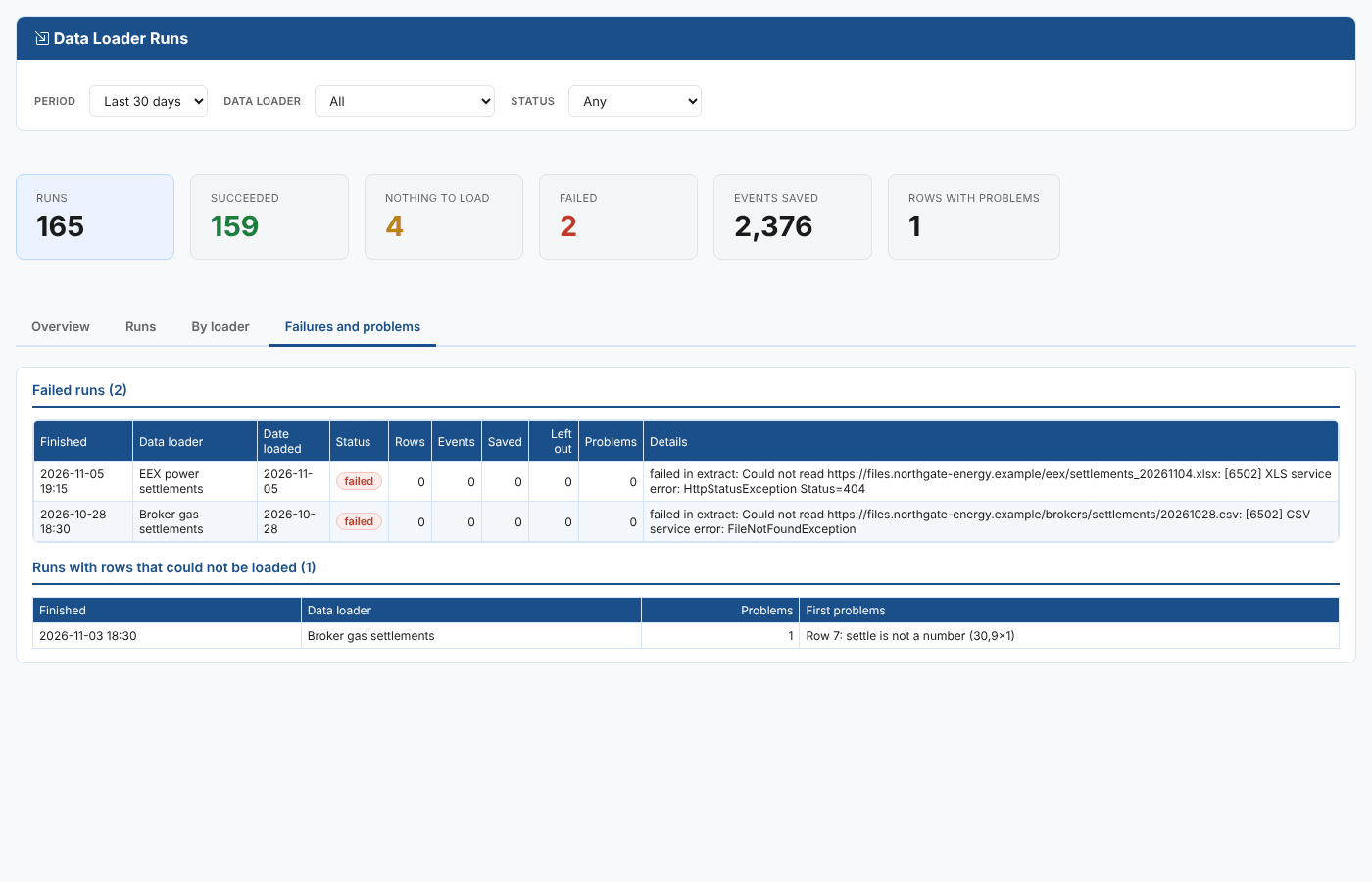
At Northgate Energy, the report shows that the broker settlements file was missing at 18:30 on 28 October and loaded at 19:30, that one row on 3 November had a settlement of 30,9x1, and that the EEX workbook for 4 November was not there when the EEX loader ran on the 5th.
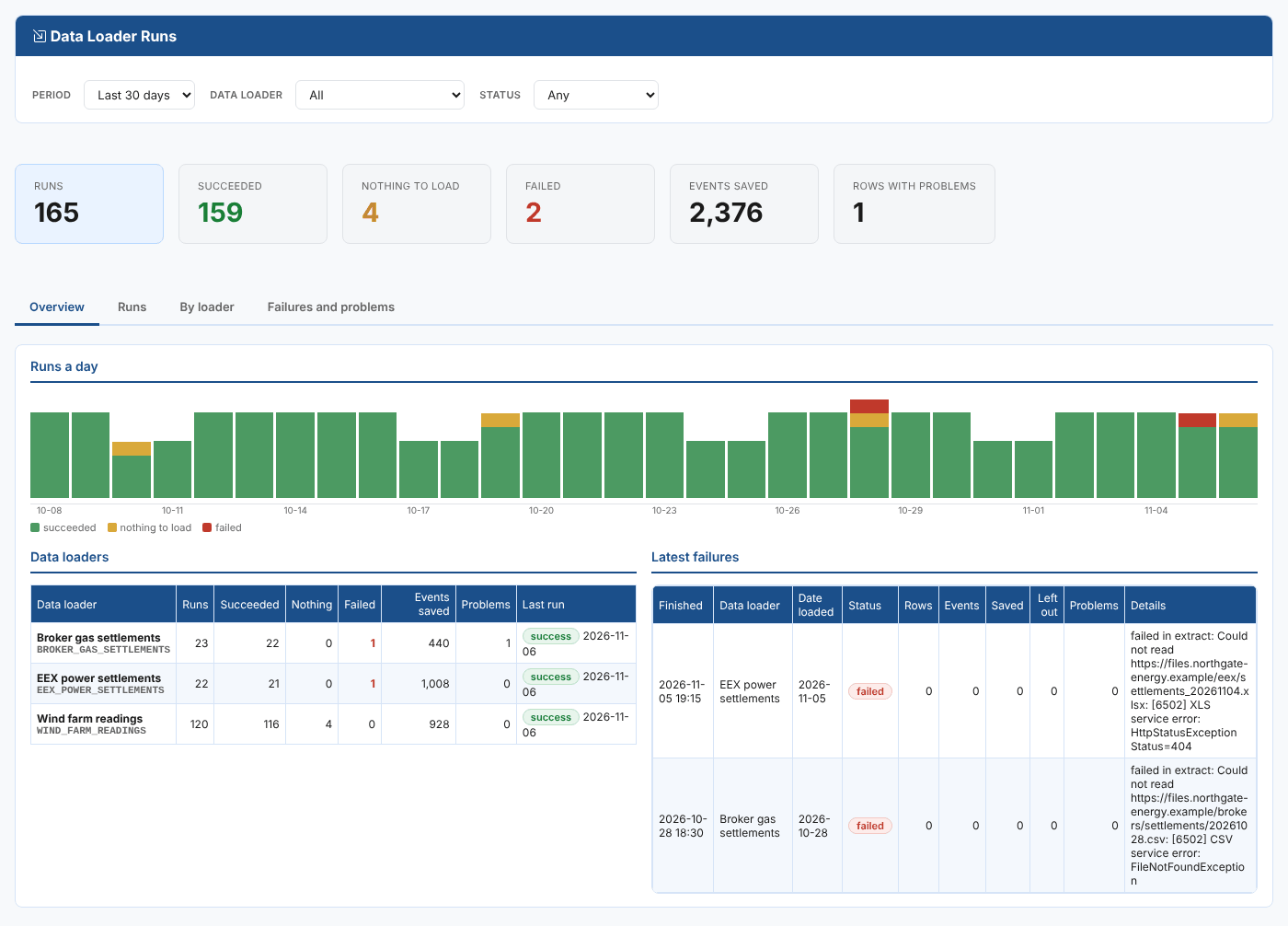
Opening the report
The report is on the Insights tab of Operations, Data Loaders (the Data Loaders extension), as Data Loader Runs (odsl.etl.runs).
Filters
| Filter | What it does |
|---|---|
| Period | The last 7, 30 or 90 days. |
| Data loader | One loader, or all. |
| Status | Success, nothing to load, failed, or any. |
Tabs
| Tab | What it shows |
|---|---|
| Overview | Runs, succeeded, nothing to load, failed, events saved and rows with problems; a bar a day split by result; the loaders with the most failures; the latest failures. |
| Runs | Every run, newest first, 50 a page, with a CSV export. |
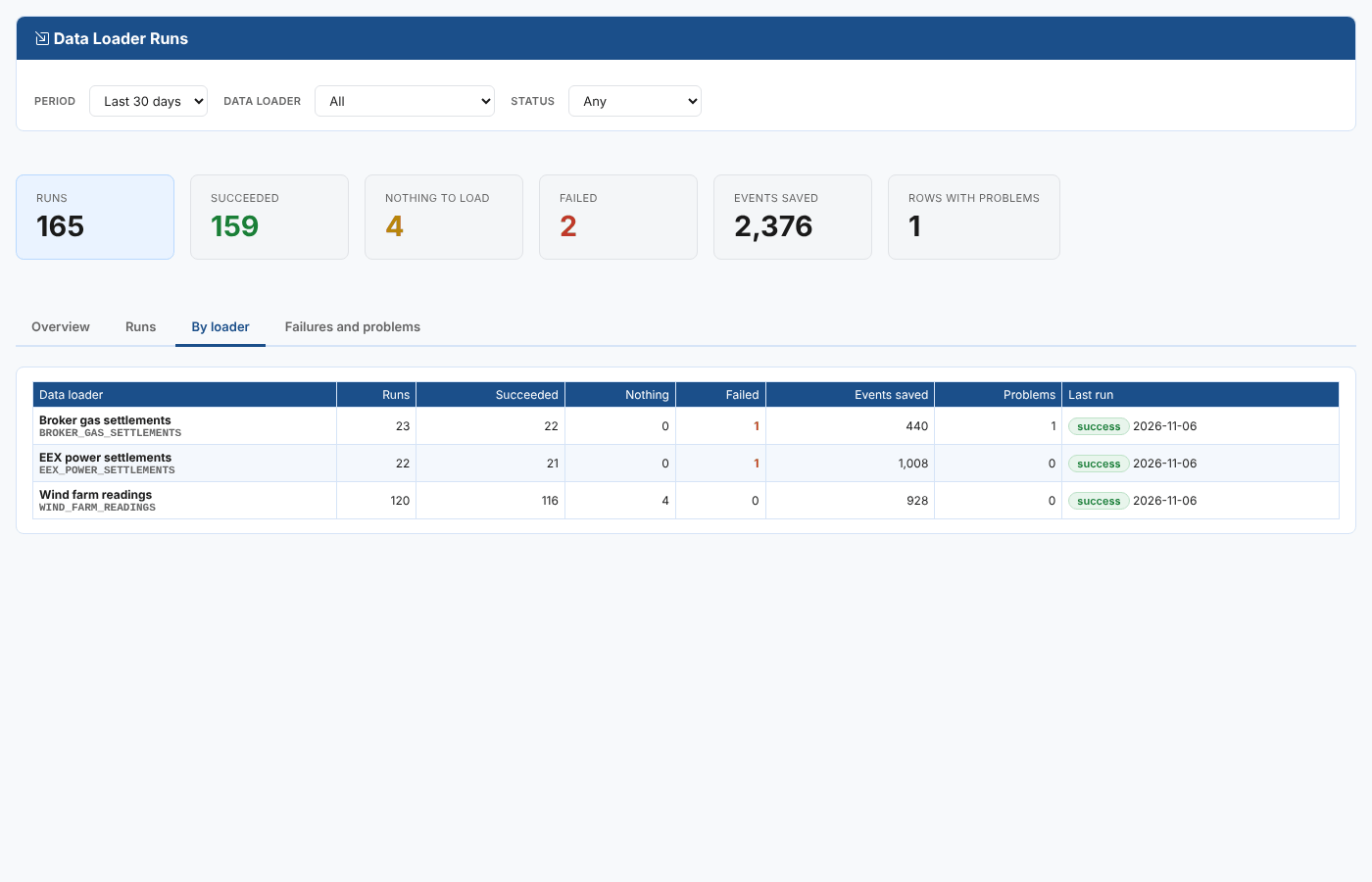
| By loader | For each loader: runs, results, events saved, problems and the last run. |
| Failures and problems | The failed runs with their reason, and the runs with rows that could not be loaded with the first problems. |
Where the data comes from
The run reports ETL_<CODE>:<date> written by the etl_report action of each loader's workflow (see Deploying, running and scheduling). Runs that stopped before recording themselves, for example when the process could not start, are not in them: the process's runs are on the loader's Deploy and run step.