Curve Script Function Report
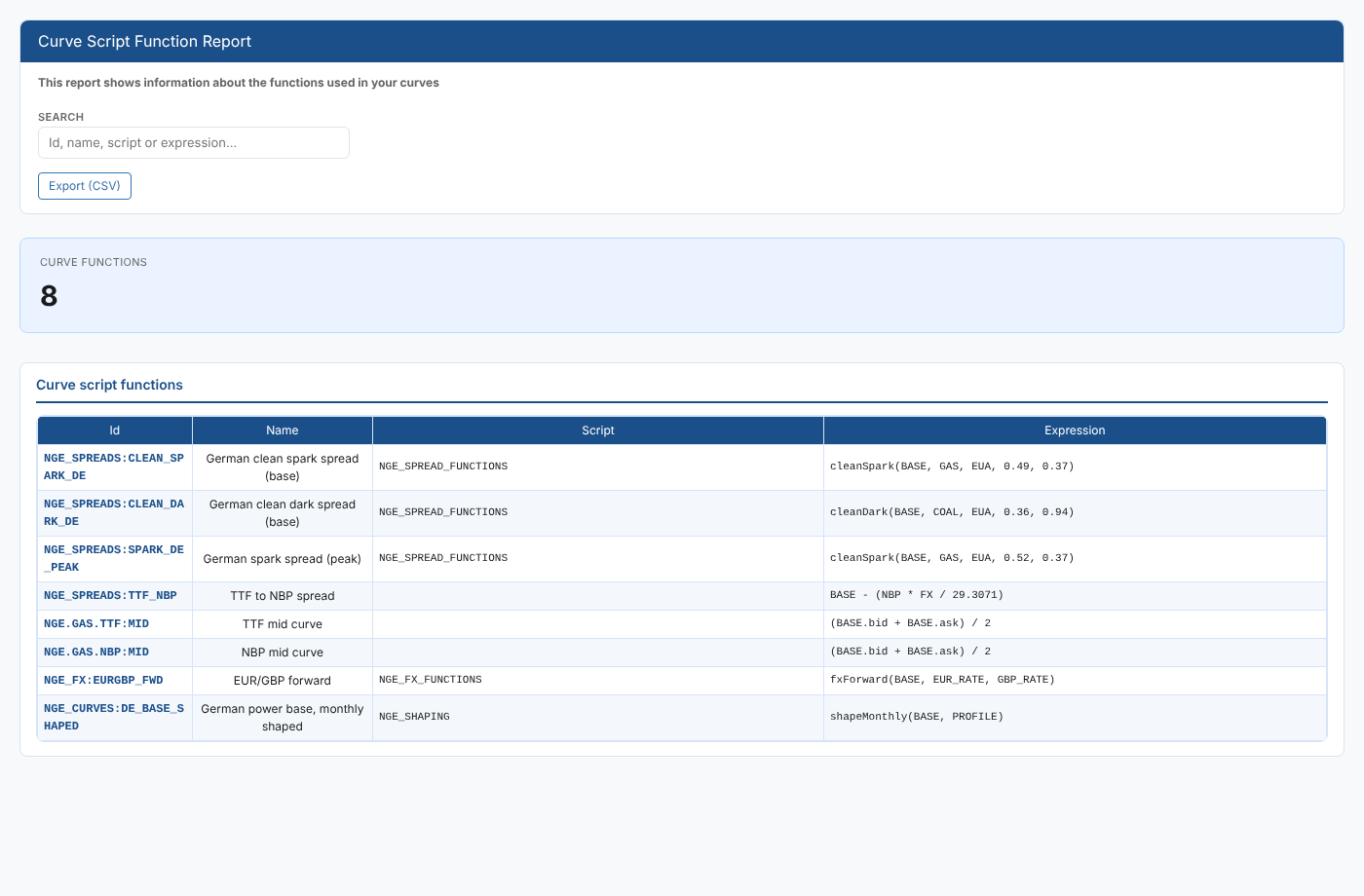
Smart curves are built by an expression, often calling functions from a shared script. When you want to change one of those functions, or tidy up old ones, you need to know which curves use it. The Curve Script Function Report lists every smart curve with its script and expression and answers questions like:
- Which curves call
cleanSpark, and which script does that function live in? - Which smart curves use a script at all, and which are a plain expression?
- If I change the
NGE_SPREAD_FUNCTIONSscript, which curves are affected? - Can I get the whole list into a spreadsheet for a review?
At Northgate Energy, Priya Shah uses it before changing the spread functions script, to see which spread curves need rebuilding afterwards.
Opening the report
The report is in the Reports menu, in the Curve Management category, as Curve Script Function Report (#INSIGHT_CM_FUNCTION). It reads every smart curve in your private data when it opens.
| Control | What it does |
|---|---|
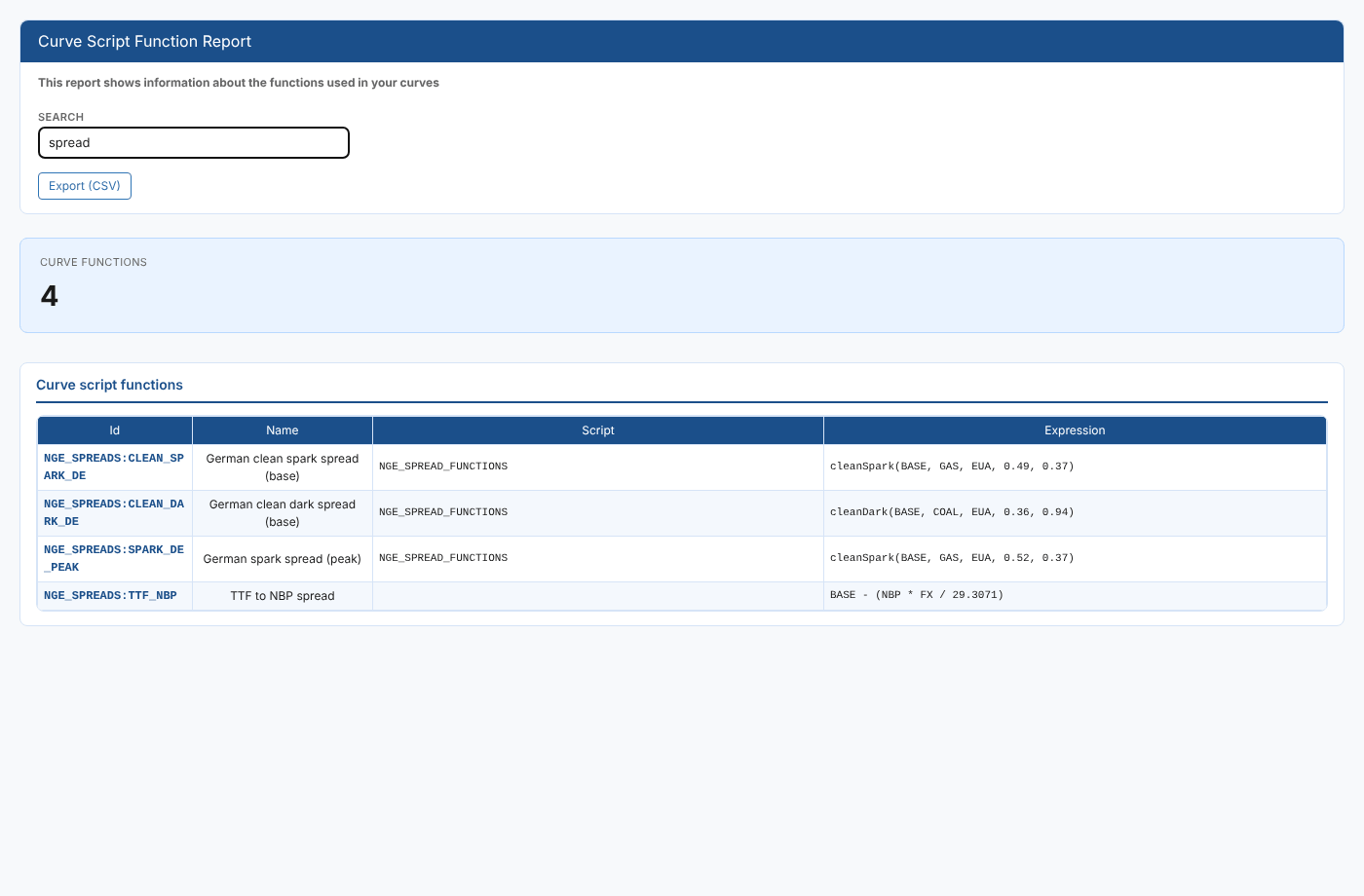
| Search | Shows only the curves whose id, name, script or expression contains the text (any case). The list filters as you type. |
| Export (CSV) | Downloads the rows on screen (after the search) as curve-functions.csv |
The report
The Curve functions card shows how many curves are listed (after the search). The table has one row per smart curve:
| Column | What it shows |
|---|---|
| Id | The smart curve id, for example NGE_SPREADS:CLEAN_SPARK_DE |
| Name | The curve name |
| Script | The script the expression can call functions from. Empty when the curve does not use a script. |
| Expression | The expression that builds the curve, for example cleanSpark(BASE, GAS, EUA, 0.49, 0.37) |
Type a function or script name in Search to find every curve that uses it:
Only smart curves (VarSmartCurve) in your private data are listed. Smart timeseries, event curves and public curves are not included.
Related
- Curve Dependency Report: what a curve is built from and what is built from it
- Curve Hierarchy Report
- Insights: how insight reports work