Integration Corrections
When a dataset corrects a value after it was sent, a group with corrections on sends the data again for every ondate the value is in, automatically or after someone approves it. Integration Corrections brings the corrections of every group together over a period. It answers questions like:
- What was corrected last month, and was every correction sent?
- Which corrections are still waiting for approval?
- How long does it take from a correction arriving to it being sent?
- Which curves and timeseries are corrected most often?
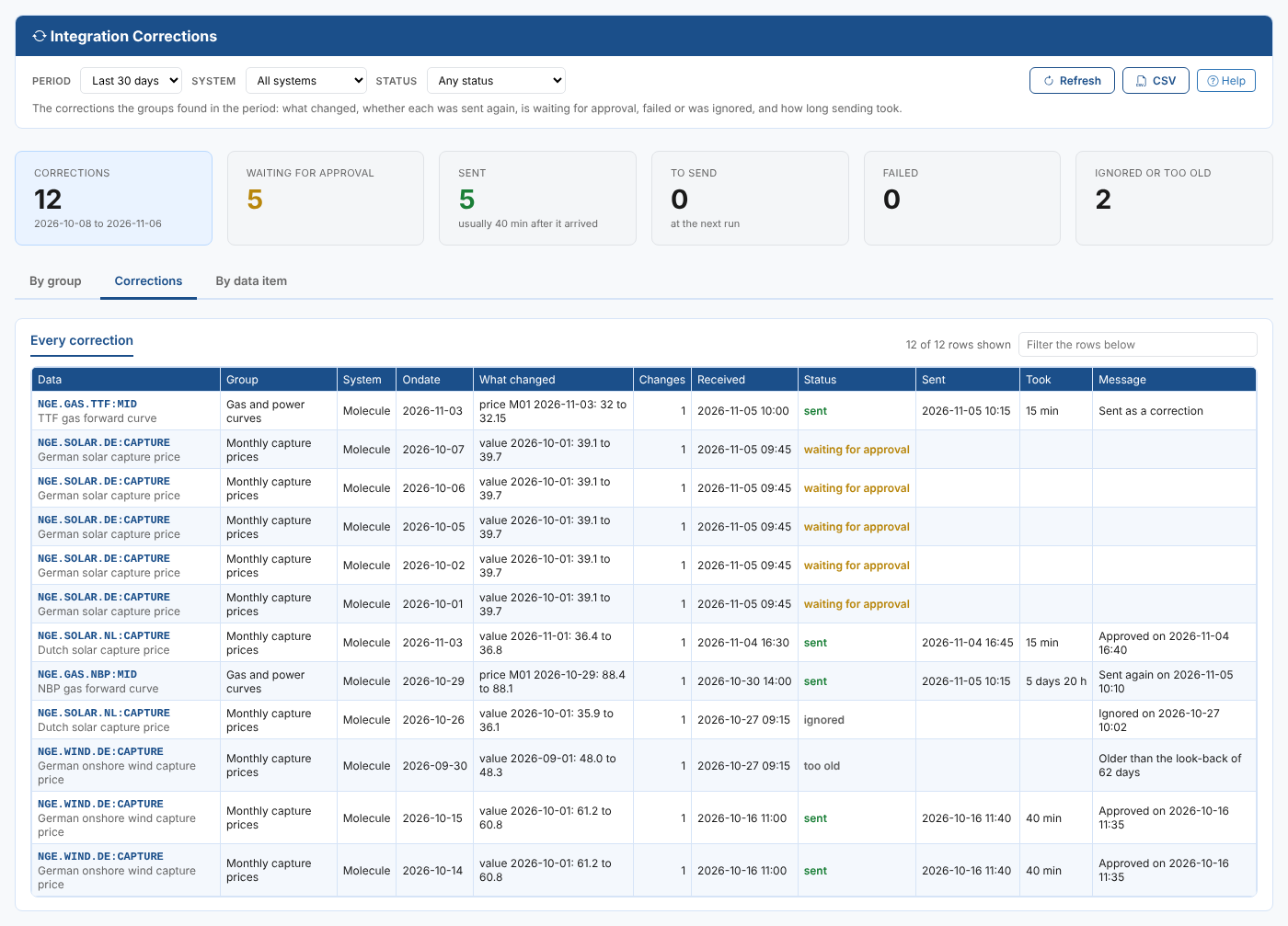
At Northgate Energy, the report shows five corrections of the German solar capture price waiting for approval, one for each October ondate that used the corrected monthly value, and that the NBP correction that failed on 30 October was sent again on 5 November.
Opening the report
The report is on the Insights tab of Operations, Integrations (the Integration extension), as Integration Corrections (odsl.integration.corrections).
It opens with the last 30 days of every system that has groups.
| Control | What it does |
|---|---|
| Period | The days the corrections were checked: the last 7, 30 or 90 days, this month, last month, or Custom (at most 400 days) |
| System | All systems, or one |
| Status | Any status, or one, such as waiting for approval |
| Refresh, CSV, Help | Read the logs again, download the table of the tab, open this page |
To approve, ignore or send corrections again, use the group's Corrections tab on the Integrations screen.
Key ideas
| Idea | What it means |
|---|---|
| Correction | One data item and one ondate to send again, because a value it uses changed |
| Status | waiting for approval, to send or approved, to send (sent at the next run), sent, failed, ignored, skipped, or too old (the ondate is older than the group's look-back) |
| Took | From when the correction arrived to when it was sent |
A correction is shown once, with its latest status in the period.
Summary cards
| Card | What it shows |
|---|---|
| Corrections | The corrections found in the period |
| Waiting for approval | Corrections a person still has to approve or ignore |
| Sent | Corrections sent again, with how long they usually took |
| To send | Corrections the next run sends |
| Failed | Corrections that could not be sent |
| Ignored or too old | Corrections not sent on purpose, or too old to send |
The tabs
By group
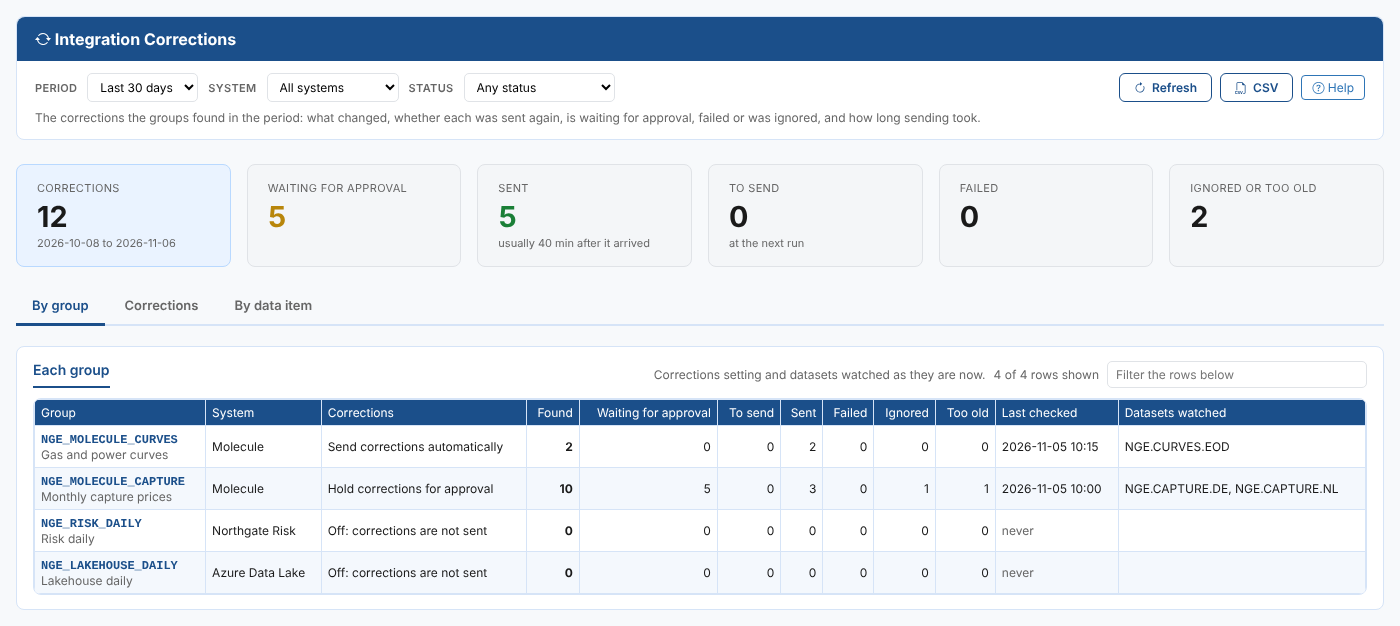
A row per group: its system, its corrections setting (Off, Send corrections automatically or Hold corrections for approval), the corrections found and how many of each status, when the corrections were last checked and the datasets watched.
Corrections
Every correction, the latest first: the data item, group, system and ondate, what changed, how many changes there were, when it arrived, its status, when it was sent, how long that took and its message.
By data item
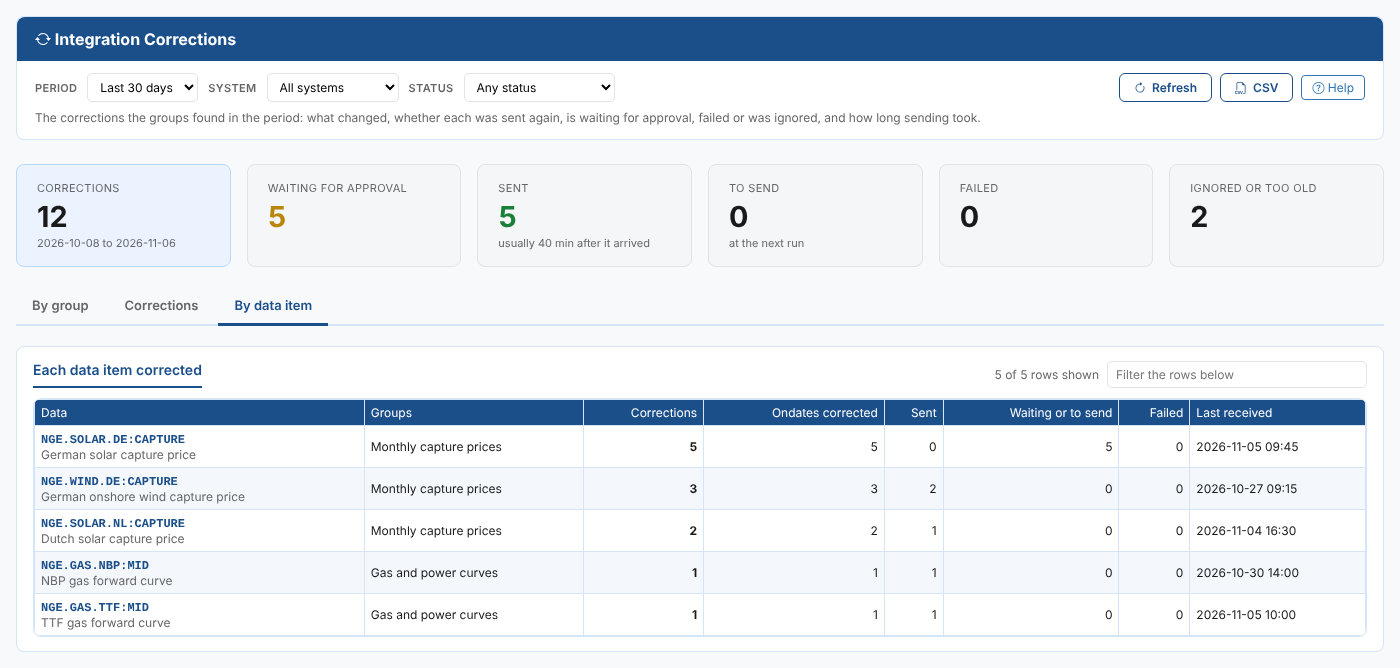
A row per data item corrected: its groups, the corrections, the ondates corrected, how many were sent, are waiting or to send, or failed, and when the last one arrived.
Where the data comes from
The corrections logs INTEGRATION_CORRECTIONS_<GROUP>:<day> that each group's corrections process stores when it runs, one for each day it ran in the period.