Calendar Holiday Report
When you open a holiday calendar, you usually want to see its holidays as dates rather than as rules. The Calendar Holiday Report lists the holidays of the selected calendar for this year or next year, with their names. It answers questions like:
- Which days is this calendar closed this year?
- When is Easter next year in this calendar?
- Has the substitute day for Boxing Day been set up?
At Northgate Energy, Priya Shah opens the report on #UKBANKHOLIDAYS to confirm the substitute bank holiday on 28 December.
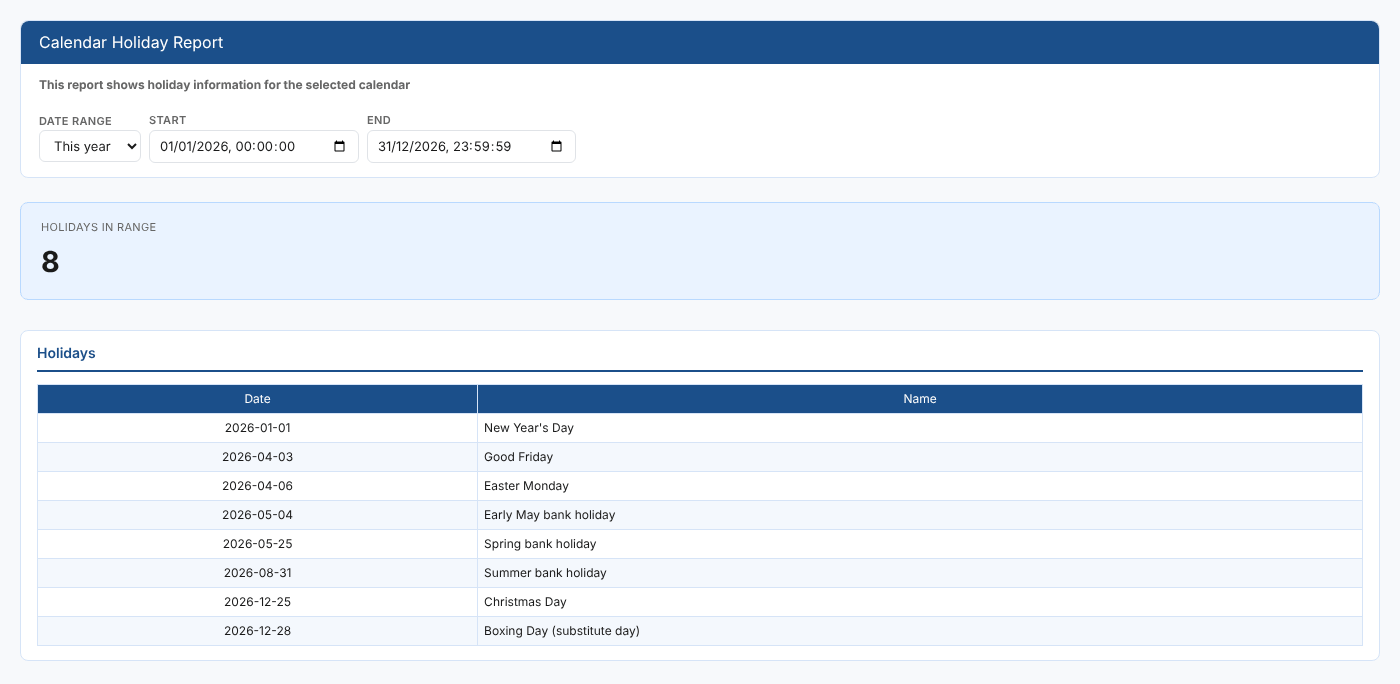
Opening the report
This is an item insight: it does not appear in the Reports menu. Select a holiday calendar, then open Calendar Holiday Report from its insights, in the Calendar Insights category (#CALI_HOLIDAY). It is a public report, so it is available in every tenant.
The report loads straight away with This year selected.
| Control | What it does |
|---|---|
| Date range | This year (the default) or Next year. Choosing one fills in Start and End. |
| Start, End | The start and end of the range, with a time. Change either to set your own range. |
The report
| Part | What it shows |
|---|---|
| Holidays in range | How many holidays the calendar has in the range |
| Holidays table | Each holiday's Date (YYYY-MM-DD) and Name |
If the calendar has no holidays in the range, the report says No holidays fall in the selected range for this calendar. A calendar that is not a holiday calendar, such as a daily calendar, has no holidays, so the report shows that message too.
The holidays come from the calendar's own rules, through the calendar service's holiday-report function.
Related
- Holiday Report: the holidays of several calendars at once, from the Reports menu
- Calendar Usage Report for one calendar: what uses this calendar
- Insights: how insight reports work