Automations
Before you change or delete a curve, a timeseries or a report, you want to know what depends on it: which emails go out when it updates, which smart curves it builds, and which queues it feeds. The Automations item insight lists every automation that refers to the selected item, and answers questions like:
- What happens automatically when this curve is updated?
- Is anything still sending this item to a queue or webhook?
- Which automation builds this smart curve?
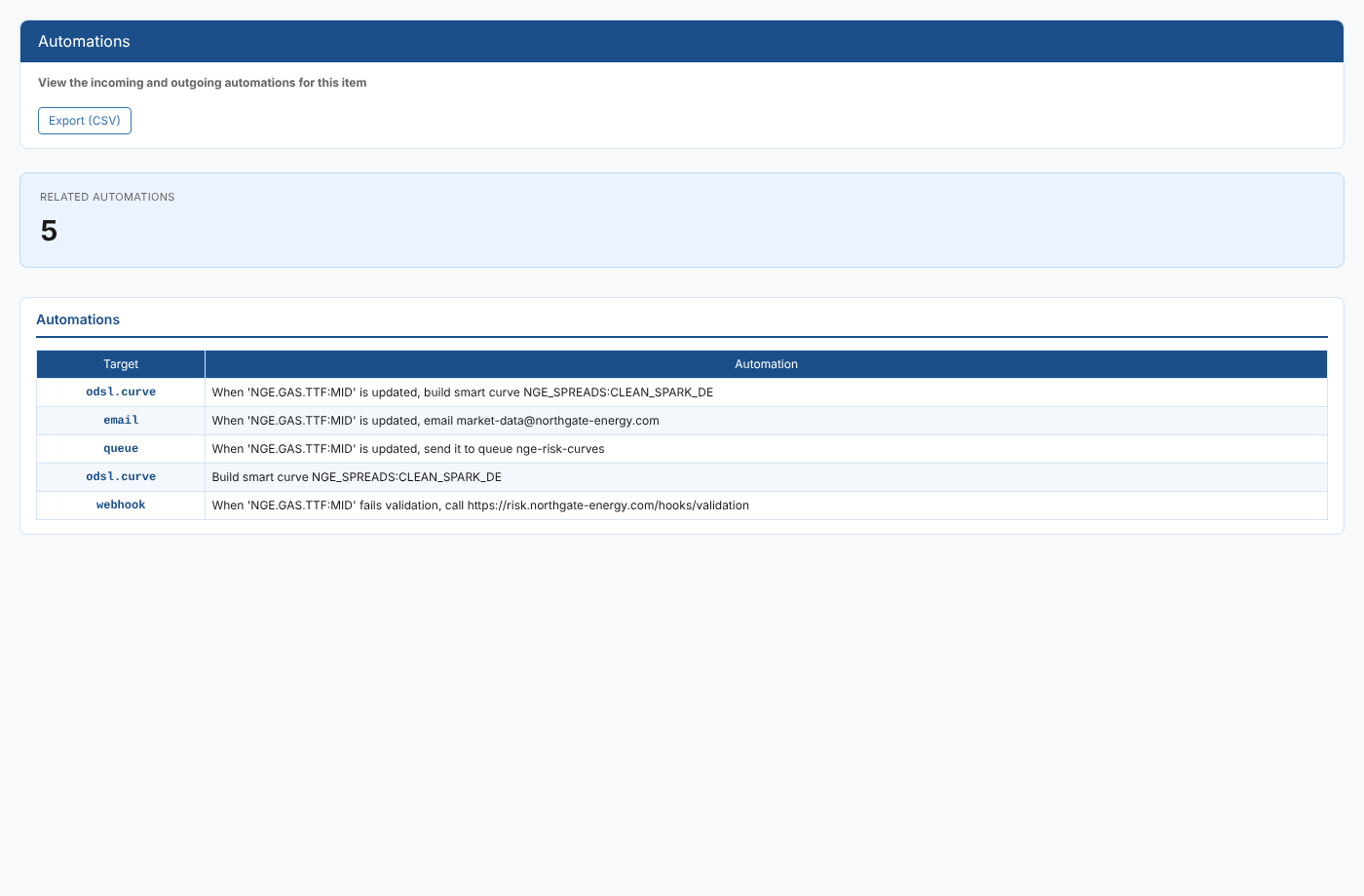
At Northgate Energy, Priya Shah opens it on the TTF mid curve NGE.GAS.TTF:MID to check what will be affected before she changes how the curve is built.
Opening the report
Automations (report id #AUTOMATIONS, category *Item Insights*) is an item insight: it does not appear in the Reports menu. Select an item, such as a curve, timeseries, master data record or report, then open Automations from that item's insights menu. The report reads the selected item's id when it opens.
| Control | What it does |
|---|---|
| Export (CSV) | Downloads the table as automations.csv |
The report
The Related automations card shows how many automations were found. The table has one row per automation:
| Column | What it shows |
|---|---|
| Target | The automation target, such as email, queue, webhook or odsl.curve (a smart curve build) |
| Automation | The automation's name, usually a sentence describing what it does, such as "When 'NGE.GAS.TTF:MID' is updated, email market-data@northgate-energy.com" |
Which automations are listed
An automation is listed when the selected item appears in any of these places:
| Where the item appears | Meaning |
|---|---|
The automation's item (id) or its data item (did) | The automation watches this item: it runs when the item changes |
properties.curve or properties.timeseries | The automation builds from this item, for example a smart curve that uses it as an input |
properties.queue | The automation sends to this queue |
properties.report | The automation uses this report |
For a dataset, the dataset id is checked as well as the item id.
The report lists automations you can read. If you expected an automation that does not appear, it may belong to another data environment or you may not have access to it.
Related
- Automation Logs: what these automations actually did, for the same item
- Automation Log Search: automation log entries across the platform
- Insights: how insight reports work