Calendar Changes
A change to a calendar changes the dates of every timeseries and curve that follows it. When a curve's expiries move or a price is suddenly expected on a holiday, the first question is whether a calendar changed. Calendar Changes answers questions like:
- Which calendars changed last month, and who changed them?
- What exactly changed in the rules of this expiry calendar?
- Which calendars are new this quarter?
At Northgate Energy, Tom Clarke checks the report when a curve has a new weekend contract, and finds that NGE_TTF_EXPIRY gained a rule for weekends five days ago.
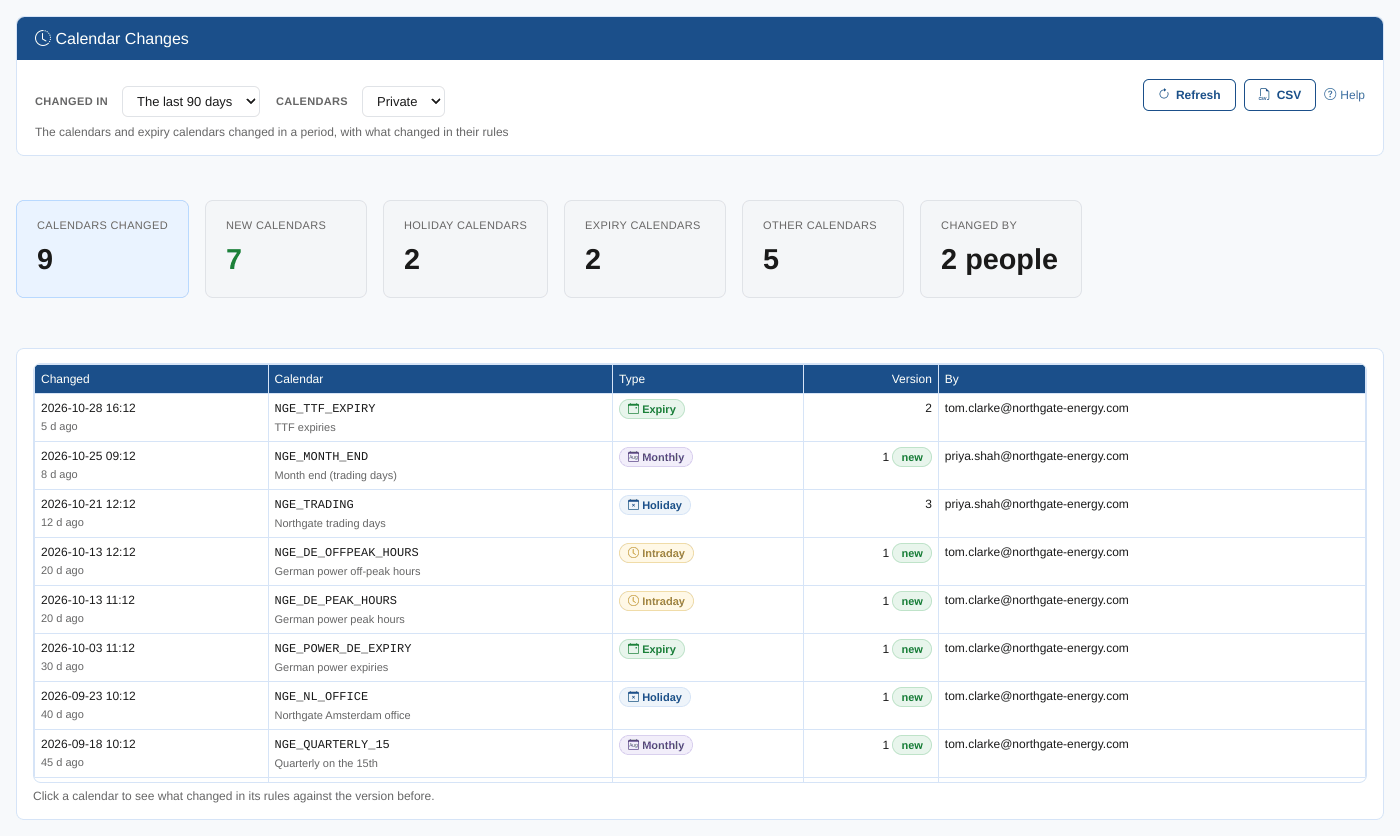
Opening the report
The report is on the Insights tab of Manage, Calendars (the Calendar Manager), as Calendar Changes (odsl.calendar_manager.changes).
It opens with your private calendars changed in the last 90 days.
| Control | What it does |
|---|---|
| Changed in | The last 7 days, 30 days, 90 days, year, or any time |
| Calendars | Private or public |
| Refresh, CSV, Help | Read the calendars again, download the table, open this page |
Summary cards
| Card | What it shows |
|---|---|
| Calendars changed | Calendars and expiry calendars whose current version was saved in the period |
| New calendars | Those still on their first version |
| Holiday calendars, Expiry calendars, Intraday calendars | How many of each changed |
| Changed by | How many people saved them |
The table
One row per calendar, the most recent change first: when it was saved, the calendar, its type, its version (with new for a first version) and who saved it.
Click a row to see what changed against the version before: the rules line by line (lines removed in red, added in green), or for an intraday calendar its definition (interval, time zone, hours, holiday calendar), and any change of name or, for an expiry calendar, of trading or delivery calendar. For a first version, its rules are listed. Click the row again to close it.
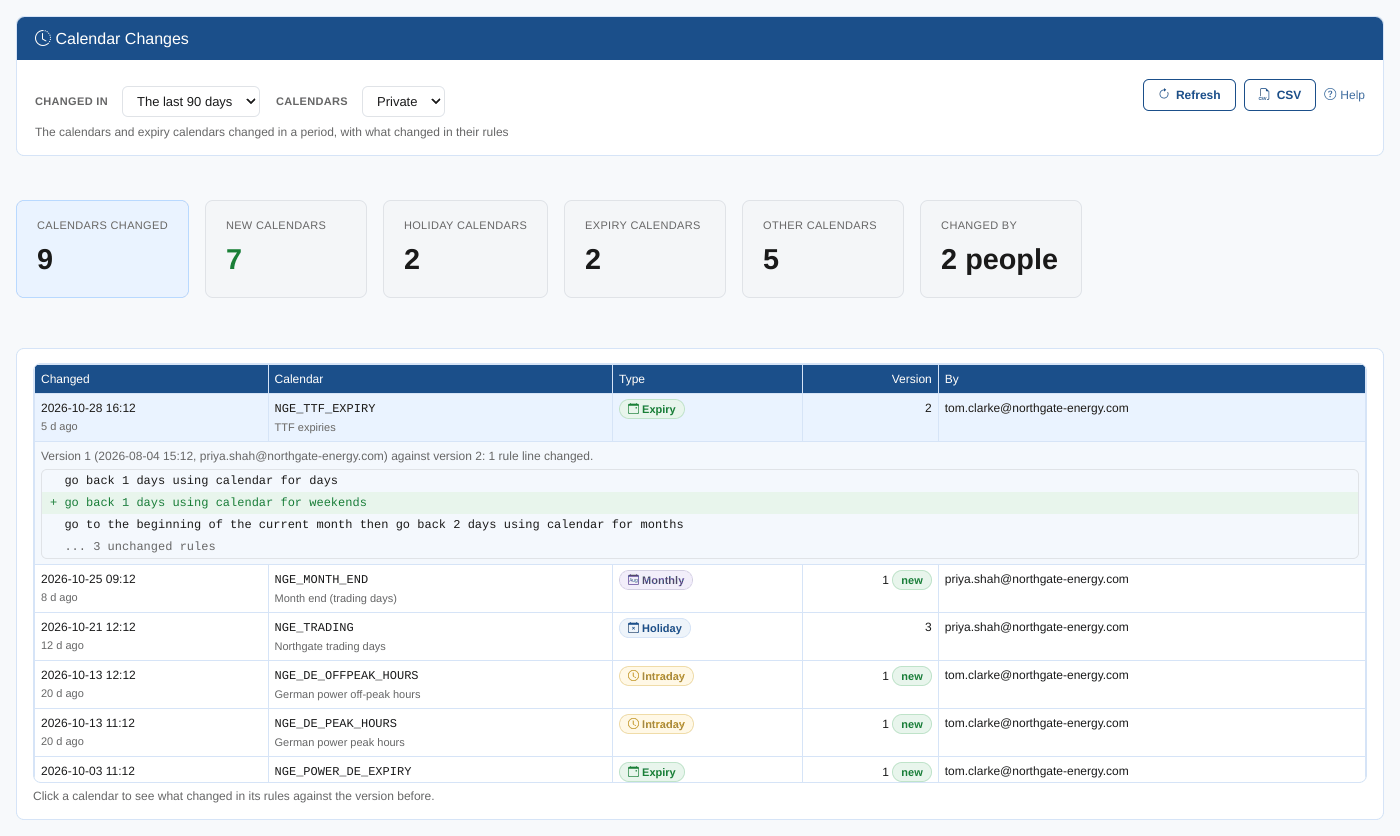
The report shows each calendar's latest change. To see every version of one calendar, open it in the Calendar Manager and select History.
Where the data comes from
The calendars come from the calendar and expiry services, with the time, user and version of their current version. The changes come from the version before, read from the same service.