Expiry Report
Forward curves roll as contracts expire: the day the December contract stops trading, the front month becomes January. Getting expiry dates right matters for curve building, for risk and for checking that data arrived for the right contract. The Expiry Report lists the expiry dates of the contracts in the expiry calendars you choose, for any date range, with each contract's tenor code. It answers questions like:
- When does the December TTF contract expire?
- Which contracts expire in the next few months on ICE and EEX?
- Which contract is the front month on a given curve date?
- Do the expiry calendars for two related markets roll on the same day?
At Northgate Energy, Tom Clarke checks when the next gas and power month contracts expire, so the risk team knows when the front month will roll.
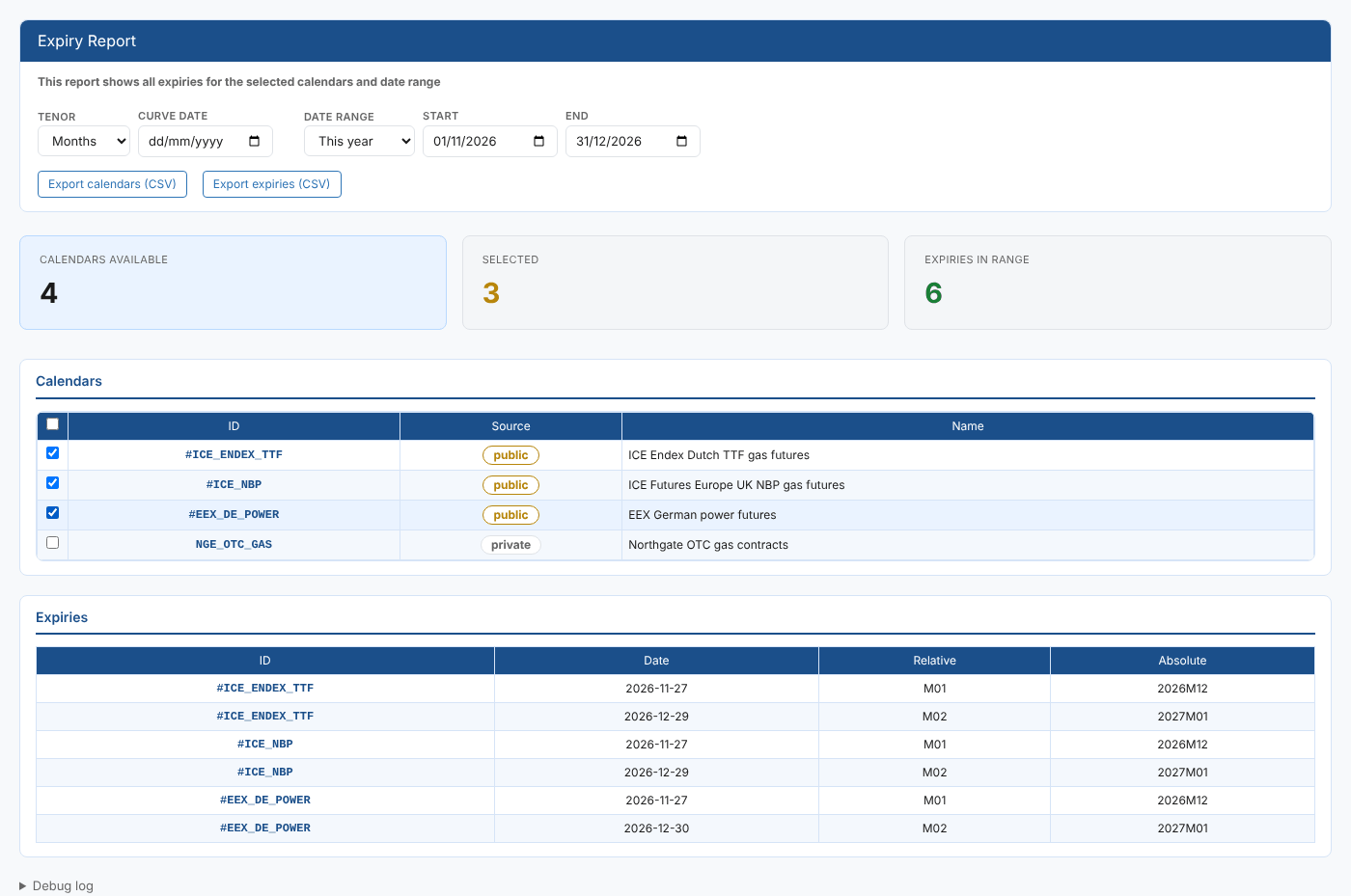
Opening the report
The report is in the Reports menu, in the Calendars category, as Expiry Report (#INSIGHT_EXPIRY_REPORT). It is a public report, so it is available in every tenant.
When it opens, the report lists every expiry calendar you can read, public and private, with Months as the tenor and This year as the date range. No expiries are shown until you select at least one calendar.
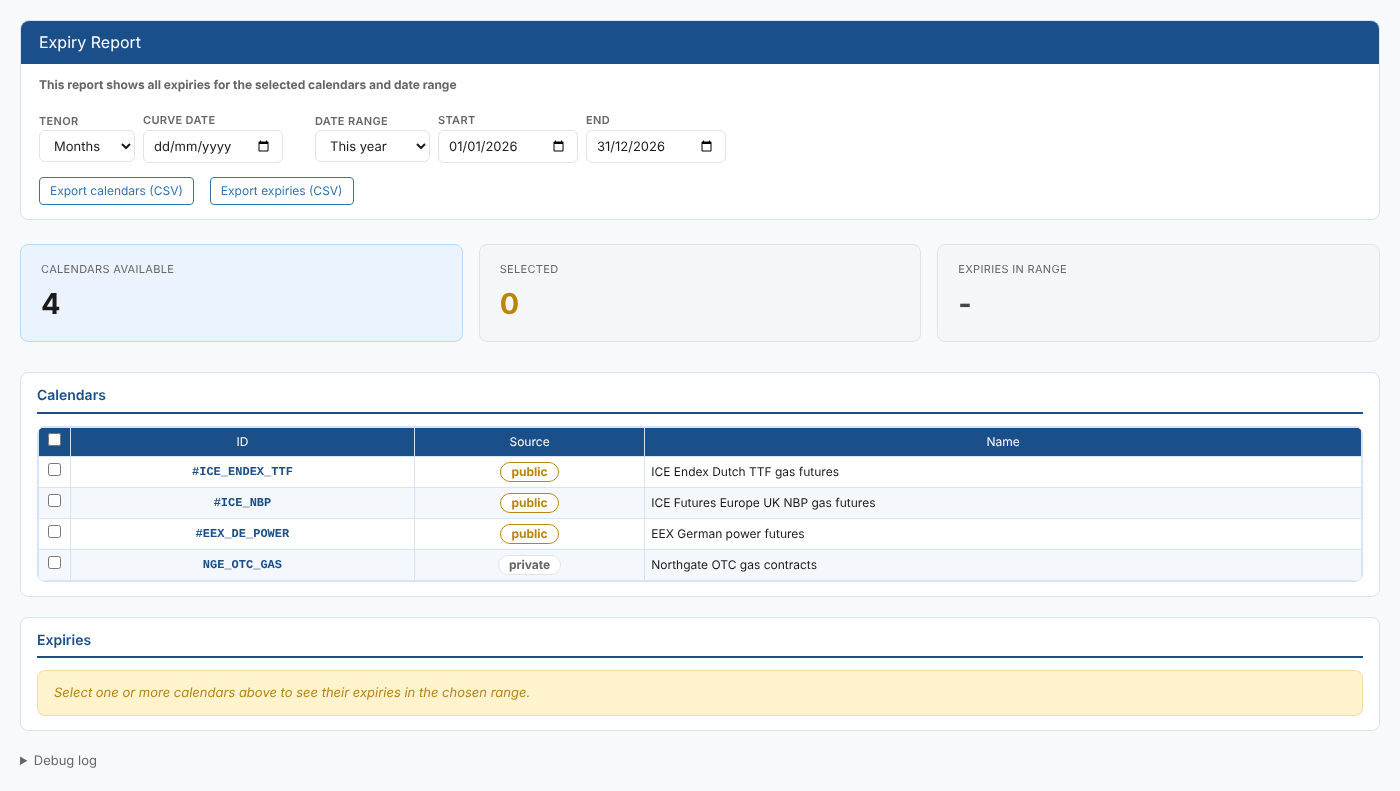
| Control | What it does |
|---|---|
| Tenor | The kind of contract: Months, Quarters, Seasons or Years |
| Curve date | The date the relative tenor codes are worked out from. Leave it empty to use today. |
| Date range | Today, Next 7 days, This month, Next month, This year (the default) or Next year. Choosing one fills in Start and End. |
| Start, End | The first and last day of the range. Only contracts that expire in this range are listed. |
| Export calendars (CSV) | Downloads the calendar list (ID, Source, Name) |
| Export expiries (CSV) | Downloads the expiries table as shown |
| Debug log | At the bottom of the page: what the report fetched and when |
Key ideas
| Idea | What it means |
|---|---|
| Expiry calendar | The rules for when each contract of a market stops trading, such as two business days before the delivery month starts |
| Absolute tenor | The contract itself, for example 2026M12 for December 2026 |
| Relative tenor | The contract's position from the curve date, for example M01 for the front month and M02 for the month after |
The report
Summary cards
| Card | What it shows |
|---|---|
| Calendars available | How many expiry calendars you can read |
| Selected | How many calendars are ticked |
| Expiries in range | How many expiries are listed, all calendars together. It shows - until you select a calendar. |
Calendars
One row per expiry calendar, with a tick box to select it. The tick box in the header selects or clears every calendar.
| Column | What it shows |
|---|---|
| ID | The expiry calendar id |
| Source | public for a shared calendar (its id starts with #), private for one your company owns |
| Name | The calendar's name |
Expiries
One row per contract that expires in the range, grouped by calendar.
| Column | What it shows |
|---|---|
| ID | The expiry calendar |
| Date | The expiry date, as YYYY-MM-DD |
| Relative | The contract's relative tenor on the curve date, such as M01 |
| Absolute | The contract's absolute tenor, such as 2026M12 |
The table updates when you tick a calendar or change the tenor, curve date or range.
If an expiry calendar cannot be worked out, its row shows the calendar id followed by the reason in brackets, with no dates. Check the calendar's definition.
Where the data comes from
The calendar list comes from the expiry calendar service (public and private). The expiry dates are worked out by the platform from each calendar's rules, through the expiry service's expiry-report function, for the tenor, curve date and range you choose.
Related
- Calendar Report: every valid date of a calendar
- Holiday Report: the holidays of holiday calendars
- Calendar Usage Report: which curves use an expiry calendar
- Insights: how insight reports work