Critical List
Critical checks are the checks that decide whether a day's data can be used at all: were all the expected tenors delivered, is the settlement price there. When the morning starts, the first question is simply which datasets passed and which did not. The Critical List report answers questions like:
- Which of our datasets have critical checks, and did they pass yesterday?
- Which dataset failed its critical checks on a particular date?
- Can I send the day's critical check results to someone as a spreadsheet?
At Northgate Energy, Priya Shah opens the Critical List first thing each morning to check the nine gas, power, oil, FX and emissions datasets the trading desks rely on.
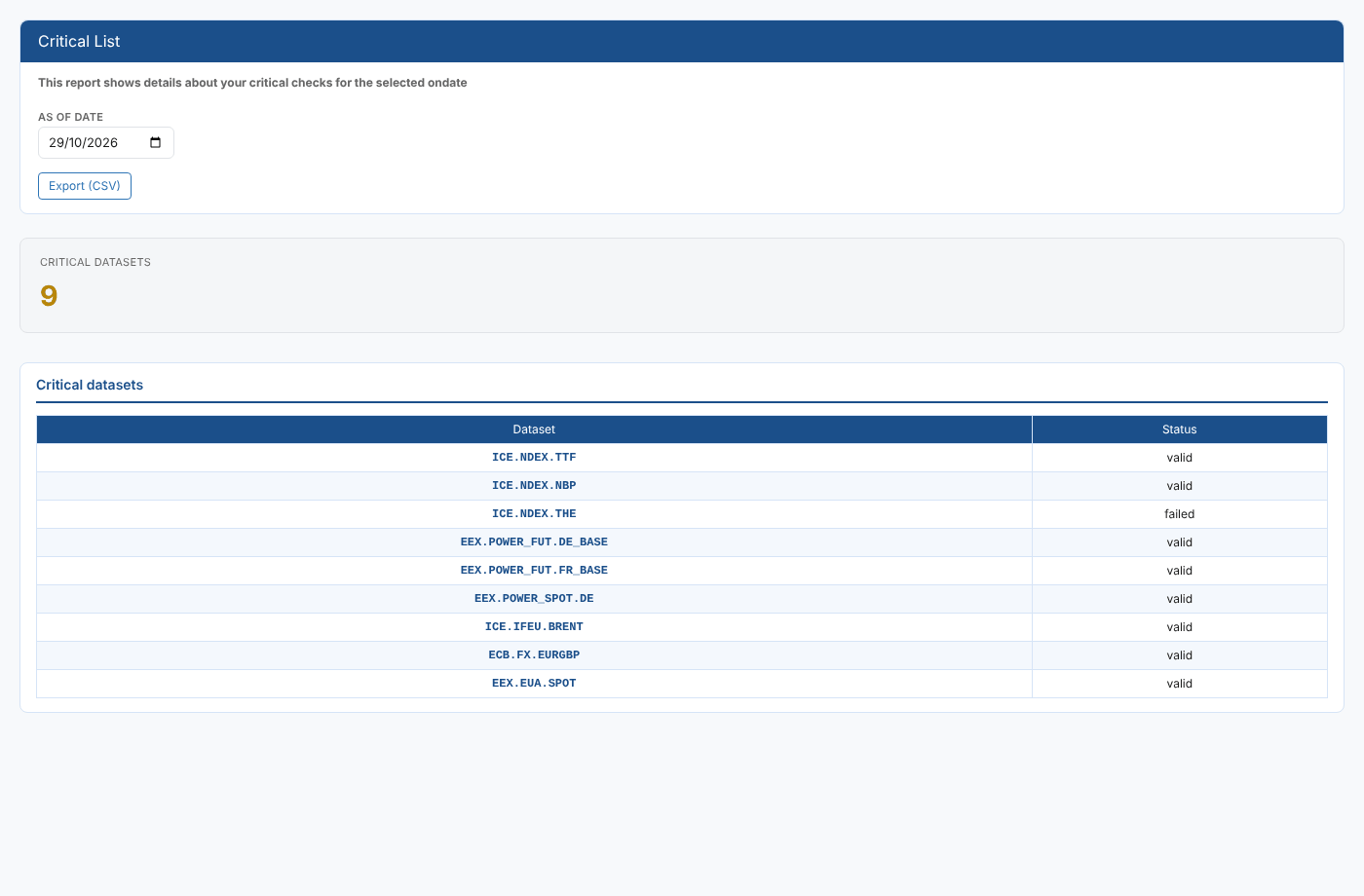
Opening the report
The report is on the Dataset Monitoring screen's reports list, in the Dataset Monitoring category, as Critical List. Its report id is #DM_CRITICALLIST, so it is available in every tenant.
It opens on yesterday's date, because today's data will usually not have loaded yet, and loads straight away.
| Control | What it does |
|---|---|
| As of date | The on date to show. Change it to see the results for another day. |
| Export (CSV) | Downloads the table as critical-datasets.csv |
The report
| Part | What it shows |
|---|---|
| Critical datasets card | How many datasets have a critical check result on the selected date. This counts every dataset with critical checks, passed or failed, not only the failures. |
| Dataset | The dataset id, for example ICE.NDEX.TTF |
| Status | The overall critical status of that day's delivery: valid when every critical check passed, otherwise the status the checks reported, such as failed |
At Northgate, the list for 29 October shows ICE.NDEX.THE as failed. Priya opens the dataset's Quality and Critical Checks report to see which check failed and why.
A dataset only appears when its delivery record for that date has a critical check result. Datasets without critical checks configured, and days when no delivery record was created, are not listed.
Where the data comes from
The report reads the dataset_delivery service, private source: the delivery records that carry your own critical check results. It lists every record for the selected on date that has a criticalStatus.
Troubleshooting
| Problem | What to do |
|---|---|
| No critical datasets on the selected date. | No delivery on that date has critical check results. Check the date (weekends and holidays usually have no deliveries) and that critical checks are configured on your datasets. |
| Today shows nothing | Today's data has not loaded yet. The report opens on yesterday for this reason. |
Related
- Quality and Critical Checks: the check history and check log for one dataset
- Quality and Critical Checks Summary: check results across all datasets for a date range
- Data Monitoring: how dataset monitoring, deliveries and checks work
- Insights: how insight reports work