Project Status
Project Status is the status report of the Projects extension. It answers the questions a steering meeting asks:
- How much of the work is done, against what the plan says should be done by now?
- Which work streams and which parties are behind?
- What is late, blocked or at risk in the next two weeks?
- Which milestones have moved, and by how much?
- Which tasks are still waiting for evidence or a sign-off, and from whom?
- What was agreed, and with whom?
Open it on the Insights tab of Manage > Projects, where it opens on the project chosen in the screen.
Filters
| Filter | What it does |
|---|---|
| Project | One project, or all projects (cancelled projects are left out). Projects you added from another tenant are included, with their tenant after the name |
| Done by | Only the tasks of one party |
| As of | The day the report is worked out for; today by default. Late, due soon and the plan line are counted from this day |
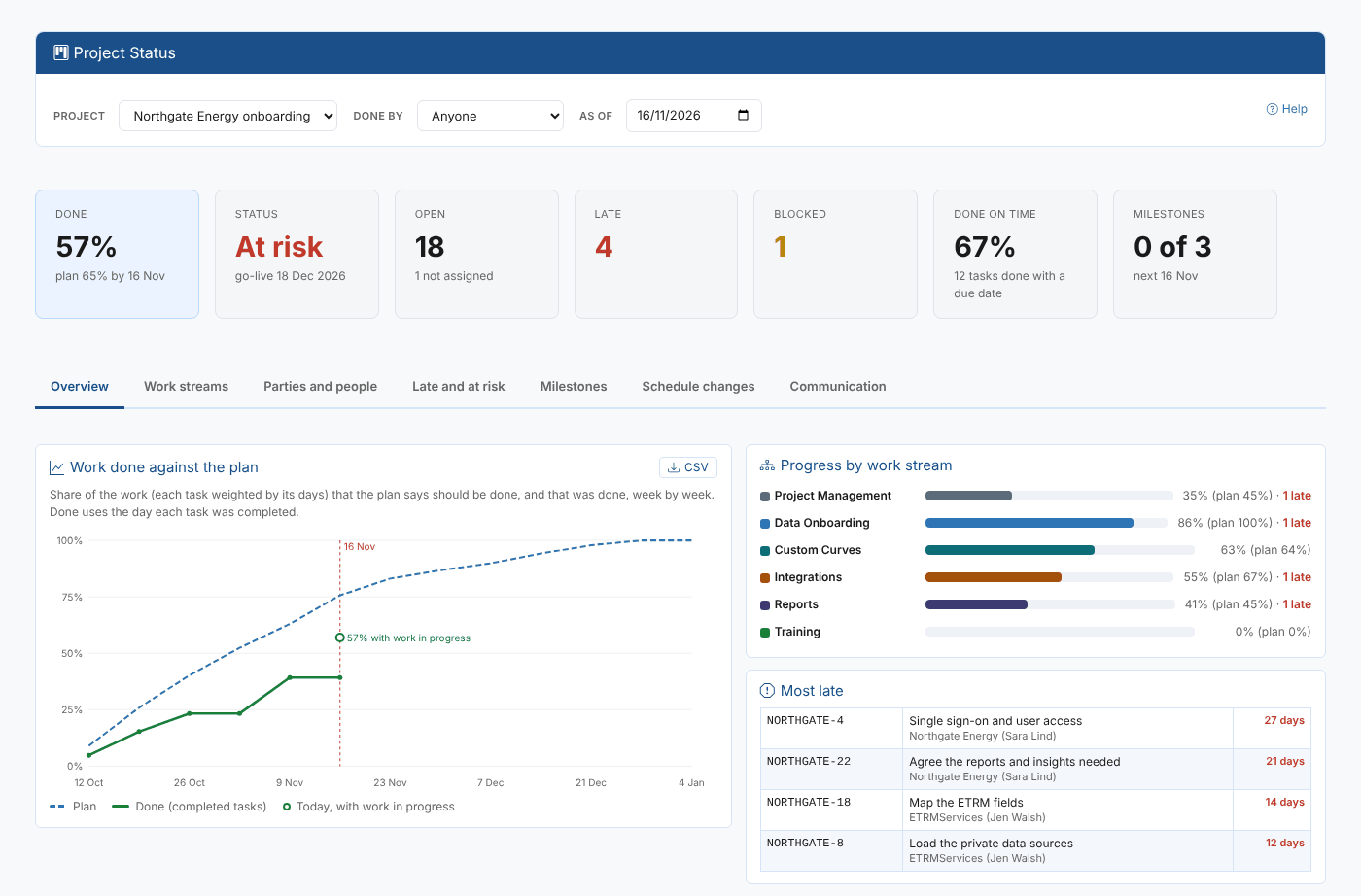
The figures at the top: work done (each task weighted by its days, open tasks by their progress) against the plan, the project's state (on track, watch or at risk), open, late and blocked tasks, the share of tasks done by their due date, and the milestones done.
Tabs
| Tab | What it shows |
|---|---|
| Overview | Work done against the plan: week by week, the share of the work the plan says should be done (dashed) and the work done by completed tasks (solid), with today's figure including the work in progress. Progress by work stream, and the most late tasks |
| Work streams | For each work stream: tasks, done, open, late, blocked, done % against plan %, when it ends and its lead |
| Parties and people | By party: tasks, done, open, late, total days late, the share done on time and what is due in the next 14 days. By person: open, late, due soon, done, reminders sent and their oldest late task |
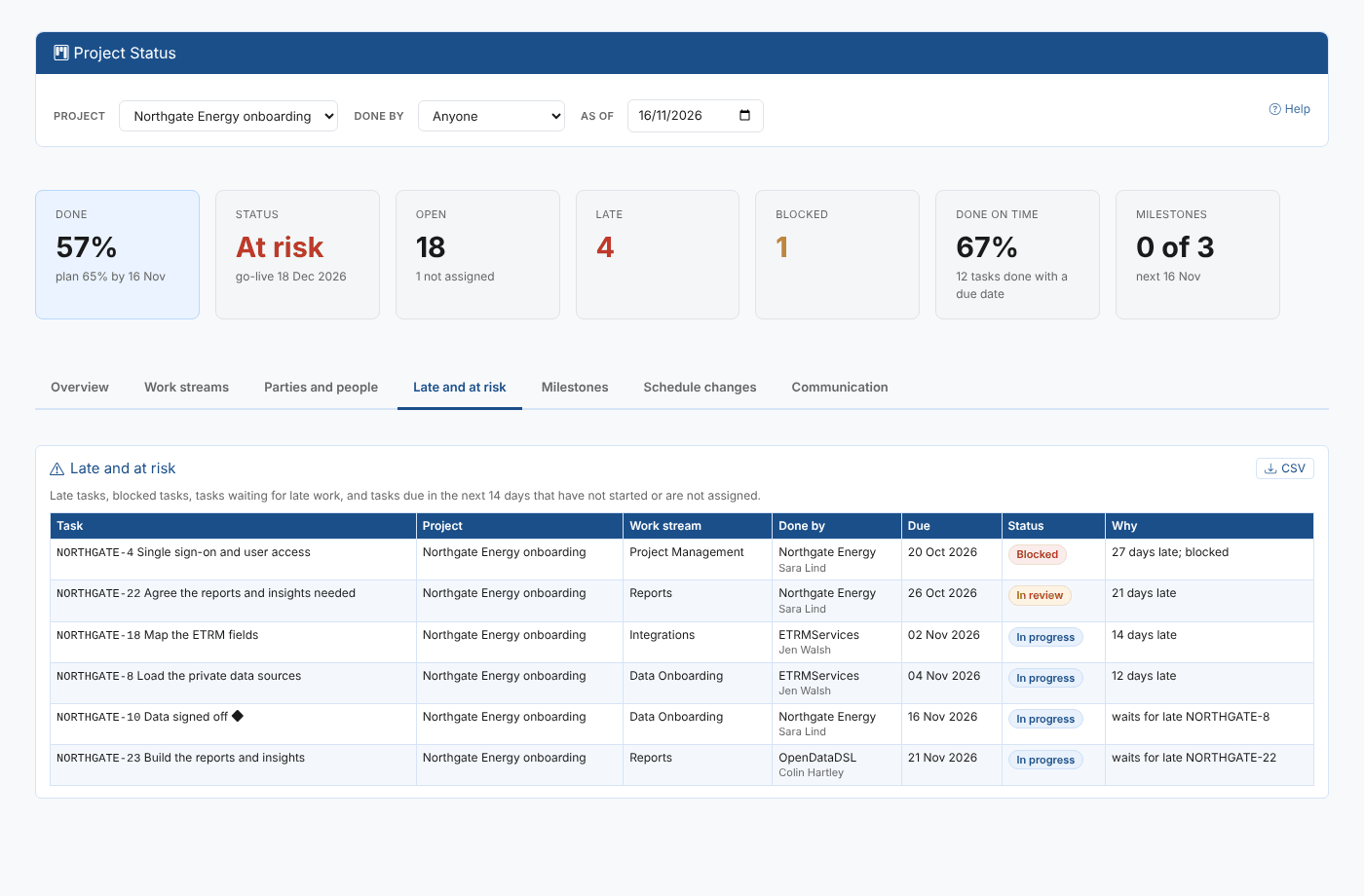
| Late and at risk | Late tasks, blocked tasks, tasks waiting for a late task, and tasks due in the next 14 days that are not assigned or not started, with the reason |
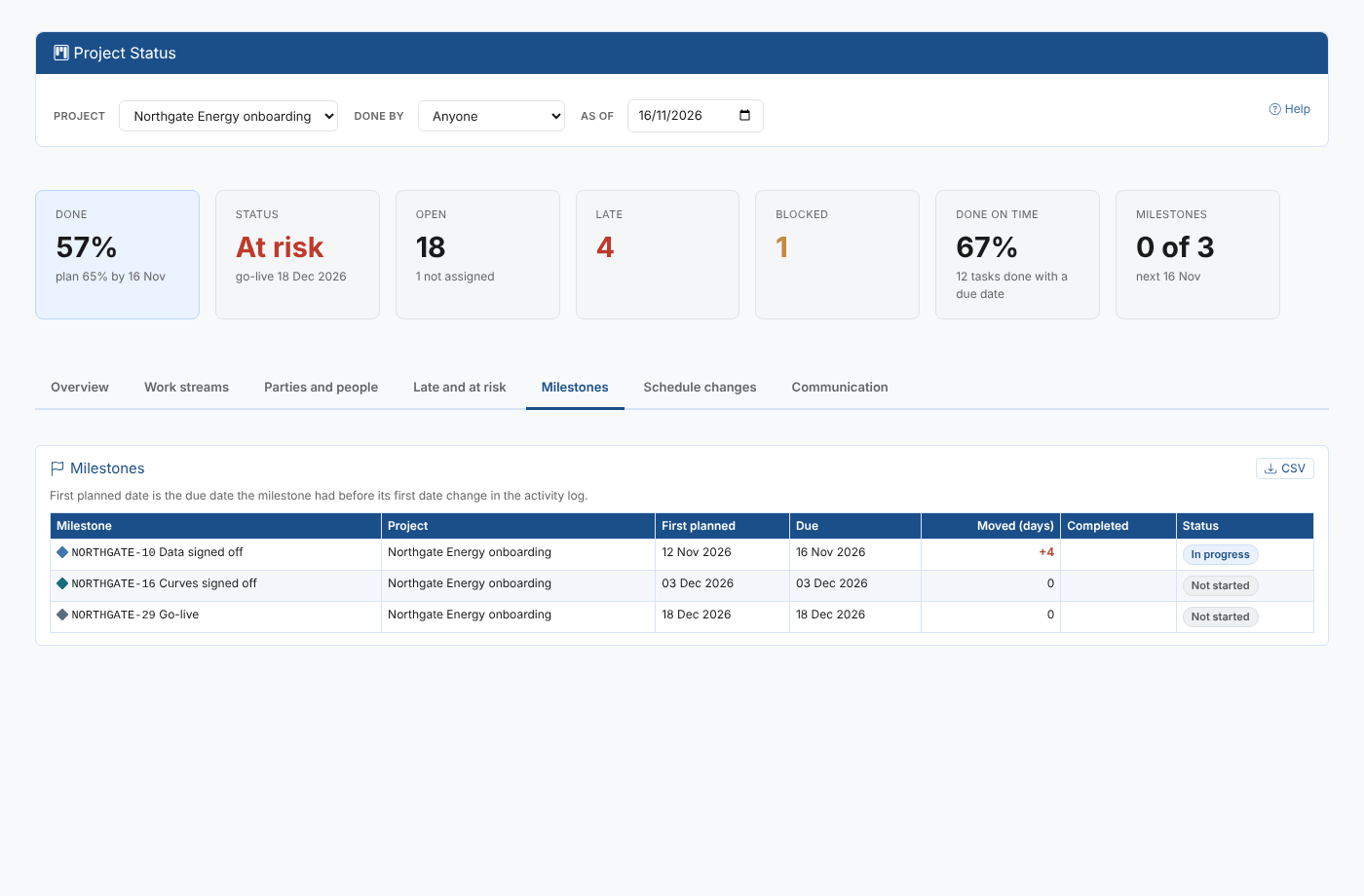
| Milestones | Each milestone's first planned date (before its first date change), its due date now, the days it moved and when it was done |
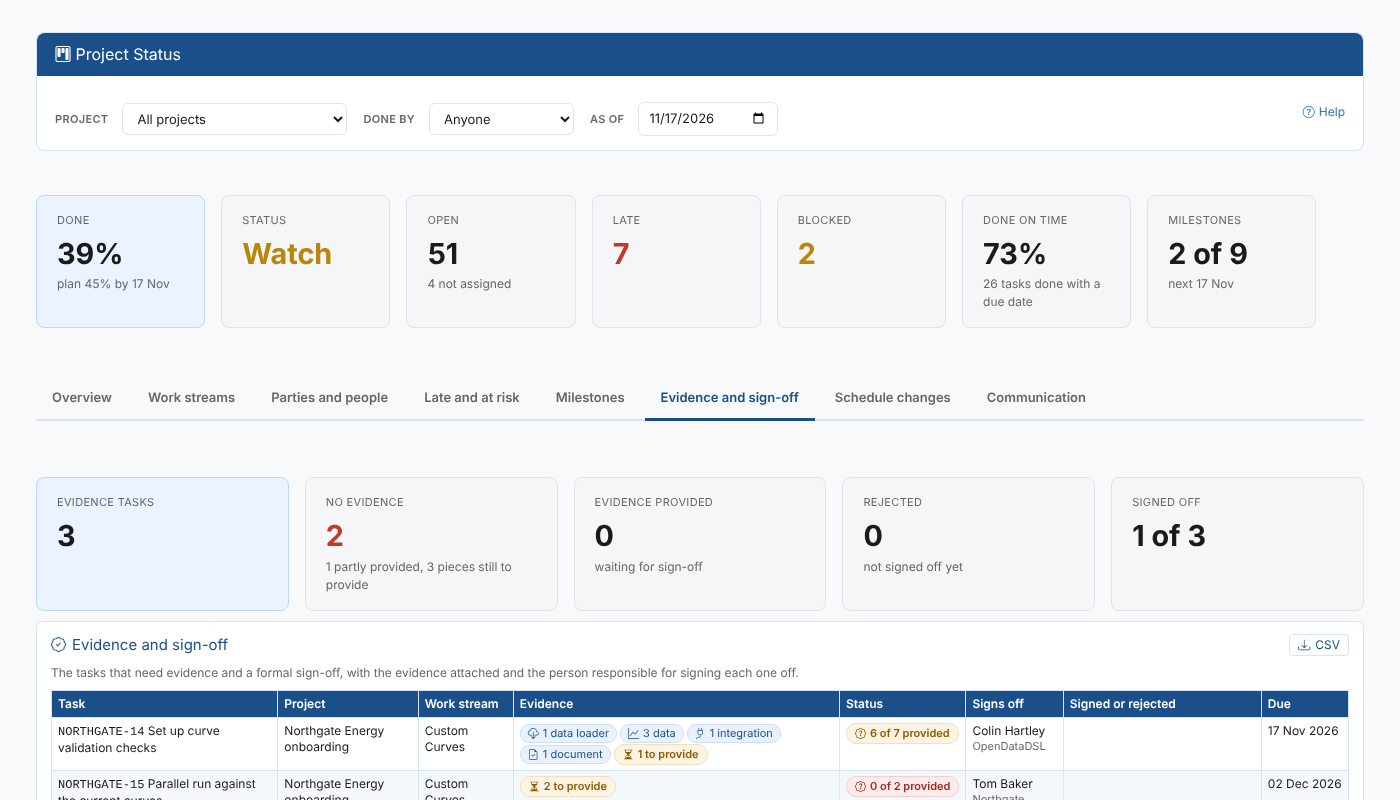
| Evidence and sign-off | The tasks that need evidence and a sign-off: figures for evidence tasks, no evidence (with how many are partly provided and the pieces still to provide), evidence provided, rejected and signed off; and for each task the evidence attached by kind (data loader, data, integration, document), the evidence prepared and still to provide, its state, who signs it off, and who signed off or rejected it, when and with what comment. Tasks waiting for evidence come first |
| Schedule changes | Tasks whose due date was moved: how many times, the days moved out and brought in, and when it last moved |
| Communication | The activity logs of the tasks: emails, calls, meetings, comments and decisions (or reminders, or changes), newest first, with a date and a text filter, 50 to a page |
Every tab has a CSV button.
Where the data comes from
The private object collections project and project_task of the Projects extension. Moves of due dates and the communication come from the tasks' activity logs; the evidence and sign-offs from the tasks' evidence.