Calendar Usage Report
Before you change a calendar, add a holiday or retire an old expiry calendar, you need to know what depends on it. The Calendar Usage Report lists the timeseries and curves that use the calendars and expiry calendars you choose. It answers questions like:
- Which timeseries follow the EEX power trading calendar?
- Which curves use this expiry calendar?
- Is anything still using the calendar we want to remove?
- How many items will a change to this calendar affect?
At Northgate Energy, Priya Shah checks what uses the EEX calendars before the exchange announces a change to its holiday schedule.
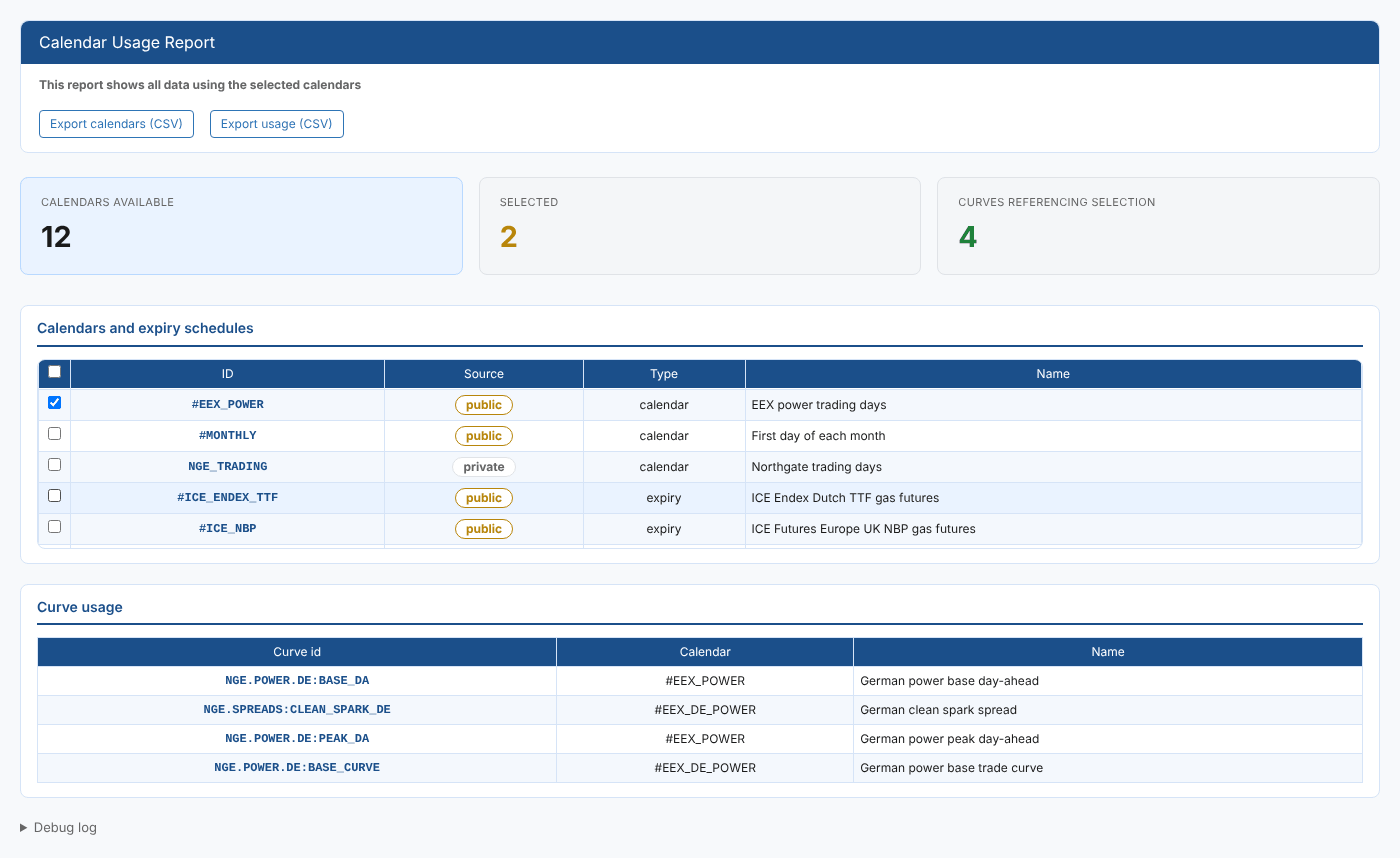
Opening the report
The report is in the Reports menu, in the Calendars category, as Calendar Usage Report (#INSIGHT_CALENDAR_USAGE). It is a public report, so it is available in every tenant.
When it opens, the report lists every calendar and expiry calendar you can read, public and private, in one list. Nothing else is shown until you select at least one of them.
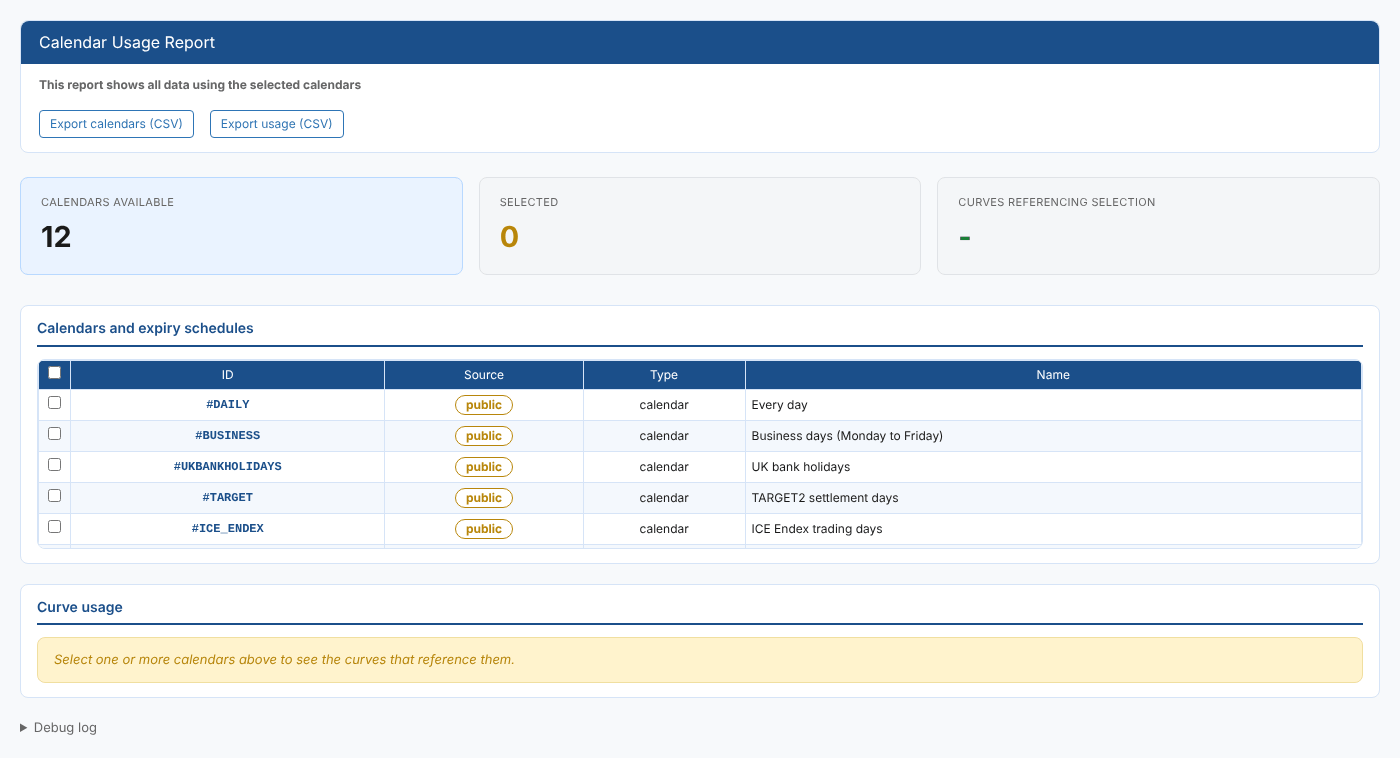
| Control | What it does |
|---|---|
| Export calendars (CSV) | Downloads the calendar list (ID, Source, Type, Name) |
| Export usage (CSV) | Downloads the curve usage table as shown |
| Debug log | At the bottom of the page: what the report fetched and when |
The report
Summary cards
| Card | What it shows |
|---|---|
| Calendars available | How many calendars and expiry calendars you can read |
| Selected | How many are ticked |
| Curves referencing selection | How many timeseries and curves use any of the selected ones. It shows - until you select one. |
Calendars and expiry schedules
One row per calendar or expiry calendar, with a tick box to select it. Calendars are listed first, then expiry calendars. The tick box in the header selects or clears every row.
| Column | What it shows |
|---|---|
| ID | The calendar id |
| Source | public for a shared calendar (its id starts with #), private for one your company owns |
| Type | calendar or expiry |
| Name | The calendar's name |
Curve usage
The timeseries and curves that use any of the selected calendars.
| Column | What it shows |
|---|---|
| Curve id | The id of the timeseries or curve |
| Calendar | The calendar or expiry calendar set on it |
| Name | Its name |
An item is listed when its calendar is one of the selected ones, or when its holiday calendar property (properties.holidayCalendar) is.
The report looks at timeseries, smart and event timeseries, and smart and event curves. Other kinds of curve are not checked, so they do not appear even if they use the calendar. An item found only through its holiday calendar property shows an empty Calendar column.
A count of 0 means nothing you can read uses the calendar. Items you have no read access to are not counted, so check with your administrator before deleting a calendar that other teams might use.
Related
- Calendar Usage Report for one calendar: the same check from a calendar's own screen
- Calendar Report: every valid date of a calendar
- Expiry Report: contract expiry dates
- Insights: how insight reports work