Calendar Usage Report
When you are looking at a calendar and about to change it, the quickest question is: what uses it? The Calendar Usage Report in a calendar's insights answers that from the calendar itself, without picking it from a list. It answers questions like:
- Which timeseries follow this trading calendar?
- Which curves use this calendar?
- Is it safe to change or remove this calendar?
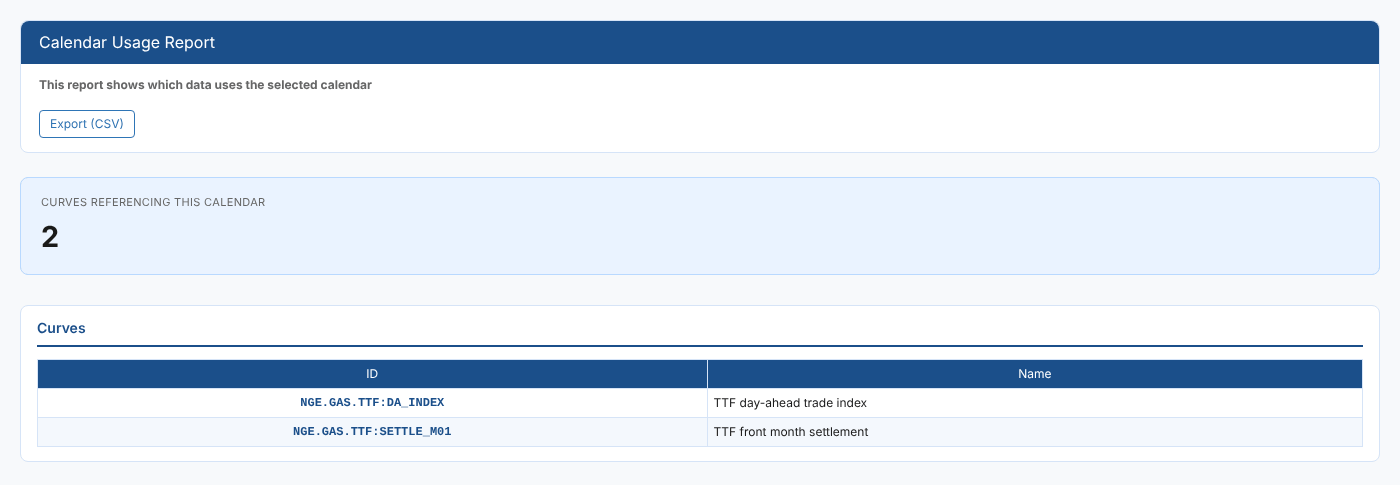
At Northgate Energy, Priya Shah opens the report on the ICE Endex trading calendar #ICE_ENDEX to see which TTF series follow it.
Opening the report
This is an item insight: it does not appear in the Reports menu. Select a calendar, then open Calendar Usage Report from its insights, in the Calendar Insights category (#CALI_USAGE). It is a public report, so it is available in every tenant.
The report loads straight away for the selected calendar. There are no filters.
| Control | What it does |
|---|---|
| Export (CSV) | Downloads the curves table (ID, Name) |
The report
| Part | What it shows |
|---|---|
| Curves referencing this calendar | How many timeseries and curves use the calendar |
| Curves table | Each one's ID and Name |
An item is listed when its calendar is this calendar, or when its holiday calendar property (properties.holidayCalendar) is. If nothing uses it, the report says No curves reference this calendar.
The report looks at timeseries, smart and event timeseries, and smart and event curves, up to 10,000 items. Other kinds of curve are not checked. Items you have no read access to are not counted.
Related
- Calendar Usage Report: check several calendars at once from the Reports menu
- Calendar Holiday Report: the holidays of one calendar
- Insights: how insight reports work